If you’ve attempted to watched videos on the YouTube app over the 3G network, you will have noticed the quality is absolutely atrocious. There were ways to circumvent this by installing 3G “tweaks” via jailbreaking your iPhone, but for there are now easier alternatives.
Back in the first week of July, YouTube updated the mobile version of their website. This new web version had more features and loaded much faster than the native iPhone YouTube app.
The biggest feature was that high quality viewing of YouTube videos was now possible over 3G! Say good-bye to the native iPhone YouTube app. It desperately requires an update to keep up with this awesome HTML5 powered YouTube web app.
How to Watch HD YouTube Videos over 3G on your iPhone/iPod Touch
Many of you are already aware of how to do this. However, lots of people out there (new iPhone users) don’t have a clue about this at all. So if you are in the latter group, read on!
1. Visit http://m.youtube.com in Safari on your iPhone/iPod Touch.
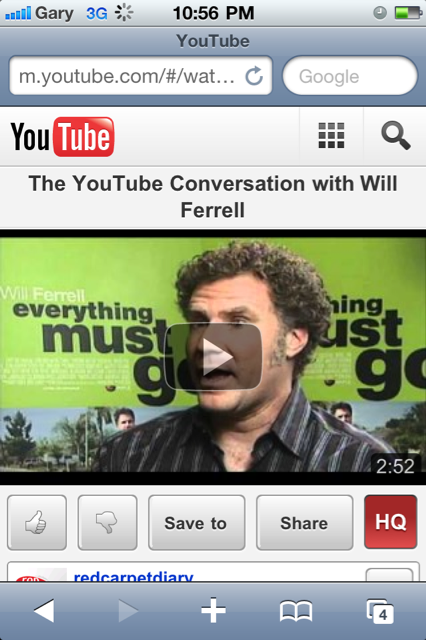
2. Tap “HQ” and watch videos in high quality over 3G. Enjoy!
3. Add the YouTube mobile site to your homescreen. Tap the “+” in Safari.
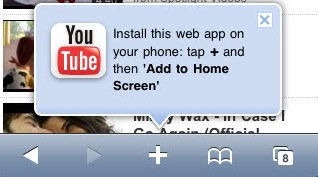
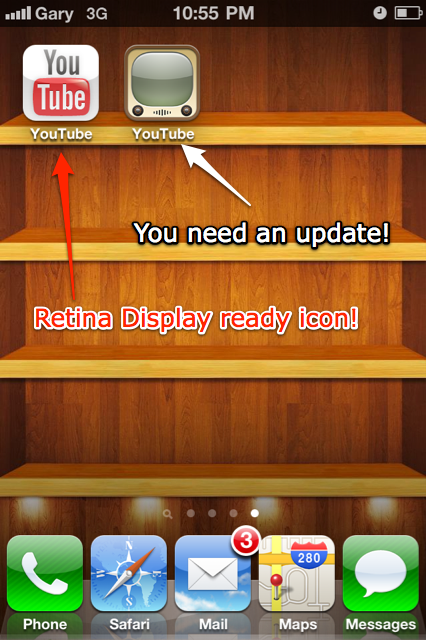
4. A high quality bookmark image will now look nice and pretty on your homescreen.

The problem with the native iPhone YouTube app is that it’s still streaming videos using a format designed for EDGE, according to YouTube product manager, Andrey Doronichev. Until Apple updates the iPhone YouTube app, I will continue to watch high quality videos with the YouTube mobile site.
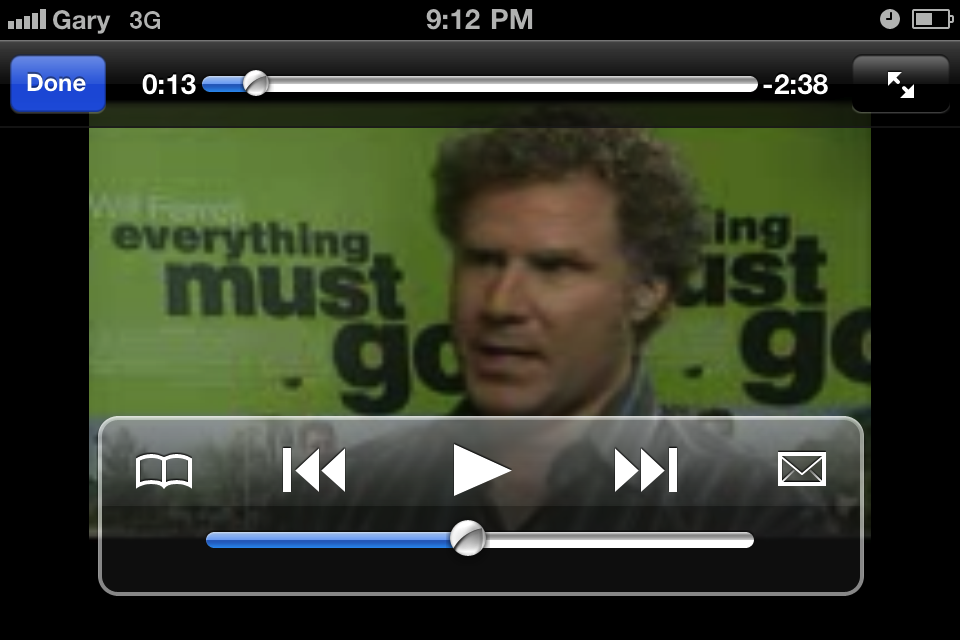
I wanted to watch a Will Ferrell interview on YouTube. This is the quality from the native YouTube app on the iPhone:

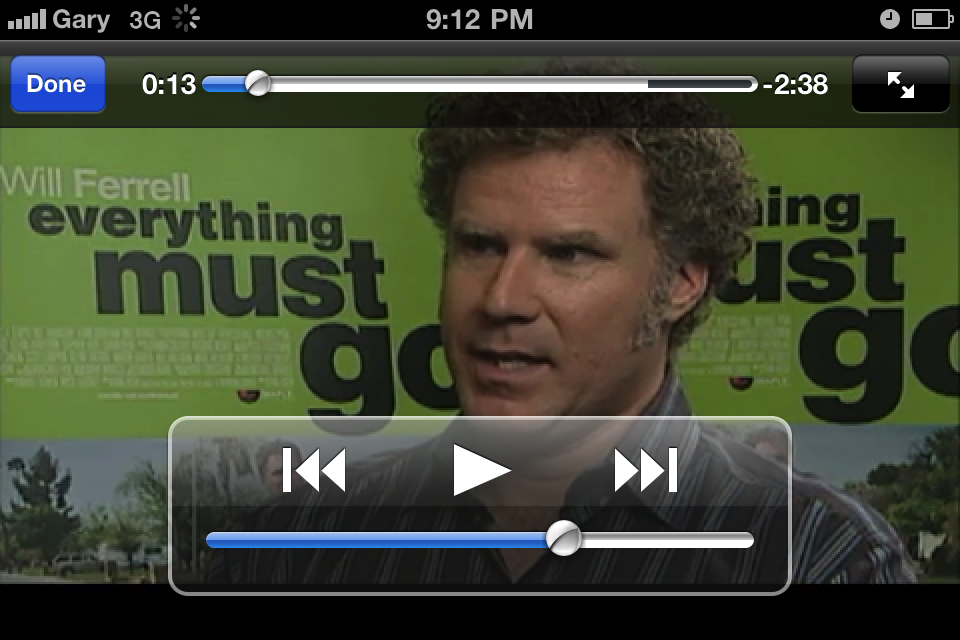
Now, take a look at the exact same video, on the YouTube mobile site (make sure HQ is enabled):

The differences are like night and day. Kudos to the YouTube team at Google for keeping us up to date with all of this stuff!
How are you liking videos on the YouTube mobile web app?



however, in my experiences the native YouTube app has better picture under wifi circumstances than the HQ mode in Safari. Just my 0.02.
Yes, that is very true. Videos look great over WiFi. But once you leave your
hot spot…
However, in this case we are talking about getting HQ quality over 3G.
I use the My3G app (jailbroken) to get the native youtube app to play videos in HQ over 3G, however I find that sometimes the videos don’t download fast enough and I end up having to pause and wait for a while for it to load the video. Do you notice that with the safari version of youtube as well?
The Safari version uses HTML5 for video and is really fast–no waiting. You
can turn off My3G and do your own test.
thanks a lot gary =) i didn’t know about this before!
Great article –thanks!
Nice!
Will Ferrell is awesome 🙂
I have always disliked that native YouTube icon.
For a the largest video site in the world (aside from porn sites lol) you think they could come up with a better icon then something that looks like an old tv that’s sitting on my grandparents basement 😛 .
I thought the web app was just a change of interface, but now I know – thanks a lot.
Now, if I open a youtube link from FB, will this launch the webapp or the native iPhone YouTube app?
from the facebook app it launches the native youtube app….from facebook website via safari not sure.
lol i bet with all the Google/Apple fighting, apple tought they’d keep Google’s YouTube properly off the device…wayda go Google team with implementing this update! 🙂
You can turn off the native youtube app by go to Setting>General>Restrictions and turn off the youtube app. So now iphone will use web based youtube instead of the native youtube app.
HTH,
Thanks so much Gary!! How timely – I was literally complaining last night about why my iPhone is pre-loaded with YouTube when it’s absolutely painful to try to watch anything!!
Could be due to logo licensing?
This sounds like it would work, but I just tried this, and embedded videos won’t play with restrictions on.
THAT’S MY BOY, BLUE!!!
I find that with the iPhone 4, loading the video in HQ takes a while… but I wonder if its due to network being bogged down? I tried it during the lunch time hour.
Rogers/Fido on 3G has been having issues nationwide the past couple of days.
Could be that…
Hmm… That could be right, but if it were wouldn’t we see it around a
little more then just the iPhone? I figured if ant logo were to be
licensed it would the the authentic YouTube logo. I’m not really sure
though
Great tip. The native YouTube app does become useful, if you jailbreak and add the “YourTube” tweak. Then you can download YouTube videos, and save them on your device.
Otherwise, this is the way to go.
Ur sperring sucks.’rearn how to rite engrish
Ur sperring sucks.’rearn how to rite engrish
Doesn’t work for me…I get the message ‘Please enable JavaScript on your browser’
Figured it out…duh. Sorry.
hey, what theme did you use to get that bookshelf wallpaper? what repo?
Got it from the WallpapersHD iphone app. FREE! 🙂
Nice to see you’ve jailbroken your phone too… Do you have any idea when the jailbreak for 4.1 is likely to come out? It will be nice to install it as soon as possible to get rid of the proximity sensor bug
hey Gary I wanna say thanks bro for adding this article i had no idea. I have to say I wasn’t even using native YouTube app over 3G much at all because it was not that good. but I will be going your route man this is sooo much better and i’m surprised how silky smooth this is through safari. so when i’m on 3g I will be using the web app.
Nice article. Are you kowing a site from where you can download youtube clips?
You can’t do that anymore, YouTube has updated their mobile site once again, and no HQ option either.
Great article… Except 3G is mainly sh*t for watching HQ streaming videos…
I installed the youtube web app on my old fuddy duddy 3G iphone – so much better! Only prob is that I can’t seem to see where to find the “HQ” you mentioned. Thus, I still can’t view HD movies on my iphone 3G. Help. Thanks!
A MILLIION THANKS TO YOUR INFO!! NOW I CAN WATCH HQ YOUTUBE ON MY NEW IPHONE 4S!!
Why isn’t my icon in HD?
Thank u very much
I didnt know abt this before !
I usually surf the internet on my iphone 4 because it has the HD function without needing to connect to wifi . But recently the button suddenly disappeared , anyone have the same problem ?