
OnePlus to Reportedly Leave US and European Markets
A formal announcement is reported to arrive in the "coming days," as OnePlus prepares a US and European retreat.
Great guide from Ars Technica. The iPhone 4 has the best display on the market, but most video apps don’t have presets to optimize video for the retina display. This guide will show you how to get the best quality video on your iPhone 4, and the best part is — you can do it with free tools. So read the guide and you’ll soon be watching Star Wars on your iPhone.
“The iPhone 4 just begs for some good video content to be played on its high-resolution display—which, contrary to popular belief, isn’t made of retinas. The easiest way to get video is through Apple’s iTunes Store, but there are many reasons why you might want to watch videos that you already have lying around instead. If you’re lucky, your video is already in a format that the iPhone supports. In that case, just add the file to iTunes and sync. But what if it’s not in the right format?”
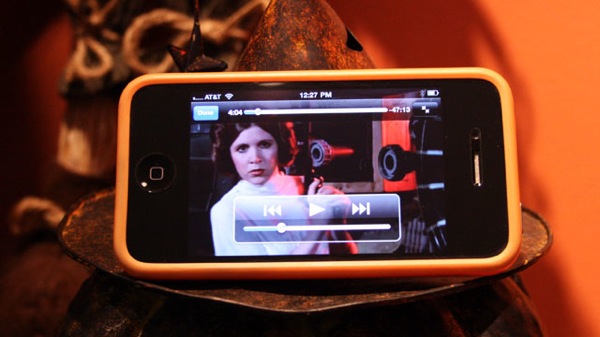
(Via How to convert video for the iPhone 4’s high-res display)
Want to see more of our stories on Google?

P.S. Want to keep this site truly independent? Support us by buying us a beer, treating us to a coffee, or shopping through Amazon here. Links in this post are affiliate links, so we earn a tiny commission at no charge to you. Thanks for supporting independent Canadian media!


I use VisualHub with the Apple TV setting and High quality (or ‘Go Nuts’) selected, works great. It can automatically add the file to iTunes and can convert a list of files at once.
I use Handbrake with its’ AppleTV setting. You can manually adjust the resolution.
I used to use VisualHub, but I’ve had more success with Handbrake.
Agreed. I haves used many converters for PC/Mac, but handbreak is the clear winner in my mind, best of all it’s free.
If it doesn’t work?.. There are loads of excellent apps for alternative, just read reviews first to make sure if the software can cater your specification.
Maybe we can use a computer to help us.Â
Thanks for your guide!
Thanks for your guide!
Thanks for your guide!