The following is a tip for new iPhone users (and even veteran users too). For Gmail users, there are two ways to setup your email on the iPhone:
1. The Gmail option within Mail settings (IMAP).
2. The Exchange option within Mail settings via Google Sync (Push).
Setting up your Gmail account via Google Sync/Exchange is a fantastic option–except by default, only your Inbox is selected to Push emails. If you utilize Labels in Gmail, your labeled messages will not download unless you manually select them. Many think there is an error with Gmail because no labeled messages download.
If you’ve encountered this Google Sync “error”, here is the quick fix:
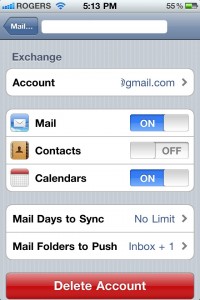
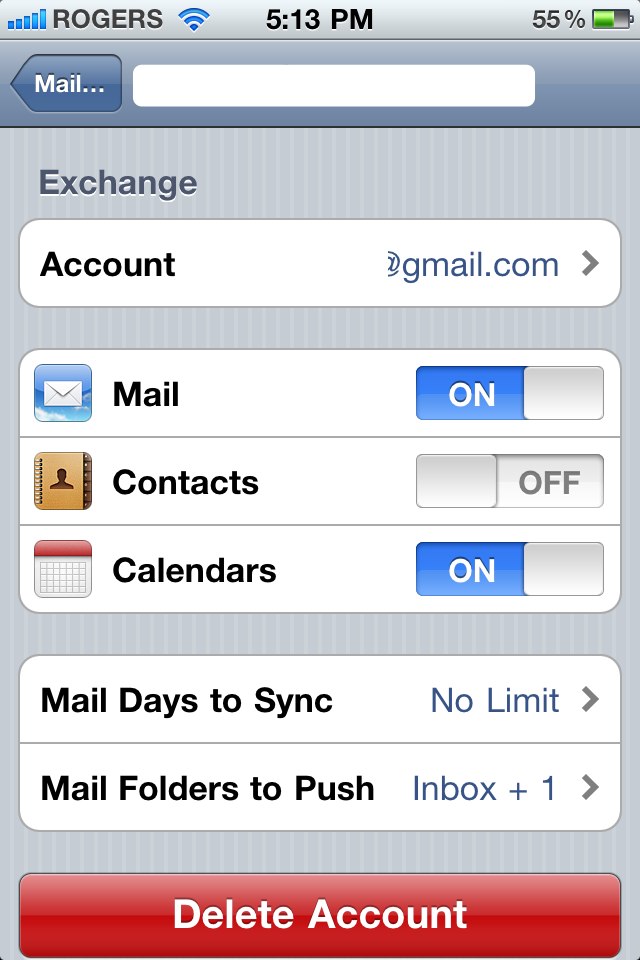
1. Settings –> Mail –> Select your Google Sync account.
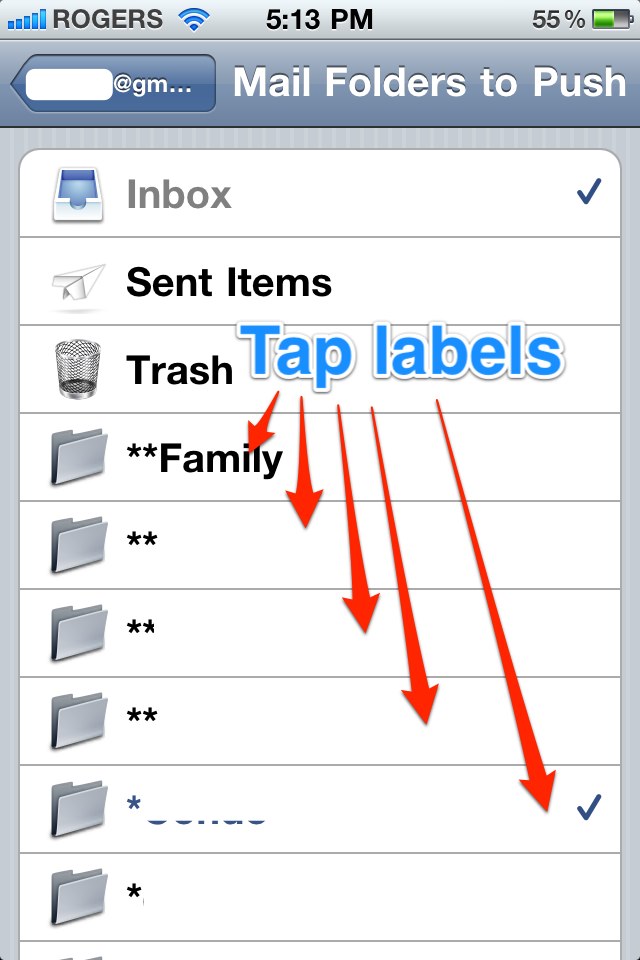
2. Mail Folders to Push along the bottom will say Inbox. Tap it, then proceed to select all the Labels you want Pushed to your account.

After you finish the above steps, selected Labeled emails will begin downloading immediately to your iPhone. Load Mail, go to your Labels and you should see up to date emails there waiting for you. Voila.



Great article , I need some help with google contact syncing . Depending on which way u setup contact sync on your iPhone matters a lot. Because sometime when I save a contact on my iPhone it never shows up in gmail , why ? What is the best option to use for contacts gmail sync or exchange ?
What about Sent Mail? I can never see my sent mail from Gmail unless I hit the web app.
Just check off Sent Mail like one of the labels.
You need to setup Exchange for Gmail, then ensure Contacts is toggled ON for syncing with your Google contacts.
Do you have an article on how to set up The Exchange/Google Sync? I’m not sure of the name of the server I need to enter to set this up. Any help? Thanks to any and all who reply! Cheers!
The link is in step 2 from above:
https://www.iphoneincanada.ca/iphone-news/googlesync-delivers-push-gmail-for-iphone/
Got it thanks Gary! That was a a reply at lightspeed! lol
Thank you Gary.
My problem however is not in the initial setup but later on. after a day or two of using the exchange server, whenever i move a message from the inbox to one of the labels, it doesn’t show it at all in that label even though it did label it successfully (I can see it in the web gmail). If I use the IMAP settings it shows the message in the label/folder instantly after moving it from the inbox. Is there any solution to that problem? Do other people encountered that problem also? It just drive me crazy…
Are those labels ticked off for push?
Yes, I ticked them off to push in the initial setting, just as you mentioned.
Any ideas?
Hmm…really weird. It is these problems that I have IMAP setup for my ‘All Mail’, and another Push account setup solely for my Inbox.