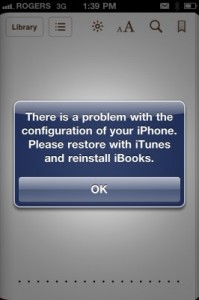
Have you encountered that message above?
There is a problem with the configuration of your iPhone. Please restore with iTunes and reinstall iBooks.
Are you looking for a fix for iBooks after jailbreak iOS 4.2.1 via Greenpois0n? A solution is now available in Cydia that will solve the problem of iBooks refusing to open content on jailbroken devices.
Here’s How to Fix the iBooks Error via Cydia
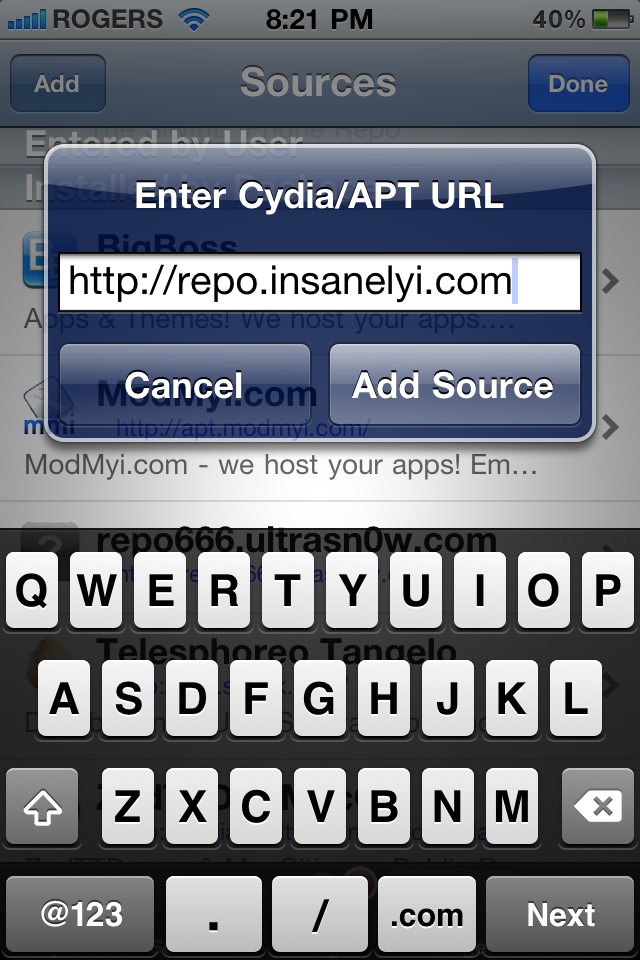
1. Launch Cydia –> Manage –> Sources –> Edit –> Add
2. Enter the following repository: http://repo.insanelyi.com , tap Add Source

3. Search for’iBooks Fix’ and install it.
After the install of iBooks Fix, you should be able to read your books on iOS 4.2.1. By installing this tweak via Cydia, you won’t have to re-jailbreak with PwnageTool 4.2/sn0wbreeze 2.2 to fix iBooks. This will save some time and trouble.
Let me know how iBooks Fix works for you. Happy reading. 🙂
[insanelyi]




Works perfectly. Thank You!
Brilliant…JB community ROCKS…
Thank you, thank you, thank you, i couldn’t figure out how was wrong after downloading the book from ibook store, and your instructions simply save my day!
Thank you very much.
dosn’t work on verizon iphone
dosn’t work on verizon iphone
dosn’t work on verizon iphone
Hopes for fix on verizon soon
Hopes for fix on verizon soon
Works great! GOOD JOOOB!
Works great! GOOD JOOOB!
hey i did what is you said but when its installing in cydia there are some errors in installation of fix ibooks and leave my installation half way. what can i do?
Great fix. thanks for posting it. Pam in Newcastle England. 🙂 🙂 🙂
Download iBook fix from Xsellize, then SBSetting, in the setting scroll down and in system wide options, go to system options, and fix on top, then iBooks works!
I tried this, but it kept failing, so I tried the newer version also released by you. It appeared to have worked, but now whenever I try to open ibooks, it closes immediately.