For those that may have been using the iPad version of Remote Conductor, the app is now avialable for iPhone!
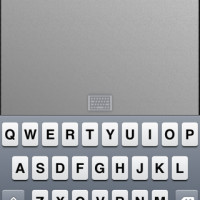
Like with the iPad, users may now use their iPhone or iPod Touch as a control center for their Mac or PC. The app enables users to fully manage applications on your computer by allowing such functions as launching apps, switching, maximize/restore, minimize, closing apps. The iPhone, or iPod touch, effectively becomes a wireless multitouch trackpad and secure keyboard.
INCLUDES:
– Trackpad with multi-touch gesture support
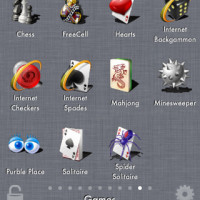
– Application Launcher: just like launching apps on the iPhone
– Application / Window switcher: view app windows and switch or manage them
– Fully Encrypted Basic Keyboard
MAIN FEATURES:
– Wireless control of your Mac or PC over Wi-Fi
– Bluetooth supported with iOS 4.3 (Mac Only)
– Full Landscape and Portrait support
– Use navigation icons or gestures to switch modes
– 256 bit AES encryption on all network traffic – safely enter passwords!
– Automatic computer discovery
– Optionally connect by hostname or IP
– Remembers pairing for multiple computers
– Auto re-connect
– Highly optimized network code for smooth, lag free operation
Remote Conductor is available in the App Store for $1.99.




Says wifi or Bluetooth, no 3G control? FAIL
Says wifi or Bluetooth, no 3G control? FAIL
how far away are you controlling your computer from that you need 3G control? you still need to SEE your computer, unless one is operating by telescope…o.O”
how far away are you controlling your computer from that you need 3G control? you still need to SEE your computer, unless one is operating by telescope…o.O”
Well, I was in TO last week and I needed something on my PC in Ottawa. Also, I set up a torrent. LOL
NO worries, JUMIONE did it over 3G. 🙂
Well, I was in TO last week and I needed something on my PC in Ottawa. Also, I set up a torrent. LOL
NO worries, JUMIONE did it over 3G. 🙂
Well, I was in TO last week and I needed something on my PC in Ottawa. Also, I set up a torrent. LOL
NO worries, JUMIONE did it over 3G. 🙂