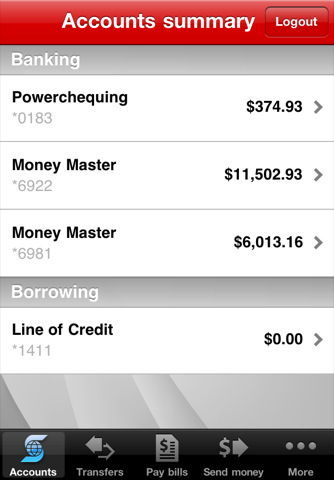
The Scotiabank app for iPhone is a great banking app that enables Scotiabank customers to easily manage their accounts from their iPhones. Users can check personal and small business account details, pay bills, transfer funds, or find local branches and ABM’s.
Recently, Scotiabank updated the app with a completely new user interface, more closely resembling their mobile website. However the app also received the numerous new features listed below:
New Interac eTransfer send and receive features
- Users can create recipients directly from their iPhone address book
- Users can accept, view, or cancel eTransfers
More key account information
- Users can now view additional account information such as balances for Personal and Small Business Loans and Investments, USD Savings Account Details and Transaction History, Holds details
- For credit cards in specific, users can now see credit card and last statement balances, last payments, overdue payments and over limit amount details
Multitasking Support
- User can now exit the app and re-enter without having to sign-in again. Previously, navigating away from the app would automatically log out the active account.
Account Swipe-Through
- For users that have multiple accounts, you can now simply swipe through the different active accounts and view account information.
The Scotiabank app for iPhone is available in the App Store for free.




This also fixes the app on iOS 5 FYI
That’s right!
The app was unusable on earlier Betas of iOS 5.