
You Can Now Jailbreak iOS 16.4.1 with Palera1n 2.0.0 Beta 6
Codenamed Bakepale, the latest v2.0.0 beta 6 update to jailbreak tool Palera1n has just been released, which fully supports iOS 16.4 - iOS 16.4.1 jailbreak.
iOS developer Vertex has just released a brand new tweak for all jailbroken iPhones and iPods called FolderIcons which brings the ability to customize iOS folder icons. Normally, each iOS folder icon is made of folder background image and thumbs of icons in folder. However, this simple tweak allows you to set your custom icon for selected folder(s) instead of app thumbnails.
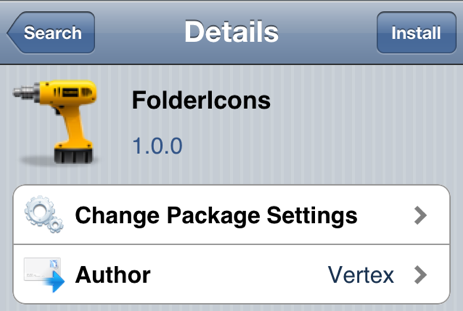
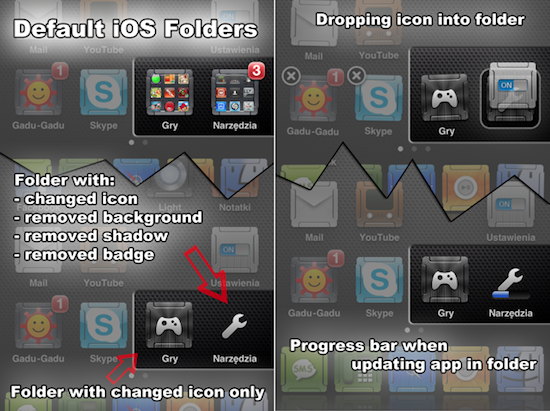
With FolderIcons, you can pick a different icon for each iOS folder. You can also remove a folder’s background, shadow or even its badge. Best of all, the tweak is available as a free download in the Cydia store via the BigBoss repo.
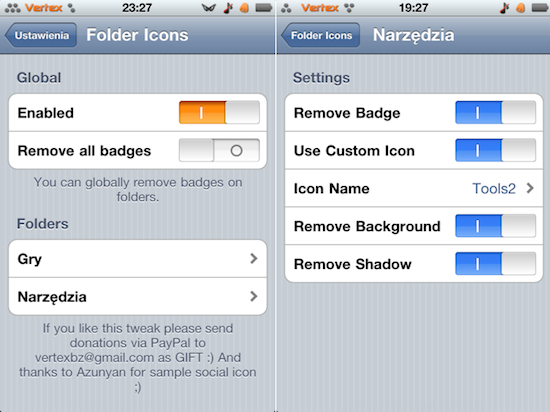
Once the tweak has been installed, all the options can by configured right from the native Settings app. The tweak comes with a bunch of icons though you can add as many as you want by copying them to the FolderIcons folder inside the Media folder. For that you can either SSH into your device or simply use a tool like “iPhone explorer”.
Want to see more of our stories on Google?

P.S. Want to keep this site truly independent? Support us by buying us a beer, treating us to a coffee, or shopping through Amazon here. Links in this post are affiliate links, so we earn a tiny commission at no charge to you. Thanks for supporting independent Canadian media!


great tweak, but please we need an icon database to use, the app only has one icon installed by default, a social icon; for those of us who are not good at designing icons, please someone creative upload sets of nice icons to use with this tweak. Thanks in advance
great tweak, but please we need an icon database to use, the app only has one icon installed by default, a social icon; for those of us who are not good at designing icons, please someone creative upload sets of nice icons to use with this tweak. Thanks in advance
great tweak, but please we need an icon database to use, the app only has one icon installed by default, a social icon; for those of us who are not good at designing icons, please someone creative upload sets of nice icons to use with this tweak. Thanks in advance
so can we make custom folders icon after installation of tweek ??? likes music or pictures folders icon???
The folders section say’s nothing but donate.
I downloaded folder icons, but when I went into settings and tapped folder icons my ipad was resprung and when I unlocked it, all of my jailbreak options were gone except for cydia. I had to respring my ipad again to access anything. When everything was back to normal I tried again with the same result. Help?
Don’t think it’s compatible with iOS 6 yet. Same thing happened to me.