Update 1:
As reported by some users, sign-ups are currently possibly via OS X Lion or iOS 5 devices only. However, any stored information can be accessed via iCloud.com. This should however be fixed pretty soon, most likely by the time iOS 5 comes out.
In the next few hours, iOS 5 will be released to the general public and just ahead of the big update, Apple has released iCloud to everyone. Just moments ago, iCloud.com went live making Apple’s cloud storage service open to anyone with an Apple ID, free of charge. If you aren’t aware yet, iCloud stores your music, photos, apps, contacts, calendars, and more, and wirelessly pushes them to your iOS 5 devices and computers.

For example, if you buy a song in iTunes on a Mac or Windows computer, it appears on your iPod touch and iPad. When you snap a photo on your iPhone it’s automatically sent to your iPad. You can start creating a Pages document on your iPhone, and put the finishing touches on it from your iPad. There’s no need to dock your iOS device or sync it to your computer.

To sign up for iCloud, simply point your browsers to icloud.com and enter your existing Apple ID credentials. In addition to be able to login to your iTunes account, iChat or Apple Store account, you can now use the same ID to access your iCloud account. If you want to learn more about the service, you can access a dedicated help site at this link. The following browsers are recommended for accessing iCloud:
- Safari 5 for Mac
- Safari 5 for Windows
- Mozilla Firefox 5 for Mac
- Mozilla Firefox 5 for Windows
- Microsoft Internet Explorer 8 For Windows
- Google Chrome 12 for Mac
- Google Chrome 12 for Windows.
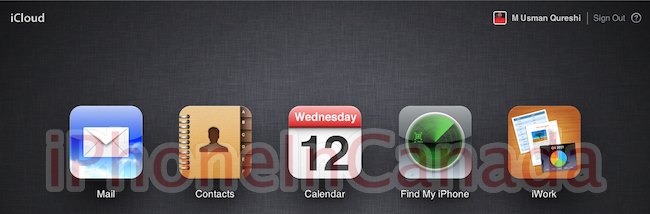



You need to have access to iOS 5, or Lion in order to enable it on your account though.
You can’t get to it on Lion atm.
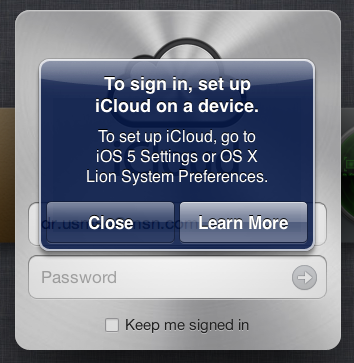
Nope doesn’t work right now. It says “To set up iCloud, go to iOS 5 Settings or OS X Lion System Preferences.”
Can’t migrate Mobile Me to iCloud just yet; says ‘For developers only’
Ok! am I missing something? I have OS X Lion, but do not have iCloud in the System Preferences. Am I doing something wrong?
Do you guys think iCloud can link multiple Mac OS X Lion (i.e. iMac and MacBook)?
you need to install iCloud for Mac (which is currently in beta / developer’s only) on OS X Lion. Apple might push an update for Lion in the next few hours as iCloud is already out of beta.
Aha! I thought I was going crazy at 7 in the morning 🙂
Thank you 🙂
The iCloud documentation mentions OS X 10.7.2 as a requirement, so it should drop today.
you need to install iCloud for Mac (which is currently in beta / developer’s only) on OS X Lion. Apple might push an update for Lion in the next few hours as iCloud is already out of beta.
Hey thanks for the input guys, post updated!
I have an unrelated question I hope somebody can help me with… I have my iPhone and my MacBook Pro. My three kids all have MacBooks (as well as Ipods) and we all share an apple ID (so we can buy a song once and all have it). With iCloud, won’t that mean that pictures I take with my phone will automatically get pushed to all their laptops?? Is there another way around this (short of getting them all their own apple id’s and re-purchasing our entire library…??) Is there a setting I can use to upload songs only to iCloud?
You can pick and choose which applications you want iCloud to synch including photos, Calendars and Contacts.
yay!!!! Thanks for the reply Sha9gy!!!
What was the services that will charge $24.99 mentioned in the conference again? I thought that was iCloud…
Extra storage and Music Match cost extra.
Wondering which account I should use for iCloud. My AppleID, which is not an email address and was set up long before MobileMe arrived, or my MobileMe account? Problem is all my purchases (music, apps etc) are on my AppleID and not MobileMe. I can go to “Manage my AppleID” on Apple’s website but it won’t let me change my ID to use my MobileMe email address as my ID.
I have a mac, a pad, a mobileme account and a 3G but I’m still resisting so far. Waiting for ip5…