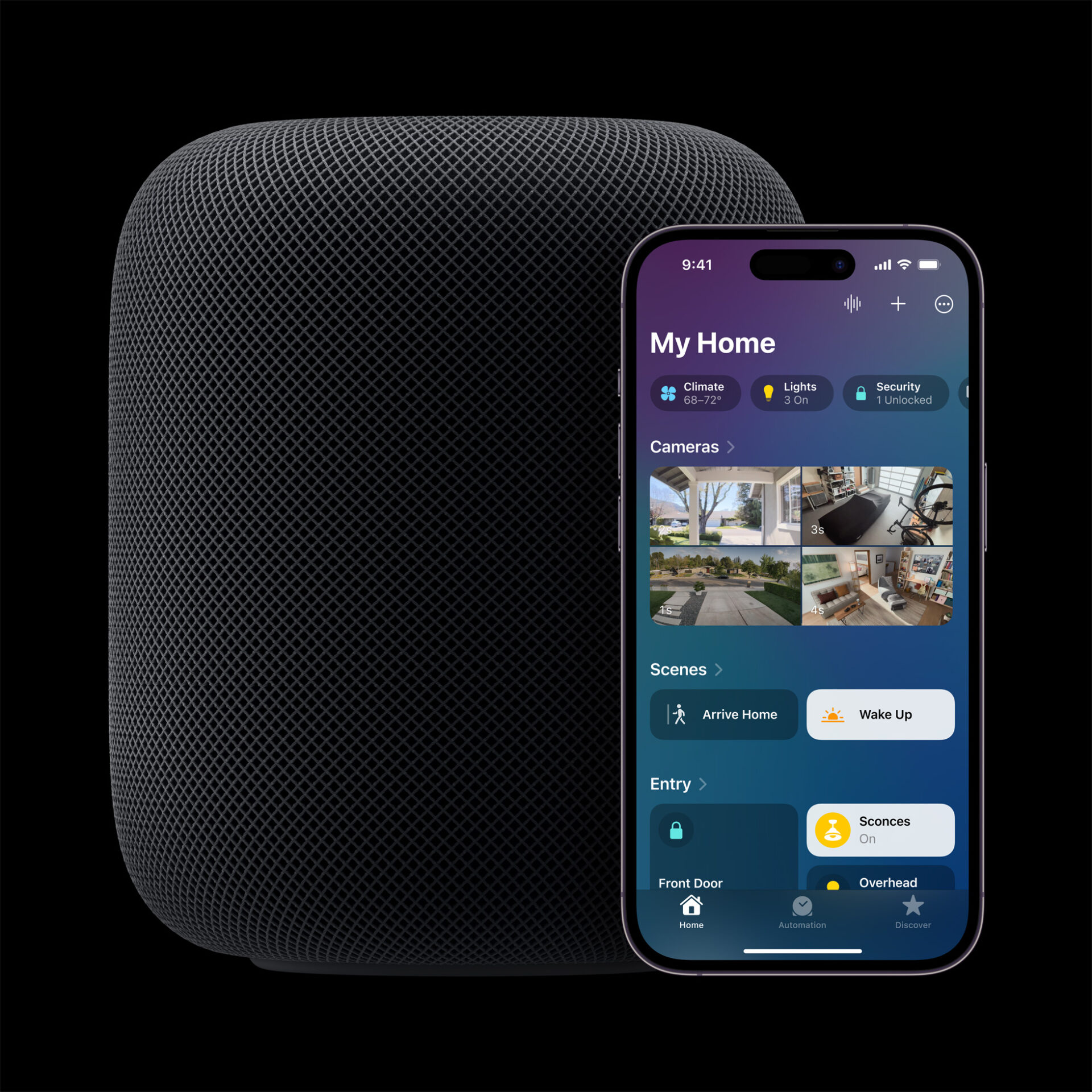
Apple’s Smart Home Hub With Siri AI and Face Recognition Could Launch Next Month
Apple's long-awaited smart home hub could launch as early as next month with facial recognition and Siri AI, according to Mark Gurman.
Update 1:
Here you go! As promised, below are the direct download links to iOS 5 firmware (.IPSW) files:
Its finally here folks, the much awaited iOS 5 has just been released to everyone and is available for update via iTunes 10.5. As you all pretty much know by now, iOS 5 is a major firmware update for the iPhone, iPad and iPod touch that adds over 200 new user features including Notification Center, iMessage, iCloud support and PC Free. To download and install the new software on your iOS device, connect it to iTunes via USB and “Check for Updates” in the device’s info screen.

We will post direct links to the iOS 5 download as soon as Apple makes them available. Stay tuned!
Want to see more of our stories on Google?

P.S. Want to keep this site truly independent? Support us by buying us a beer, treating us to a coffee, or shopping through Amazon here. Links in this post are affiliate links, so we earn a tiny commission at no charge to you. Thanks for supporting independent Canadian media!


Curious to know if it’s the same build as the GM…
thats the whole point of the gm…. sigh
Sigh… yet there can still be last minute changes. Hence the question. Sigh.
sigh
downloading now boys n girls…..
It is the same build number. 9A334
On it. I accessed it by hitting the restore button and not update !
USMAN do you play gears?
778mb update it’s pretty big
mine still says 4.3.5 is the current version. i am in new brunswick
I got it 5 mins ago I’m in Ontario
I thought the update was going to be over the air
After iOS 5 it will be
after this one, they will be
download is pretty slow
Yeah, it’s extremely slow. Took me whole 5 mins to download at 2.5MB/s.
No, more like 30 KB/s ~_~
direct link?
downloading now…. said 11 minutes, got down to 4, and then it went up to 5 ! ahhhhhh!!! My boyfriend started probably a minute before me, and his started out saying 60 minutes remaining ! ha
Mines done updating now!
I had the iOS 5 update screen for 2 min, then it reverted back and still says the current version 4.3.5 is the latest. mine is a 1 gen ipad.
try it again. my first one just didn’t ‘take’ the first time, but the 2nd time it actually started (and is still) downloading
I just posted all the download links from Apple’s site, but it has to be approved by a moderator.
download started, must be temporary
My iTunes keeps freezing @ Back up 🙁 Done downloading though 🙂
Make sure you’ve updated iTunes to the newest update
Ya, I did that yesterday.
strange ? you on OSX or Windows
Windows 7 64-bit. It’s going now. ‘Preparing iTunes for restore’
Yay! almost done!!!
mine goes reaaaaaally slow at backup… then gives me an error msg
Is this identical to the 5.0GM ??
Mine’s been stuck at 3 hours remaining for 10 minutes. LOL
0.1 MB’s! D_oh…
download has been iterrupted more than 3 times now. the last one stopped at 399.00 MB
Before u gone mad pla turn off your antivirus and then download.
Damn! Now it went from 3 hours to 5. I can’t be without my iP4 after 5pm, it’s now 1:45. I *thought* I gave Apple a good window of time. Will I brick my phone if I unplug when I leave at 5pm?
I have the iOS 5 GM. I tried to do an update via “check for update” and iTunes reports that my iPhone 4 has the latest update. Could it be that the GM is the same as the public release?
You would have to downgrade to 4.x.x version to see the official update. Big Boss covered this on his blog.
Or just shift restore to the public release. MUCH easier.
Yes it has got the exact same version number, so it’s not mandatory to update.
Whats the difference between the 2 ipad2 ipsw’s? 3g?
Whats the difference between the two ipad2 ipsw/s? 3g and non 3g?
I found my Answer. 3 files for ipad2
iPad 2: iOS 5.0iPad 2 (GSM): iOS 5.0iPad 2 (CDMA): iOS 5.0
Okay, I downloaded the “iPhone3,1_5.0_9A334_Restore.ipsw”
How do I update my iP4 with it? iTunes way is too slow….
Shift – Restore in iTunes (10.5!), select downloaded IPSW, and there you go!
what do you mean Shift – Restore in iTunes? is this for Mac?
Option – Restore for Mac
No, not specifically for mac. Works also on PC.
Connect your iPhone to your PC / Mac. Go to you’re iPhone in iTunes (10.5). Hold down shift en click the restore button. It lets you browse for the IPSW – select it and it’ll install iOS5 on your iDevice.
no! you should be downloading the iPod4,1… you downloaded the firmware intended for the iPhone 3GS!
No actually. “iPhone 3,1” is the iPhone 4 GSM.
Perhaps I just right click on it and Open with iTunes?
it been saying contacting the iPhone update server forever anyone else have that?
ive downloaded this twice, first opened and second time saved it on my desktop. when i open it Itunes opens, but that’s about it. when my phones plugged in it askes me if i want to download it from itunes directly, even though i have it on my desktop!!! where should i move the file to, someone help i want my message notifications screen already!!!!!
thanks a lot
It keeps saying contacting the iPhone update server forever does anybody else have that problem or what does it mean?
does anybody get contacting the iPhone software update server?
I do, it’s been on that pop up for at least an hour now…so I’m not sure how long its gonna take.
meeeee wtf
Why there are 3 versions for iPad2? Can someone explain?
Download iOS 5 For iPad 2 (iPad 2,2 & iPad 2,3)
ok got it!
2,1 is wifi only, 2,2 is GSM, 2,3 is CDMA
everyone has the same problem
Well itunes is garbage as always. Just downloaded the whole update twice, then when it’s processing the file it times out and I need to do it over again.
If i download from the link above, how exactly would I go about installing the update>
Did you turn off your antivirus? I found that I need to do that with any itunes update.
Working fine for me, took about 9 min total
Question is, how long will it be for the untethered Jailbreak 😉
So much for an immediate release, eh?
Downloaded for iPad in about 25 min
Is anyone else noticing text entry seems to be very laggy since installing iOS 5? It’s driving me nuts!!
restrart device. It should have no problem. The issue was resolved in the last beta version.
No such luck. Restarted and its still there. Its not bad at first but once you get past the first sentence and your typing with any speed it lags behind by 4-10 characters. SUPER ANNOYING
do a clean install.
What do you mean by clean install? like restore to factory settings??
i have to manually add all my music AGAIN?!
The web browser is blazing fast for ip4on wifi.
Works fine on my ipad 2 and iphone. imessage just amazing, say bye to bbm
Download went fine. Prepared my iphone 4 for backup. Went OK. Started backup. Reported an error. Choice to continue and lose all contents of phone or cancel. Obviously, I cancelled.
ME TOO DID YOU FIGURE IT OUT???? oops caps
using 3GS, keeps saying the network connection cannot be established but internet is working fine. Thoughts?
Pls turn on your antivirus off for the time being and then download.
I AM SO MAD THE IPOD ICON IS GONE!!
my imessage msgs aren’t going through :S…i’m testing it out by sending it to myself since none of my friends are on ios5 yet!
Just tried to update my Apple TV. Download went fine. At the end of Step 1 in Preparing Update, reported that Update Was Not Successful.
Hey, I’m having problems too. I was on the iOS 5 beta for Apple TV, so it says I’m up to date, but also won’t let me restore because “Apple TV can’t download the latest update right now. Try again later.”
Let me know if you are successful.
Anyone? Cant even get past the cant find connection part.
Can we safely update from jailbroken 4.3.1 (version 03.10.01) on iPhone 4 without risk for further jailbreak?
many thanks,
Bojan
yes of course
I won’t download it now
I wanna experience it first when I get my
new iPhone 4s 😉
can i upgrade my Ipad 2 only ? or does the Iphone automatically upgrades to IOS5 as well? I do not want to lose jailbreak on Iphone…
Thanks
The iPad 1 download was fast for, so thanks! You saved me from the iTunes download and saved me about three hours!
How is iMessage working for everyone?
Mine won’t say the persons name at the top of the conversation just says thei phone number. But if I go back to the screen where it lists all of my
Conversation it says the persons name… Any ideas?
I’m getting this error:
iphone could not be restored. An unknown error occurred (3200)
I keep getting this also
There are some other post on here suggesting that it could be server overload. That’d make sense I guess.
If you hold the home and sleep wake button together until you see the connect to iTunes logo you can restore to iOS 5. so if you backup then restore its kinda like a manual update. it worked for me after getting this error twice
download the IOS 5 system software from above link and install directly from iTunes on your puter.
really worked for me.
Once I download the soft from the link above, how do I move it to iTunes? Double-clicking wont’ do it. Thanks.
You don’t need to double click it. Open iTunes on your computer with your device plugged in while it is in DFU Mode. If you have Windows then hold down your shift button and left click restore. (If it’s Apple then I think it’s Option or Alt.) Then choose your desired custom firmware. If you need anymore help add me on Skype Uneicas. :3
Please can i get a step by step info of how you did this?
can i upgrade my Ipad 2 only ? or does the Iphone automatically upgrades to IOS5 as well? I do not want to lose jailbreak on Iphone…
Thanks
Hi! Can anyone who’s just installed iOS 5, please verify that on an iPhone 4, in Settings/General/Software Update, an error message reading “Unable to Check for Update. An error occurred while checking for a software update.” message pops up with “Cancel” or “Try Again” buttons? I have the GM installed and wanted to know if the release version is doing this as well. THANKS GUYS! HAPPY Apple day!
I’m on iPhone 4 just updated to iOS 5 and when I go to settings>general>software update it says “iOS 5 Your Software Is Up To Date”
k, i keep getting error 3200, unable to restore…what am i doing wrong??