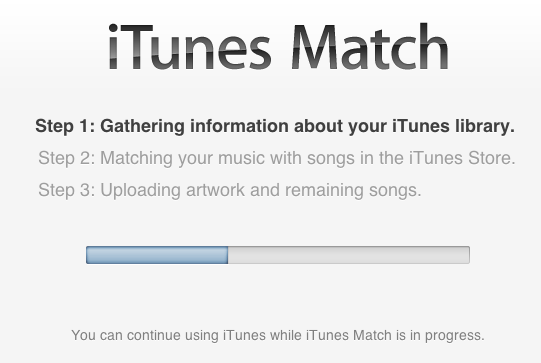
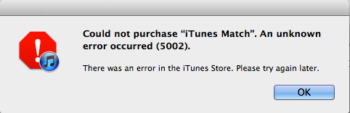
Earlier today Apple launched iTunes Match in Canada, following through on their promise of its debut before the end of the year. For those that have attempted to purchase iTunes Match, you might have run into unknown error 5002 during your checkout, as seen below:
Could not purchase “iTunes match”. An unknown error occurred (5002). There was an error in the iTunes Store. Please try again later.

Here’s how to fix this bug and allow you to finalize your purchase.
1. Login to your Apple ID account via iTunes and delete your credit card information. Select ‘none’ as payment and save.

2. Purchase iTunes Match, and when prompted re-enter your credit card details.

3. Voila! iTunes Match will now do its thing.
Let me know if this fix works for you, because it worked for me.
Thanks to Malcom for the tip!





I wish that was my problem. I’ve purchased and matched all my music, but when I enable it on my phone the smart playlists are all screwed up…
Thanks Malcom and Gary. Worked perfectly.
Awesome!
Worked for me as well
Didn’t need to delete – just had to reconfirm by re-entering the CVV code.
Thanks. This worked for me.
awesome! now good…thanks a tonne!
it perfectly worked for me…..THANK YOU!!!!
Brilliant. Was frustrated. Not anymore!
Yup, that did the trick. Thanks for sharing!
Thanks!!!! Worked great.
That worked for me, Thank You!
Works great. After a pack of failed attempted (5002 s) I couldn’t get iTunes to view my account (would just keep asking for password) — a restart of iTunes fixed that.
Not accepting new subscribers…
Thanks! It worked for me!
Great job. It worked.
thanks for the work-around!!! worked perfectly
I do not have this problem. iTunes matched my library, but there are 44 songs that have the word error in the status column. All 44 play perfectly on my computer, but they did not show & are not available on my iPhone or iPad. Also I have 20 songs with the word “waiting” in the status column. I wish I knew how to correct this. I would like to have those 64 songs. Have you heard from anyone having the same problem? Thank you… Joseph
Great job! Thanks.