We’ve recently published a guide on how to install the new iPhoto for iOS app on the original iPad which is not natively supported by Apple and now, we have another tutorial to help you bypass the iOS 5.1 restriction for installing iPhoto and the latest iMovie update on your jailbroken iOS 5.0.1 devices. As we all know that iOS 5.1 can currently only be jailbroken tethered on A4 devices while the A5 devices can’t be jailbroken at all. Thus keeping the same jailbreak goodness, you can also enjoy iPhoto and updated iMovie on iOS 5.0.1.
Just follow these simple steps (try these at your own risk of course):
Step 1:
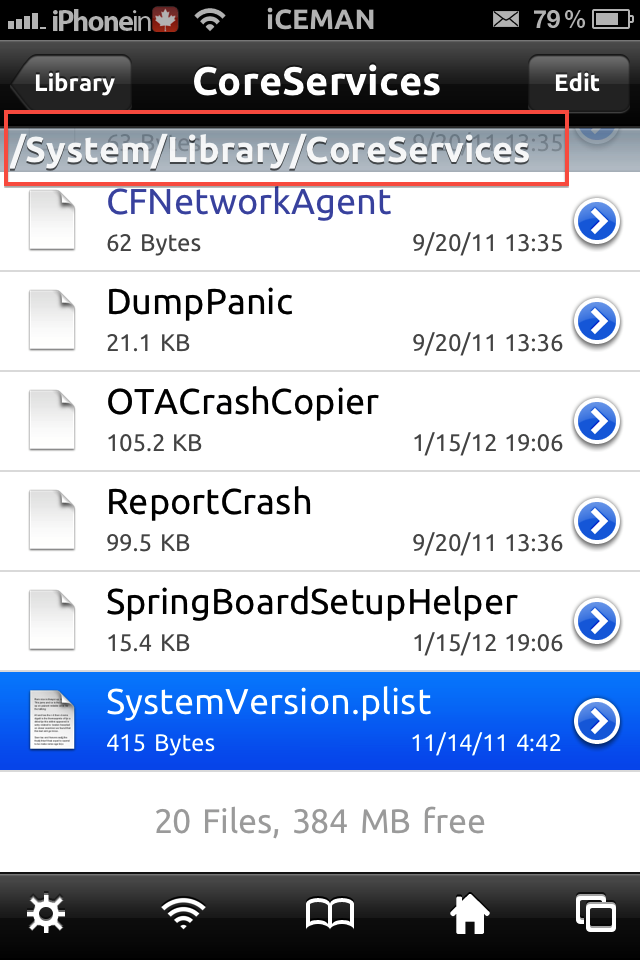
On your jailbroken iOS device, access /System/Library/CoreServices directory using iFile:
Step 2:
Now tap SystemVersion.plist file inside the directory and open it using Text viewer in iFile.
Step 3:
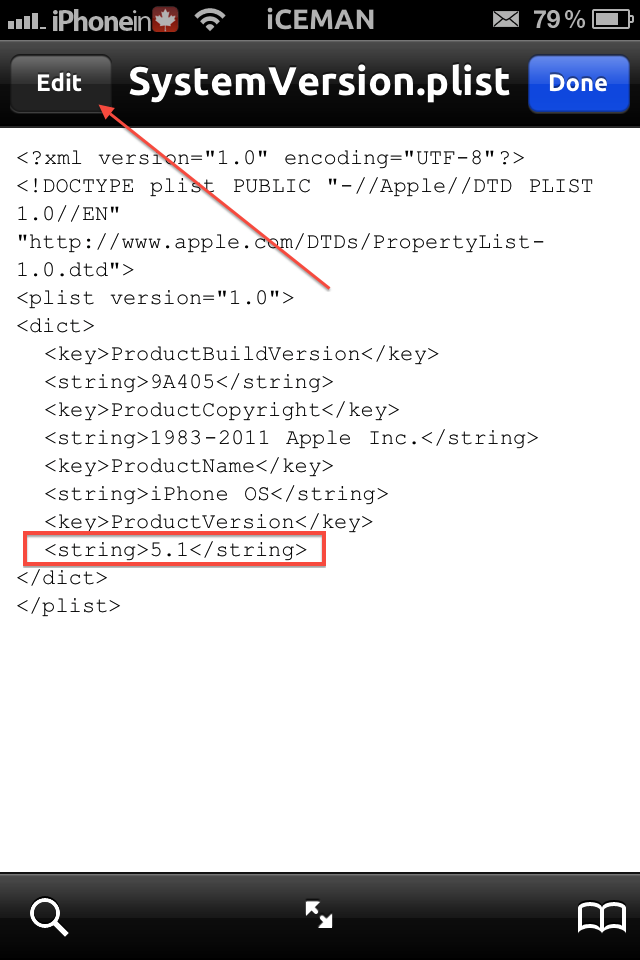
Once the file is opened, tap Edit at the top left corner and replace “5.0.1” with “5.1” in line <string>5.0.1</string> (see image below). Tap Save and then Done.

Step 4:
Now exit iFile and Re-spring your device.
Step 5:
Open up App Store on your device and tap on iPhoto or iMovie to buy / install. Your download will begin without prompting you to update to iOS 5.1.

That’s it. Enjoy!
*iMovie works perfectly.
** To fix iPhoto, just install iPhoto501Fix package from Cydia.
[UPDATE]
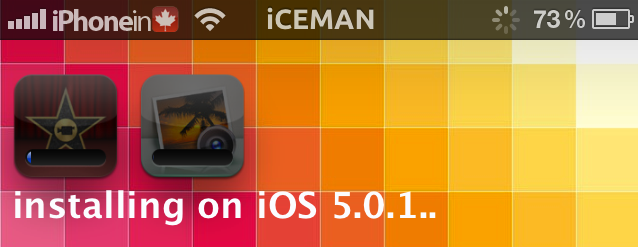
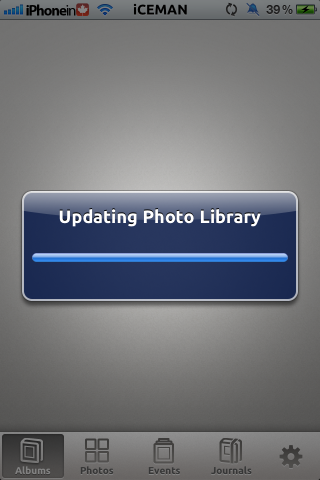
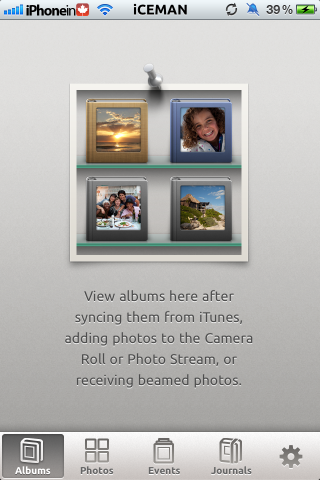
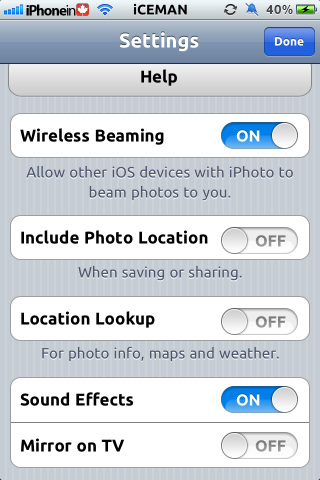
Since some folks are unable to get iPhoto working using this workaround, here are some screenshots of iPhoto running on iOS 5.0.1:




Does it run fine tho? Also, will the cause issues with Cydia? As I believe that it uses te same plist to determine ios version, I’ve heard that when you open cydia it will alert you and then uninstalls corona. Making your phone a tethered jailbreak?
Just finished trying this, doesn’t work.
http://imageshack.us/clip/my-videos/4/a43.mp4/
http://imageshack.us/clip/my-videos/718/oih.mp4/
is this proof enough for ya?
The video show’s iMovie working, but not iPhoto. I just did this for iPhoto and I can download it, but it won’t run. It tries to update your photo library and crashes out. Also if you reboot, you get that annoying error from cydia complaining about the version number. DOES NOT WORK FOR iPHOTO!
It says in the post dude, iPhoto crashes!
yup see it now 🙂 could have saved myself 5 bucks. lol
What is the point to install an app if it crashes as soon as you sync some pics? Besides that other cydia extensions will stop working as soon as you change systemversion.plist (It happened to me when I tried this) Whoever has an iPhone 4S or iPad 2 has to be careful, if something goes wrong you can loose your jailbreak status till who knows when
What exactly is the point of having a Photo app that crashes as soon as you have any photos? Why was this not even tried before it was posted here? Obviously it was not as who in their right mind would give instructions on how to install a photo app that crashes as soon as it loads a photo.
Omg. I can’t believe this crap was posted. iPhoto NEEDS specific API’s from 5.1 to work.
How do you get to system in step 1 =S
Use iFile, tap the upper left corner till you reach root (/) you will see System there!
Pretty retarded.
You also got to change the build version to 9B176.
To trick iTunes into thinking its an iOS 5.1.
But doesn’t work anyway.
No you don’t !!
And what’s really retarded is you making assumptions without actually trying it.
http://imageshack.us/clip/my-videos/718/oih.mp4/
Way to call your readers retards. Good job.
iPhoto crashes on start? WTF does it work or not?
If you delete all photos and then open iPhoto, it won’t crash.
iMovie works fine though!
No funciona..
Hahaha 5.1 was just released
Yes, but people don’t want to update, as they will lose their jailbreak
Worked great, thanks. Updating my iMovie and now installing iPhoto. Awesome.
When you say it works great.. Does that mean you can edit photos.. Or just that it doesn’t crash when you open it,. I can get it to open..but as soon as I add photos, it crashes.. Thus leaving it useless..
Beware, this caused my iPhone to run extremely sluggish and slow to the point where it became unusable, and changing the file back to its normal state didn’t help. I had to restore and upgrade to 5.1 and lost my jailbreak. 🙁
So it opens if you delete all your photos.. But then if you take a new photo, it crashes
iPhoto crashing for me until I backed up all my photos and deleted them from my phone. Then it magically worked. I don’t know if it will work when I add them again but I’ll soon find out.
Hello, tried all the tricks i found on internet, the problem become on interaction of iPhoto and library, it seem there is something with the NEW ios5.1 could cause the iPhoto crash on 5.0.1. I think the problem is on library.
After doing this, my iPad cannot restart, and I cannot restore using iTunes since the OS version is thought by iTunes to be 5.1 when it is in fact 5.0.1. Just a heads up.
Did you find a fix to this? I really want to update but I can’t
Iphoto501fix in cydia works to fix iphoto crash… I tested it and work flawlessly.. big boss repo!!!!
Works perfect does not crash and imports all my photos. Just use iPhoto501Fix and done.
Use
iPhoto501Fix from Cydia works great….
I just installed Photo501Fix from Cydia, and iPhoto now works great on my 5.0.1 iPhone 4S….