
You Can Now Jailbreak iOS 16.4.1 with Palera1n 2.0.0 Beta 6
Codenamed Bakepale, the latest v2.0.0 beta 6 update to jailbreak tool Palera1n has just been released, which fully supports iOS 16.4 - iOS 16.4.1 jailbreak.
An all new jailbreak tweak called Stride has recently hit the Cydia store which brings a brand new gesture-based unlocking method to iOS. The tweak lets you unlock your jailbroken iPhone or iPod touch using fully customizable gestures instead of the usual slide-to-unlock and passcode input. The developer has also released a demo video that shows how the tweak works by letting users unlock their iOS device by drawing any shape, letter or even a signature.
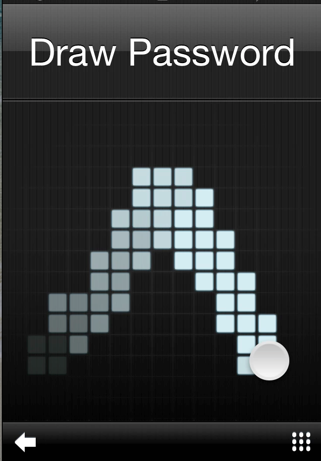
Below is the official description for Stride:
Unlocking your iOS Device just got a whole lot cooler.
Never again do you need to worry about entering some lengthy password, or are limited to 9 points on a grid. With Stride, you unlock with gestures, and custom made gestures at that!
Simply draw your password. That’s it.
*Even though Stride is pretty secure on it’s own, for best effect you should set a PIN/Passcode as it makes things extra secure, and a lot nicer too!*
**Not compatible with iPad.
You can download Stride tweak for iPhone / iPod touch for $2.99 via Cydia’s Big Boss repo.

Want to see more of our stories on Google?

P.S. Want to keep this site truly independent? Support us by buying us a beer, treating us to a coffee, or shopping through Amazon here. Links in this post are affiliate links, so we earn a tiny commission at no charge to you. Thanks for supporting independent Canadian media!


They should bring this to iOS 6, just like the notification center!
I wasted my money with this one. It’s easier to guess somebody’s code than Android Lock XT because it doesn’t have to be as precise, and Stride is much slower. After you draw the pattern, it takes over a full second before it confirms the pattern and unlocks the device. ALXT is much faster and smoother. And cheaper, as I recall.
Also, if you click on the little checkerboard icon in the bottom right, it bypasses everything completly.
But, in response to your comment about guessing…. you can have multiple strides as a password…. and unless they are done in the right order, it won’t unlock.
For some reason, even though I have “disable PIN” turned on, it doesn’t actually do that, and I still have to type in my PIN. Rawr.