
You Can Now Jailbreak iOS 16.4.1 with Palera1n 2.0.0 Beta 6
Codenamed Bakepale, the latest v2.0.0 beta 6 update to jailbreak tool Palera1n has just been released, which fully supports iOS 16.4 - iOS 16.4.1 jailbreak.
Yet another iOS customization tweak hits the Cydia store called SliderWidth. As the name suggests, this simple jailbreak tweak lets users set the width of ‘Slide To Unlock’ slider on their iPhone or iPad’s lockscreen. However, in addition to allowing width adjustment, the tweak also packs the ability to add a custom text to the slider.

The users can also change the lockscreen camera button options using SliderWidth tweak. It is possible to remove the camera button from the lockscreen altogether or even use the iOS 5.1 button on an older version of iOS.
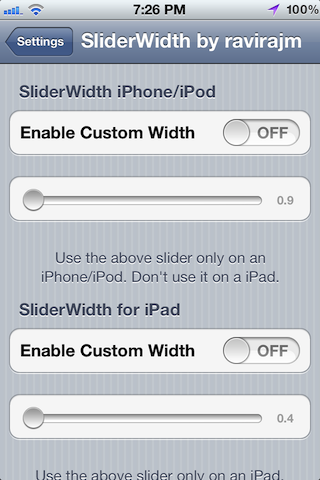
Once you install the tweak, you can configure it from the Settings.app. Here is the developer’s description:
Adjust the Width of the Lockscreen Slider to anything you want. Also has the ability to change the slider label “slide to unlock”.
Different Settings for iPhone/iPod and different for iPad. Control everything using Settings.
Compatible with iOS 5+ on all iDevices.
By ravirajm (Twitter: @rv1raj)
“Think Different” ~ Apple Inc.
You can download SliderWidth via ModMyi repo for free on Cydia.
Want to see more of our stories on Google?

P.S. Want to keep this site truly independent? Support us by buying us a beer, treating us to a coffee, or shopping through Amazon here. Links in this post are affiliate links, so we earn a tiny commission at no charge to you. Thanks for supporting independent Canadian media!

