
No Man’s Sky Coming to iPhone and iPad October 28 With 10 Years of Updates
No Man’s Sky is confirmed to run on the iPhone 11 and third-generation iPad Air or newer.
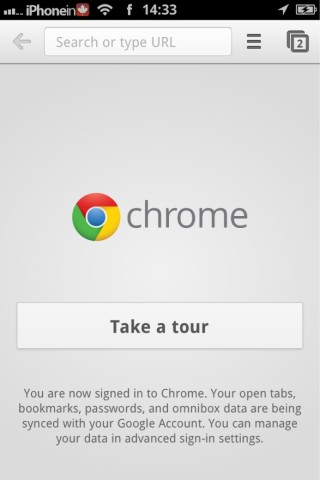
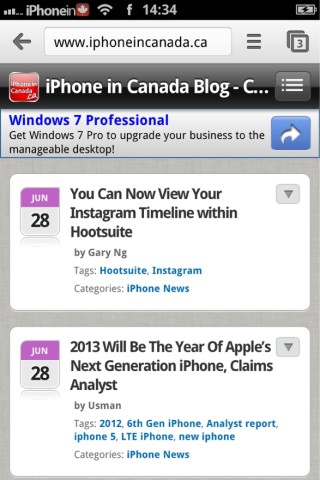
As promised earlier today, Google Chrome for iOS has been released in the App Store. It is a full featured mobile version of Google’s desktop browser, now available for iPhone, iPod Touch, and iPad. The mobile version has a lot of the same features of the desktop version, with the ability to sync your tabs and bookmarks between both.
Browse fast with Chrome, now available on your iPhone, iPod touch and iPad. Sign in to sync your personalized Chrome experience from your computer, and bring it with you anywhere you go.
Search fast
• Search and navigate fast, directly from the same box. Choose from results that appear as you type.Simple, intuitive experience
• Open and quickly switch between an unlimited number of tabs. On your iPhone and iPod touch, flip through tabs the way you would fan a deck of cards. On iPad, swipe from edge to edge to switch tabs.Sign in
• Sign in to Chrome to sync your open tabs, bookmarks, passwords, and omnibox data from your computer to your iPhone, iPod touch, or iPad. Pick up right where you left off.
• Send pages from Chrome on your computer to your iPhone, iPod touch, or iPad with one click and read them on the go, even if you’re offline.Privacy
• Open a tab in Incognito* to browse without saving your history. To learn more, please visit: http://goo.gl/WUx02
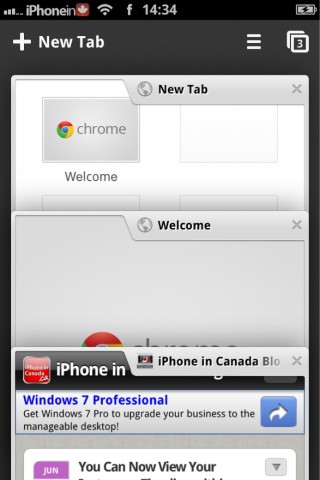
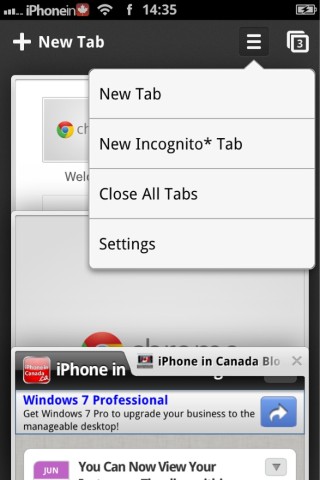
I really like the tab view in Google Chrome. Once you engage the tab view, the tabs move fluidly, without snapping to position. Almost like they are floating. Switching between tabs is really fast. Browsing and searching it lightning fast, as well. If you use Chrome on your desktop, you can easily sync your tabs and bookmarks by simply logging in with your Google account.
Google Chrome for iOS can be downloaded from the App Store now, for free.
Want to see more of our stories on Google?

P.S. Want to keep this site truly independent? Support us by buying us a beer, treating us to a coffee, or shopping through Amazon here. Links in this post are affiliate links, so we earn a tiny commission at no charge to you. Thanks for supporting independent Canadian media!


weird.. not there yet for me..
Not there for me either!
Wasn’t showing up in search for me… had to go to Utilities category and find it from there. Annoying!
Agree, it’s rather weird, not quite what I was expecting.
The browser overall is very nice, but I really am taken aback by the keyboard. I do not like how the period and symbols are at the top instead of using the default keyboard in iOS. If it wasn’t for this I’d give Chrome more of a chance.
Anyone else getting a message banner that your “Account sign-in details are out of date” yet when you go to sign-in settings, even when you put the correct info in, you still get the message?
The one feature that Google Chrome iOS has introduced that I’d love to see on the desktop version is the built-in “Sharing…” menu item. I’d love to be able to ditch third-party sharing extensions (AddThis, ShareThis, etc.) in favor of a built-in menu on my desktop browser. That feature in iOS Chrome is so handy.