Almost three years ago Rogers and Fido released their My Account iPhone app to allow customers to check account balances, track wireless voice and data usage and change My5 or My10 numbers.
The apps require a data connection to authenticate your account, but lately it appears both apps are not working for customers, giving messages of “authentication” errors even though users are connected to data (even without Onavo profiles installed).
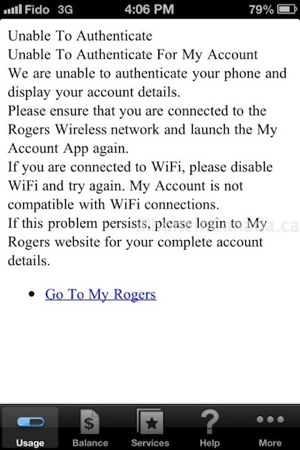
Below are images of what Rogers and Fido users are seeing (thanks @YVRBCbro for the Fido image):
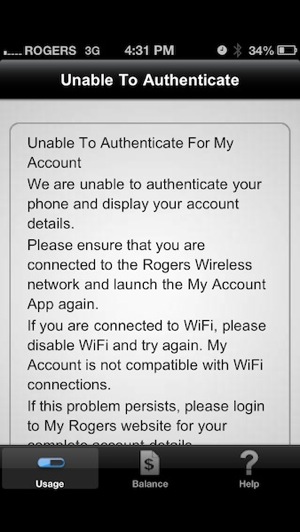

Numerous customers have complained about the lack of updates for the apps in iTunes, giving both apps an average rating of 2.5 stars out of 5. The most recent Rogers My Account update was more than two years ago in July of 2010. The Fido My Account app was last updated in July of 2011.
Some users that have run into the authentication error have noted they have two lines tied to accounts, which could be what’s causing the issue.
Do these apps work for you? Have you experienced the “unable to authenticate” error lately?



Have the same problem, only one line though
I notice the info displayed is not accurate at all… I have sent way more than 2 txt msgs and talked for more than 2 mins in the past 1.5 weeks since my ‘month’ started
Hasn’t worked for me for several days. I have two lines with Fido.
I have a iPhone 4S with iOS 6. I took my SIM card out and put it in my 2g iPhone and my fido account would work. Then I placed it back into the 4s and I get that dumb message. Can’t authenticate bull. Fido u suck !
I get this error from time to time. Before installing the Onavo I would get the error once a week while on LTE and 3G connection, it seemed to fix itself. After Installing Onavo it wouldn’t work at all. I had to restore my phone to the factory default for Fido’s My Account app would work again. Since the restore I haven’t had an issue…yet.
FYI I only have one line on my account.
Omg I had this exact same issue and was wondering if onavo was the cause of it. Lost my LTE for 5 days no one had any idea what was going on until I did a factory reset and didn’t back it up. That seem to do the trick. Also the myaccount app is horrible.
I have noticed that, when I’m connected to a WiFi connection – the Fido app fails to authenticate. I would imagine some cases are like this.
You have to be on the data network in order for it to authenticate your account … It will never work on wifi.
Onavo messed it up for me. Deleted the app. Deleted the profile. Reset network setting made my ROGERS app work again.
This is because you install the Onavo profile, which causes all your data to be sent through their servers, then out to the internet. Therefore the rogers app data does not come from your phone when connecting to rogers but from the Onavo servers.
Removing it makes your data come directly from your phone again.
Tried the delete Onsvo, reset to factory and nothing. God, some days just are pissy!!!!!!
This happened to me the first time i tried to restore before following the steps below.
Sync your contacts etc to Cloud or where ever.
1. Go to your Settings app -> General -> Profiles
2. Locate the profile called “Onavo”
3. Tap Remove
4. Go back to your home screen and delete the Onavo Extend icon
Then restore your phone. Make sure you Dont sync your phone before restore
Mine hasn’t worked since I got my iPhone 5. I only have one line on my account.
Mine hasn’t worked in so long, I think it worked once or twice when it first came out. There is two lines on the account.. shouldn’t matter though! I’ve given it a poor rating in the App store hoping they will update!
I had this problem on my 4S and it carried over to my 5. Onavo definitely is one of the culprits. Even after disabling the server status in the app’s advanced settings, you also have to reset your iPhone’s network settings in order to get the Rogers/Fido app to work.
Once you enable onavo again, you’ll run into the same problem. .
Deleted Onvao (piece of crap) both the app and server profile. Then reset Network Settings now the Fido app works!!!
Need to turn off wifi then it works. i have 4 lines, no issues only that it’s annoying that it won’t authorise via wifi connections….. Sad…