
Apple’s AirPort Utility App is Being Removed From the App Store
Apple warns that "functionality is not guaranteed" when using AirPort Utility on iOS 27 or later.
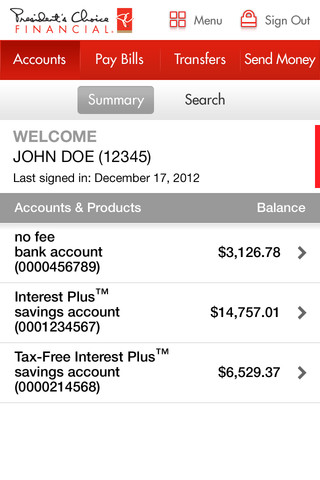
PC Financial has announced the release of their much anticipated iPhone app. The latter allows users to pay bills, transfer funds, check balances, view transactions and also send INTERAC e-Transfers. You can also locate the nearest PC Financial and CIBC bank machines and PC Pavillions.
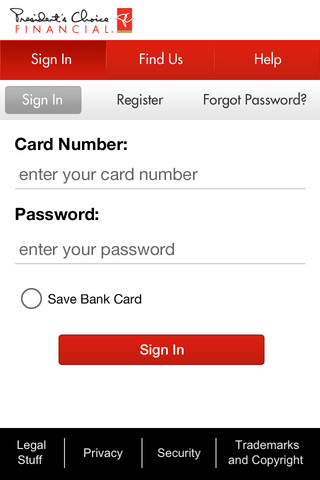
It’s easy to bank anywhere, with the President’s Choice Financial® Mobile Banking app for iPhone. Pay bills, transfer funds, check your balance and more with just a few clicks. Simple, convenient and secure, it’s the ideal app for your everyday banking needs.
Check account balances
•Check account balances on all of your PC Financial® deposit, borrowing and investment accounts.
Pay bills
•Pay bills you’ve already set up in PC Financial® Online Banking or set up new bills and future bill payments so you don’t miss a deadline.Transfer money
•Transfer money between your eligible PC Financial® banking accounts or other banks.See past and upcoming transactions
•View past and upcoming transactions, including bill payments and transfers.Send e-Transfers
•Send an INTERAC® e-Transfer to anyone on your recipient list or add new recipients from your contact list*.Locate bank machines and pavilions
•Use the GPS on your device to find nearby PC Financial® and CIBC bank machines and PC Financial® pavilions
You can check out other banking apps from major Canadian banks here. Let us know how you like this app! Early iTunes reviews note it’s a great 1.0 release.
Click here to download the PC Financial iPhone app–it’s free.
Thanks Ex!
Want to see more of our stories on Google?

P.S. Want to keep this site truly independent? Support us by buying us a beer, treating us to a coffee, or shopping through Amazon here. Links in this post are affiliate links, so we earn a tiny commission at no charge to you. Thanks for supporting independent Canadian media!


I dont understand why they cant include the mastercard only customers with this app.
dont think you can see your mastercard even if your a normal pc customer, unless i missed it
arhyno is right, you can’t see this in online banking either … totally separate site. Pain in the a$$ and totally agree, but not an isolated flaw of the app.
Hallelujah… it’s about time! I’ve been bugging them for years about this… well, I sent 2 feedback emails about it.
…but a major FAIL for no iPhone 5 support!
no canadian banks have iPhone 5 support yet 🙁 so disappointed
what classifies it as iPhone 5 support? making the app taller? technically if the app works, i consider it supported.
Yeah, I’d refer to it as iPhone 5 “optimized” … not support, they are all “supported” because you can download it and run it. But really, if all they do is rush out the door to make the UI taller, what are you really waiting for? The only thing that I would wait up late at night for is if they actually took advantage of the new real estate.
its about time, downloading now.
wish they offered a couple free EMT’s a month, its a great way to send money.
I love this app… thank you PC Financial !!