The internet is full of services we all use daily, but they’re all disconnected. IFTTT connects them, automates their interactions, and therefore removes the hassle of manually transferring information and files from one to another.
Transferring information and files made easy

Browse for recipes or ideas for your own
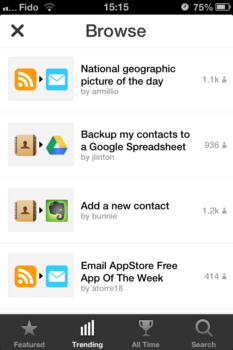
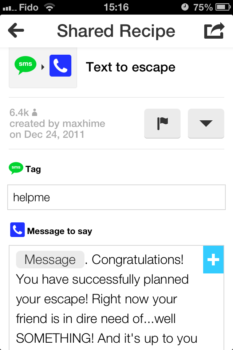
IFTTT connects to your Internet services and devices through channels, and connects them with recipes. For example, you can connect your Wordpress blog to your Twitter, so every time you post on your blog a tweet linking to the post will be sent. Another, you can connect your drop box to your iOS photos, so every photo you take on your iPhone is uploaded to your drop box. There are over 50 channels on IFTTT, and how you connect them is up to you. If you need some ideas, you can tap the glasses icon in the Recipes tab, and browse through the recipes people have shared.
I’ve used both the IFTTT app and the website, and the app matches the website’s functionality, except when it comes to sharing recipes. Which is too bad, because I’ve made recipes quickly and easily on the app, then not shared them until I logged onto the website. That aside, I’ve used IFTTT before it was an app, and the app makes managing and making recipes faster and easier, because I now have access to IFTTT on my iPhone, which I always carry, and the process of making a recipe is intuitive, and well explained when required.
Unfortunately only US based phone numbers are supported
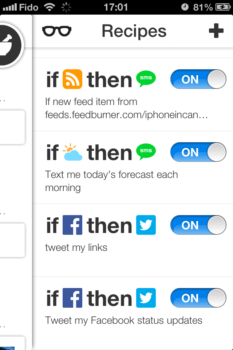
Managing recipes and making more is really easy
If you want to automate some of the tasks you preform on the internet you can download IFTTT for free from the App Store here. Then, you can try my recipe, which will send you a text message with a link to the latest post on iPhoneincanada.ca, right when it’s posted. Then, tell us if IFTTT was able to remove some of the menial tasks from your life.



Canadian number works, I’ve been using it for the past couple of weeks
do you get charged int’l sms rates?
Me too, I’m on Rogers and it works. The app says not all carriers may work.