
Microsoft 365 Support to End on Older Macs and iPhones Starting in July
Microsoft is ending core support of Microsoft 365, Office 2019, and Office 2021 on older Macs and iPhones, starting July 13th.
Only a little more than a week after the iOS 7 beta 4 was pushed out to developers, beta 5 is here and it brings — among bug fixes — a number of interface tweaks and improvements. After using it for a short while here is what’s new compared to the previous version:
Of the first changes that captures the eye are the redesigned icons in the Settings menu. With iOS 7 beta 5, you’ll see square icons in multiple colours.
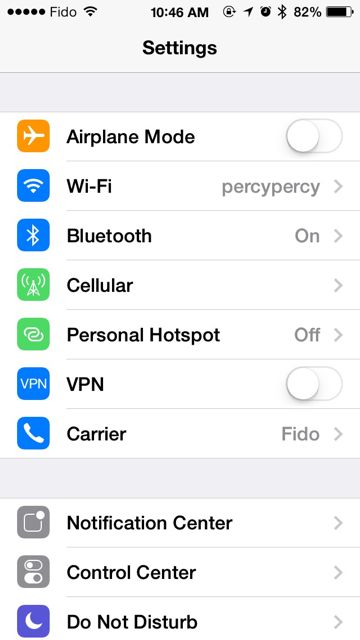
Apple introduced Control Center with iOS 7, a much desired feature of its mobile OS, but until now this feature could be accessed from anywhere, which sometimes triggered unwanted launch of the feature. With beta 5, Control Center can be disabled if you are using an app, thanks to the “access within apps” toggle.
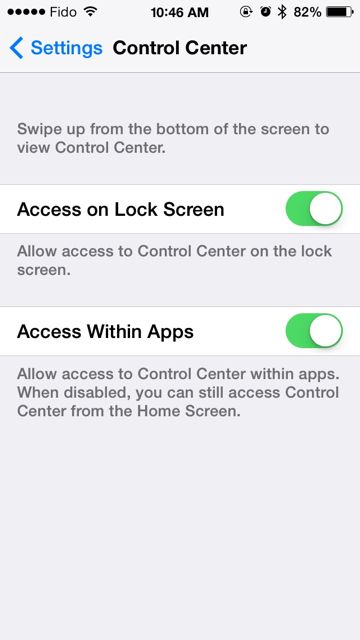
The latest beta version now includes a slightly altered “Slide to power off” slider bar.
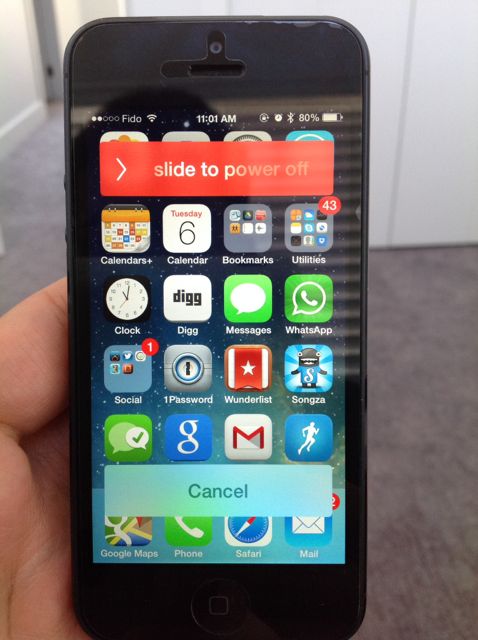
The Twitter icon now displays a blue bird on a white background instead of the official Twitter app icon, which depicts a white bird on a blue background.
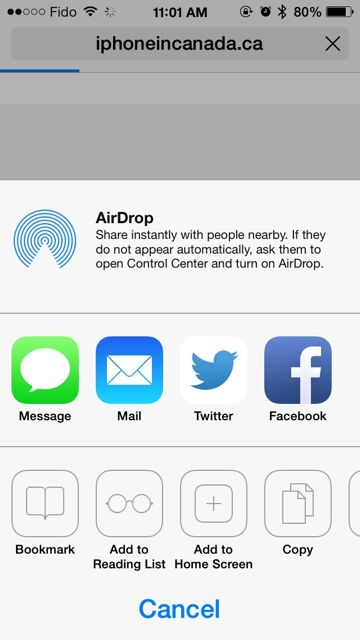
Apple also has decided to implement some minor tweaks in the phone section as well, by adding circles around the icons.

What I love in iOS 7 is that you can now swipe left to go back to in the Settings app (new), Mail app, and Safari (at least this is what I’ve noticed so far).
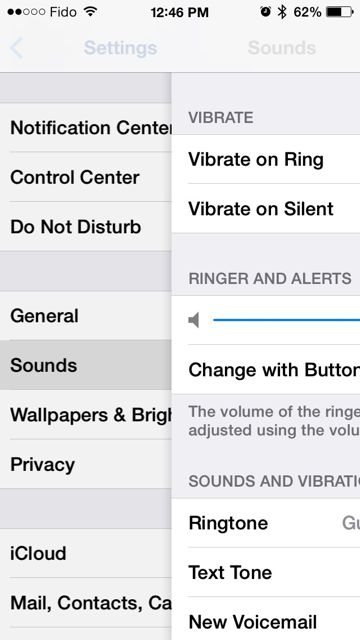
Beta 5 further shortens the display name of chat conversation participants: now you can see only the first name of the contact on the top, and you can see the full name of person above an individual message.
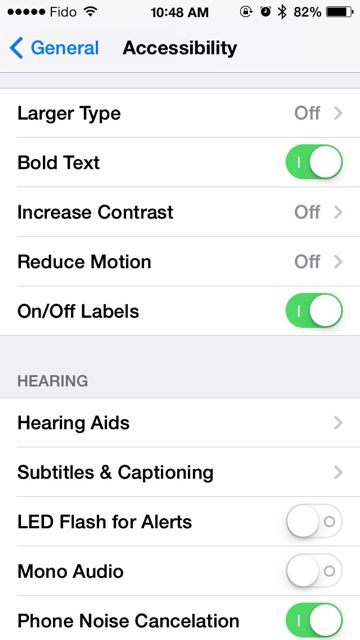
The Accessibility menu now includes now On/Off toggle options.
We continue our dive into the latest beta and we will update the post accordingly. Let us know if you enjoy iOS 7 beta 5!
Want to see more of our stories on Google?

P.S. Want to keep this site truly independent? Support us by buying us a beer, treating us to a coffee, or shopping through Amazon here. Links in this post are affiliate links, so we earn a tiny commission at no charge to you. Thanks for supporting independent Canadian media!


I think those Guitar ring tones are ones you loaded yourself, not ones included with iOS 7 Beta 5. From here, perhaps? http://awkwardhare.com/post/37137906275/default-iphone-ringtones-done-with-acoustic-guitar
We have updated our post to reflect this. Our mistake! Thanks.
After seeing the previous wider right-angled rectangles, I don’t like the rounded ones.
And yet. Still no option to name a group chat. I love how the group chats consist of all group members names. Makes it so much easier to differentiate between chats.
I guess people at apple only have a few friends each.
I guess you can add to the paragraph on Gestures the Messages app that uses the “swipe left” feature. Also am I the only one who sees the complete contact name on either group conversations or individual messages? No shorten display names…
Naming group chat would certainly be an easy add for apple to make and very much appreciated by customers. So simple to do : just tap on “group” and edit it.
Thanks Gary, love the work you do
There is no lag with the sleep/wake button sound. However, i feel like Siri could still be a bit more responsive.
In addition, when swiping to close up to three apps at a time, it does not always close one of them.
There is no unlocking tone when you finish entering your passcode and the home screen shows up. This started with beta 5 in my case.
Those gestures were available in the previous betas as well in all those apps mentioned.
Gestures have been around in all betas. This NOT “new in iOS 7 Beta 5”.
anyone else having issues with contacts ? sometimes ill not be able to see them in messages, it will be under a phone number and then ill type in their name and it appears, but it is not in the contacts area…
Why did they move the mark all in mail to the other side!!!!!!!!!!!!!!!!!!!!!!!!!!!