Managing a budget, whether it’s your own or for your business, can be challenging. With Wally you can keep track of your expenses, and set a budget.
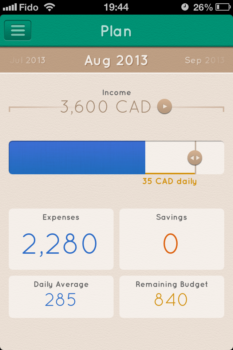
Set your budget

Add expenses
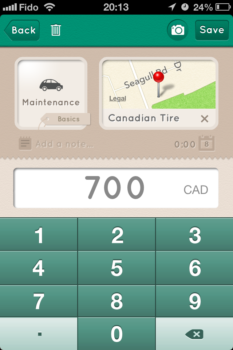
Adding your expenses to Wally is straight forward. From the Home tab, you get started by tapping the plus icon or pulling the screen down. You can then enter in what the expense is (rent, groceries, etc), how much it is or take a picture of the receipt, where the expense is from, the date of the expense, and notes if you want. Setting your budget is just as easy. Just go to the Plan tab, enter in your monthly income, and drag the slider to set your daily and monthly budget.
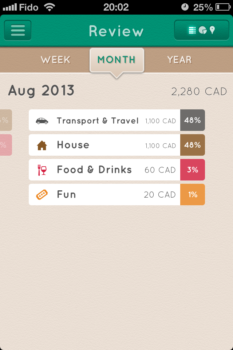
I’ve been using Wally for a few days, and I can see how useful it can be. I like that I can export my expenses from Wally as a .csv, which I can open in Excel. This is a great feature, because it gave me more options to further track my expenses. Additional, Wally organized every expense I added, such that finding a particular one was very easy. I could view all my expenses from the past week on the home screen, and review my expenses and savings by week, month, or year in the Review tab. Also, even though the receipt scanning feature is in beta it always captured the total of each receipt I scanned.
Review your past expenses
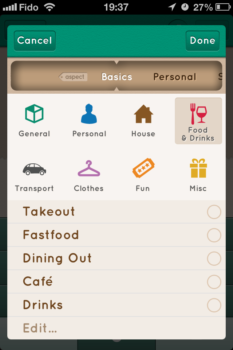
Organize your expenses into editable categories
If you’re looking for a convenient way to keep track of all of your expenses, Wally is an intuitive app that will definitely help you stay organized and aware of how much you are spending. You can download Wally for free from the App Store here. Then, tell us about your experience using Wally or another expenses tracking app.



I’ve been using Graham Haiey’s “Account Tracker” for well over a year after trying a series of other apps. He is far and away the most committed, responsive developer of any app I have. It’s a pay-for app ($2.99) but really, that’s a pittance for an application that receives this much attention. (There’s a free version with some limitations and/or reduced features but it will easily give you a feeling for how it works.)
Thanks for chiming in, sounds like a worthy app.