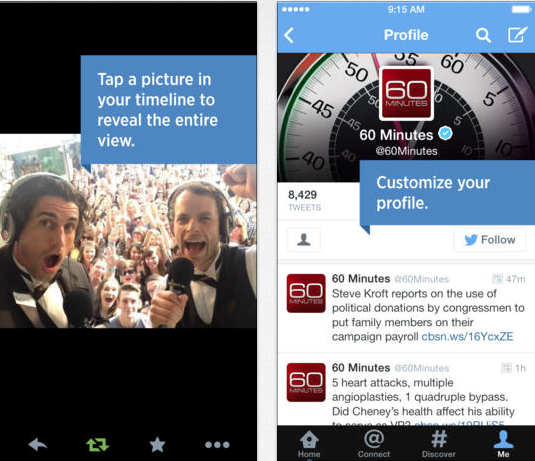
Twitter has updated its iOS app to version 5.12, adding photo and Vine video previews directly onto the user’s timeline alongside a slight design tweak. The update also makes full-screen media easy to access with a single tap, a much-needed improvement over its previous functionality, which required users to tap on a link to view the image or video.
As a result of the design tweak, the update also adds quick action buttons — reply, retweet, or favourite a tweet — directly onto the timeline as well.
This update includes enhancements to Tweets in the home timeline
Be a part of the moment.
• Tweets with Twitter photos, Vine videos, and other select content now show a preview in your home timeline. Tap the image to reveal the full screen version. Tweet a picture without text and let the image say it all.
Joining the conversation just got easier.
• You can reply, retweet, favorite, or follow someone straight from a Tweet in your home timeline.
Note: You can switch off Tweet previews in “Settings”
Download Twitter from the App Store – it’s free!



So, basically, what Tweetbot has been doing for a long time. 🙂
Aaaaaaand Tweetbot is smart enough to sync your timeline between devices. A no brainer feature the twitter app refuses to add. So there’s that.