Are you seeing the “Try again” prompt from your iPhone 5S Touch ID fingerprint sensor a lot? Well, follow this neat little trick I implemented a few weeks back, to register your fingerprint in a more precise manner, so you won’t see that annoying prompt that often. In fact, ever since I’ve set up my fingerprints using this method, the “Try again” message has pretty much disappeared.
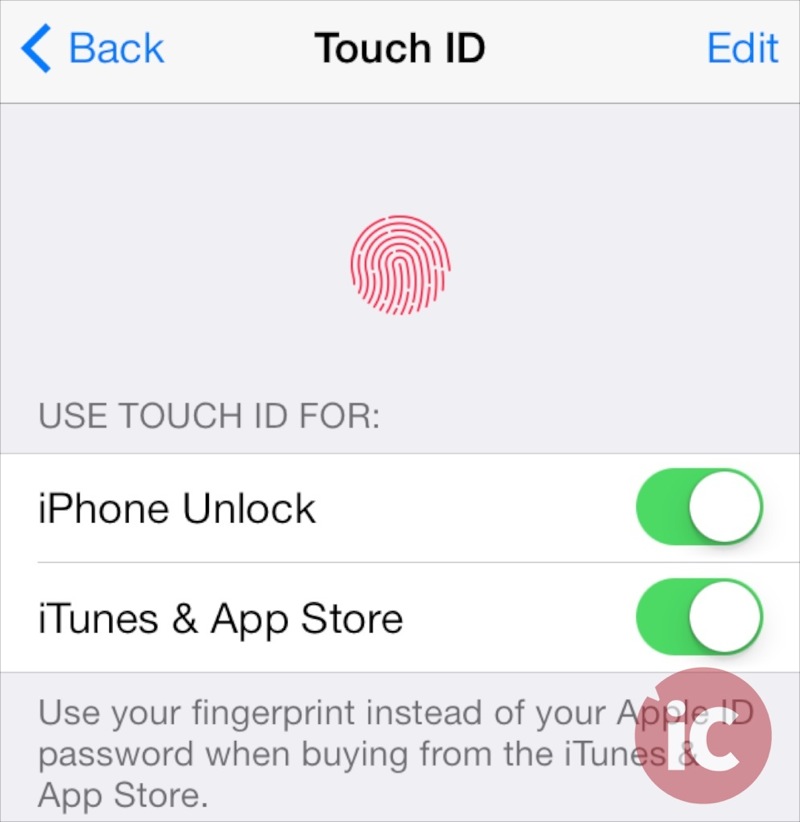
Make sure you remove all existing fingerprint entries from Touch ID before proceeding. Also, one finger or thumb will use up two Touch ID fingerprint slots when using this method. However, since the majority of people naturally use only their thumbs to unlock their iPhones, registering both thumbs will still leave you with one extra slot (out of total 5), allowing you to set it up for any other person (such as your spouse) you want to give occasional access to or another finger.
Now follow these steps:
Step 1
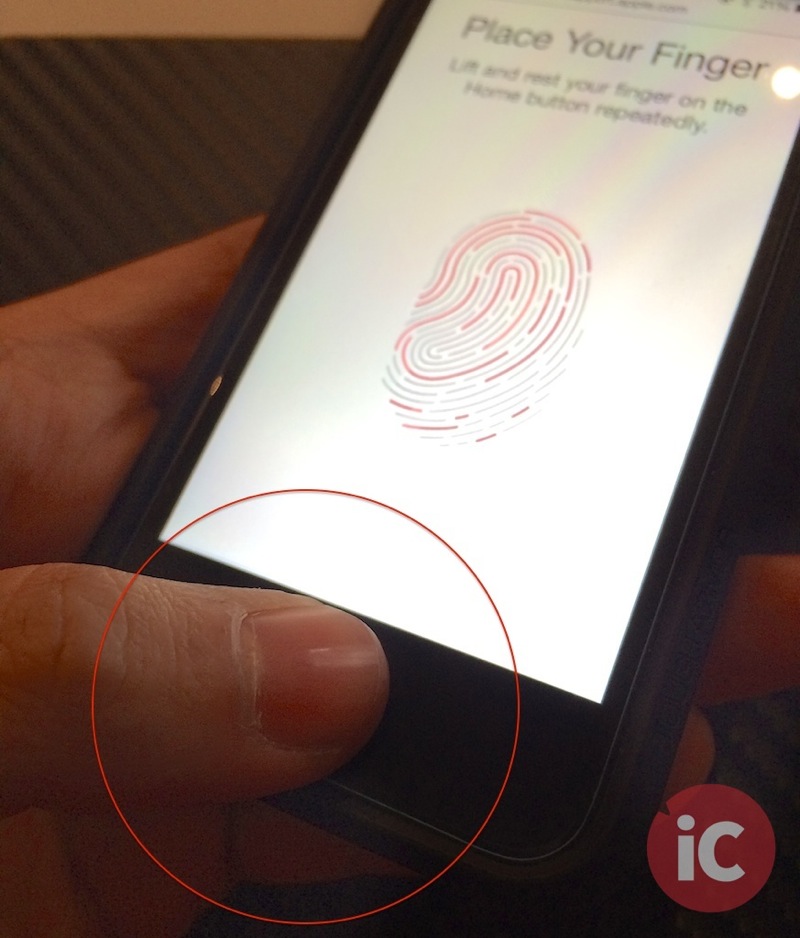
First, register your thumb (left or right) with Touch ID by placing it on the home button / scanner as you normally would (see below). Just make sure the home button and your thumb are clean and dry. Also, ensure the maximum area of your thumb is in contact with the home button while scanning. Continue to touch and lift your thumb as instructed, till the process is completed.

Step 2
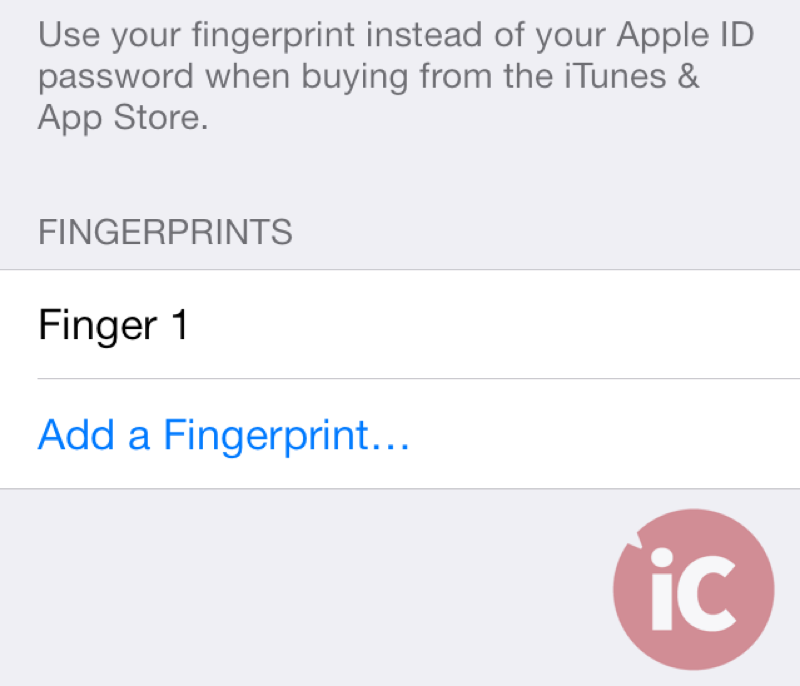
Once your first thumb’s fingerprint is saved, it will appear as “Fingerprint 1”.

Step 3
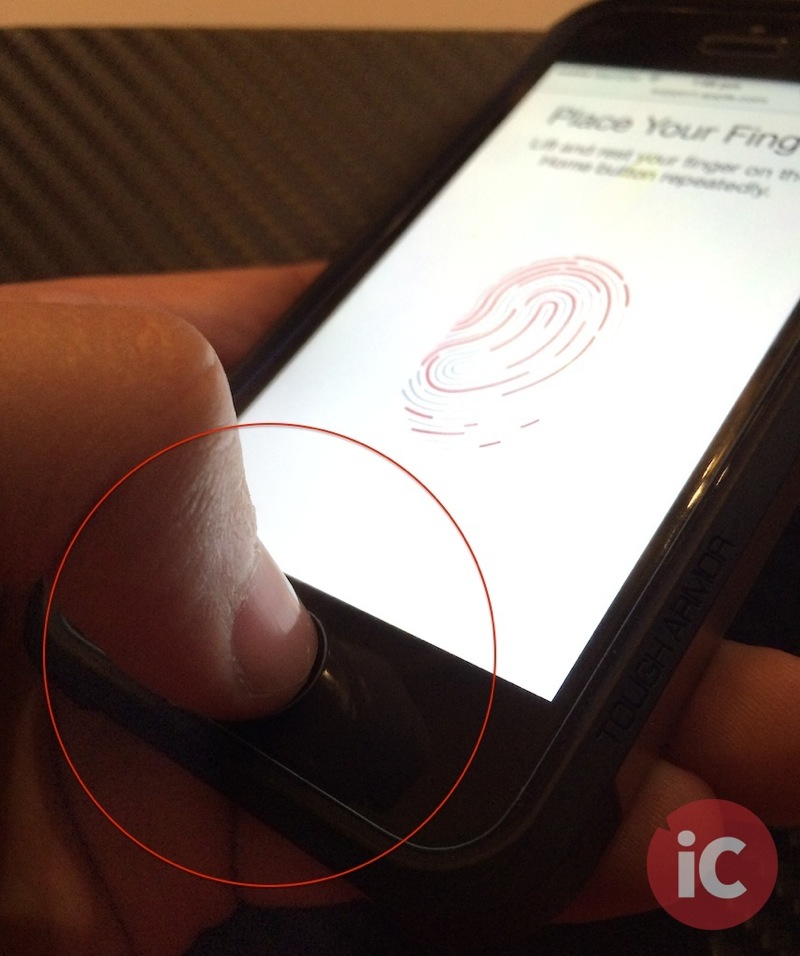
Now tap on “Add a Fingerprint…” and register the same thumb you did in first step, only this time, place your thumb’s tip on the scanner as shown in the image below. Just hold the iPhone casually as you would in routine, and continue to touch and lift your thumb, till the whole process is completed.

Step 4
Now you’ll have two fingerprints registered for the same thumb. Repeat Steps 1 to 3 using the other thumb, and you’ll have both your thumbs registered with Touch ID occupying 4 slots (2 for each thumb).
That’s it, enjoy a much better Touch ID experience on your iPhone 5S!
While the workaround is by no means perfect, it has vastly improved my Touch ID experience and I’m sure it will help you too. Let us know how this works for you in the comments section below.



I’m sure I’m not alone in saying that the very first “yea, but…” thing that popped into my head when I heard about touch ID was that you would have to do each finger at least twice (or at least the thumb that holds the phone). Although I wasn’t thinking the tip. I was thinking the side.
you do the tip and the sides in the initial setup, this way just covers even more ground
been using this since day 1. i have 3 IDs on my right thumb and one for my left one
I’ve found TouchID to be super flaky with it showing me “Try again” at least 50% of the time. I’ve tried rescanning my principal thumb several times to no avail. Not sure if it’s calloused thumbs or what, but I felt that TouchID was a let down.
But wow-oh-wow did this tip ever work well for me! I almost never see “try again” anymore and it almost feels like it’s opening up faster. It’s almost instant now.
I would recommend everyone give this a go if you don’t really use more than your thumbs to unlock.
Great find, Usman! Thanks.
Most welcome 😀
Thank you so much! I’d stopped using the Touch ID scanner because of always getting this error but now that I’ve followed your instructions it works for me every time.
glad it worked for you 🙂
You were probably better off getting an iPhone 5 if you didn’t want to use Touch ID.
I’m impressed with the latest technology. It’s more faster and accurate than what I have expected. If you enrolled multiple fingers, but didn’t label them, you can easily identify which is which by scanning them in Touch ID Settings. When you scan one of your fingers, the matching print will briefly be highlighted from the list.
WOW! I just noticed 😀
This is total over kill. All you needed to do was move the placement of your thumb when you lifted it when you were setting up your fingerprint and it would have known your whole thumb and you would have never got a “try again” message. Setting up two slots for one thumb isn’t needed. Just move your thumb placement when setting it up. Don’t just lift your finger and set it down in the exact same place. Lol
good job
I just got an iPhone 6 and when I try to add my fingerprint, it won’t let me. In settings as soon as I tap “add fingerprint” the screen shows where you add the fingerprint for a split second, then moves says “Failed
Unable to complete Touch ID setup. Please go back and try again.” Do I go to Sprint or an Apple Store to fix this? I’ve tried cleaning the sensor and resetting the phone. HELP PLEASE!
Go to the Apple Store. Should be covered under warranty.
What if u turn it on and right away it says try again each time
my iphone 5 s always told me this sms (unable to complete touch id setup please go back and try again )
It doesn’t even let me begin when I hit add fingerprint it says “failed” right away. I got my phone on Kijiji but they restarted everything so idk if it’s a problem that it use to be someone else’s but like I have my own SIM card and everything