Yesterday’s release of iOS 8 also meant third party keyboard developers were able to release their apps in the App Store. We listed a few available for you to try and so far we have tested three popular ones in the past 24 hours: Swype, SwiftKey and Fleksy.
This is not an in-depth review, but rather a quick ‘brain-dump’ of our experience using these new keyboards.
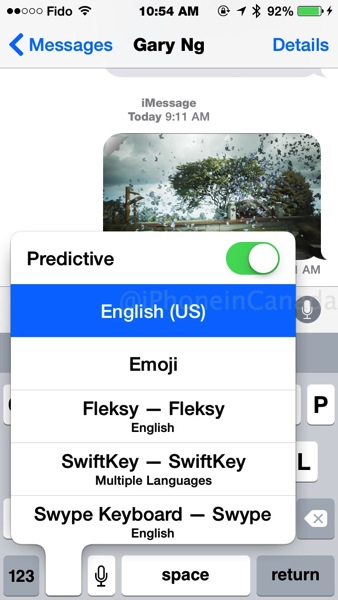
Tap and hold on the globe icon to jump to your iOS 8 keyboards
Which one of these three is the best? That depends on your preferences but for us, based on our quick usage we were able to determine features we liked and did not like within each keyboard. Let’s take a look at them now, in the order which we installed them.
After downloading and installing these keyboards, you need to add them via Setting on your iOS device. Go to:
Settings > General > Keyboards > Keyboards > Add New Keyboard
iOS 8 remembers which keyboard you’re using based on specific iMessage chats and apps.
Out of these three, SwiftKey and Swype install apps on the home screen to modify settings. For Fleksy and SwiftKey, you need to toggle ON “Allow Full Access” in order to use all the keyboard’s features. This action toggles the following pop message, saying:
Full access allows the developer of this keyboard to transmit anything you type, including things you have previously typed with this keyboard. This could include sensitive information such as your credit card number or street address.
Okay, that message is enough to scare anyone, right? But in order to get word suggestions in Fleksy and SwiftKey (plus SwiftKey Flow), you need to turn this on. With Swype, there is no need to enable full access because the option doesn’t exist.
So after using these three keyboards on and off for the past day, here are some quick pros and cons I’ve noted from each.
SwiftKey – Free – Top free app in the App Store; already surpassed 1 million downloads

Pros:
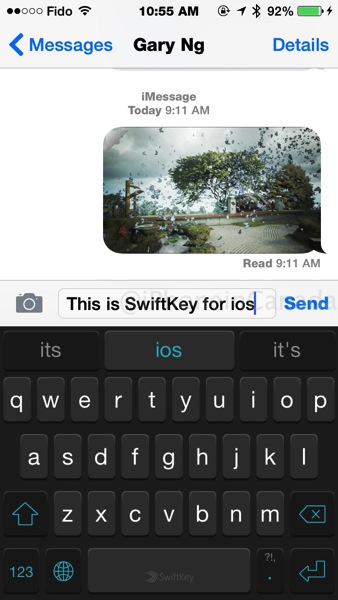
- SwiftKey Flow works well
- Ability to choose day or night theme; keyboard layout is good, resembles iOS keyboard
- Supports Canadian English and French
- SwiftyKey Cloud can save what you type and learn across multiple devices
- Good tutorial on how to get keyboard setup
Cons
- SwiftKey Flow had more errors versus Swype
- Requires Full Access to enable all features
- SwiftKey Cloud has your keyboard data
Fleksy – $0.99 – Currently #2 paid app in the App Store
Pros
- Day/night theme
- Supports Canadian English and French; 40 languages total
- Fast and accurate typing
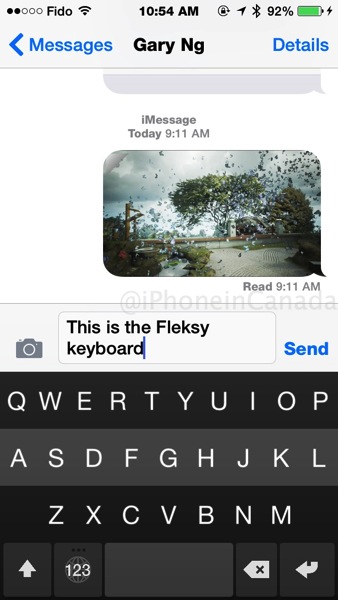
- Can backspace with a swipe across the middle row of keys
- Swipe up/down with two thumbs to hide the space bar; swipe up/down to toggle word suggestions
- Suggestions don’t take up an entire row, saving screen real estate
Cons
- Layout takes getting used to, particularly the backspace key placement
- Requires full access for all features
- Missing the ‘it’ factor
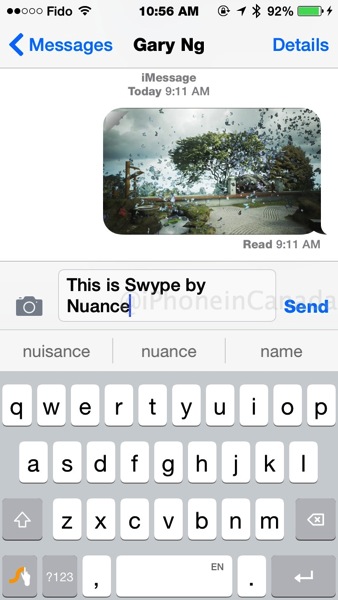
Swype – Developed by Nuance, $0.99 – Top paid app in the App Store
Pros
- Good setup tutorial; does not have internet access, full access not required
- Multiple keyboard themes; good keyboard layout
- Easiest gesture shortcuts for exclamation mark, question mark, period
- Swype typing is very accurate, a couple notches above SwiftKey
- Tap and hold on the Swype icon to get quick access to a full NUMBER PAD, settings, system keyboard toggle; tap and hold on the space bar to change languages
- Personal dictionary lets you add/remove words
Cons
- Lacks specific Canadian English and French keyboard
- Barely any emoticons (ONE)
- Costs $0.99 (but worth it; you have no hesitation spend $8 for a tub of Ben & Jerry’s or $5 for a latte)
Some users have been experiencing ‘missing’ keyboards after enabling these third party keyboards in iOS 8. The problem could be due to guided access being enabled, according to Swype:
We are seeing this issue with other 3rd party keyboards as well and we are currently working with Apple to resolve it.
We’ve seen a few other users mention that disabling a specific feature in Accessibility might be helpful: Settings -> General -> Accessibility
Then disable “guided access.” We have not been able to confirm that this helps, but have seen some anecdotal evidence online that this might be good if all other steps fail.
So…which keyboard is the ‘best’?
Out of these three that we tested, we have to say we love Swype the best, now our third party keyboard of choice. Yes, I only tested these ones for 24 hours but Swype’s touch typing accuracy was superior than SwiftKey and also the app has a full number pad.
Overall, Swype just felt better and I can see myself using it on my iPhone 6 Plus for one-handed swipe typing, alongside Apple’s iOS 8 keyboard. Swype just “clicked” for us while using it, something the other two keyboards didn’t do—plus there’s no need to require full access to what I’m typing.
Again, don’t take my word on which one is best–get out there and try these keyboards out yourself.
Which third party iOS 8 keyboards have you tried? Which one do you like the best so far?
Others to try: Minuum, KuaiBoard, TouchPal





My swype keeps crashing, until I force close the specific app. It also reverts back to the iOS default keyboard after my phone sleeps long enough for the lock screen passeord entry. It also doesn’t use the keyboard shortcuts I had setup – it might have its own area to put that in but I haven’t found it.
Mine also defaults back to the iOS keyboard after waking. I think it’s just another inherent iOS restriction that prevents it from completely taking over the keyboard permanently.
I think it’s a bug.
Not a bug..go to settings, general, keyboard, keyboards, press edit, then edit the order you keyboards show up. Whichever you put first will always come up first.
Good tip. Thanks!
I am just not that comfortable about giving ‘Full Access’ on my messages..no matter what their privacy policy is.
Graycrab Randall responded I’m alarmed that anybody able to profit $7229 in four weeks on the internet. did you read this web link,..
fav?.??/1p27o7U
same for me, I am not comfortable to give full access, they can even see your bank account info.. no thanks
I prefer SwiftKey because of the Dual Language. I always use both French and English because i’m French Canadian and often have to type English too. In my opinion, they should add the number Shortcuts (like on the Android version) that let’s you enter numbers without having to switch the page…
That’s right, and they should also add compatibility with iOS’ shortcuts which are really useful as well as other themes for the keyboard.
What you mean “iOS Shortcuts” ?
Under Settings > General > Keyboard > Shorcuts.
It’s a features that let you replace some custom abbreviations by something else.
For example, you could make iOS replace “brb” by “be right back”.
It also syncs with OS through iCloud Document Sync.
mind = blown
i prefer swiftkey because it works, unlike swype, wich doesnt work
Doesn’t looks like ????
That’s being very constructive, thank you
(that was sarcasm 😉
Does anyone else have the problem where with third party keyboards like Swype and SwiftKey the Messages app doesn’t scroll to the bottom when you start typing? I always have to scroll down manually to pull the latest message into view when I start typing with these keyboards. The default keyboard doesn’t have this problem.
Yes, I forgot to mention I have experienced this problem on and off. I expect these bugs to be squished in the next iOS update and also app updates.
Yes.. Same thing here and it’s driving me crazy… I just came back to iOS from Android and I feel like there were less bugs in Cyanogen nightlies…
Yep, and this is very annoying.
I tried swiftkey and Swype.
On an ipad2, they are both flawed.
Couldn’t use webforms nor write in forums.
On few apps, the cursor disappears and nothing can be typed.
Big disappointment.
Also, on Swype, French keyboard is AZERTY for France, not QWERTY for Canada.
On Swiftkey, flow is not available for iPads.
Bottom line, I kept Swiftkey on my iPhone 5c. Uninstalled everything on my iPad.
I’ll wait for an update.
You can change the AZERTY and QWERTY in the app settings.
Nope.
On Swype, French-Canadian keyboard is not implemented yet.
Swiftkey, yes.
Oh sorry my bad, I thought you were talking about SwiftKey.
Gary you have SwiftKey as $.99. It should be free.
That wasn’t me, it was SwiftKey that made the $0.99 typo…umm…yeah…thanks 🙂
I’ve been waiting for third party keyboards for awhile and I think I’m really going to like them. Swype Serena to work best on both iPhone and iPad as Swift doesn’t support flows on the iPad. But swift seems to remember my name better than Swype does, so I wish it worked better on the iPad.
None of these third party keyboards work to leave a review on the app store as they cover up what you are typing, but I believe that to be a zero release defect for Apple to address.
And I wish these keyboards would use the keyboard shortcuts defined in keyboard settings that the Apple keyboard can use. I still cannot suppress the Apple keyboard because sometimes I need to use it still. Bring on 8.1.
I have been playing with both SwiftKey & Swype and I like features from both but overall, there have been less errors with SwiftKey. Swype is constantly spelling out gibberish. Only thing I really like about Swype over SwiftKey is the quick punctuation and quick easy access to numbers (press & hold).
Minuum is actually the best of the lot. But none are as good as the built-in.
Swype or SwiftKey?
Best keyboard is nitype
The thing that I’ve noticed when looking over reviews such as this is that apparently many people prefer to swipe as opposed to type. I figure that this could possibly be because of the fact ( in the case of iOS users) that they were not given the option of doing so. I understand that swiping can seem like a breath of fresh air, but in real world situations such as note taking on tablets, or sending emails on smartphones, swiping is not a feasable alternative. It has been shown that the time it takes to swipe is much longer than the time it takes to tap, and swiping at 27-35wpm is virtually impossible. I understand that Swype and Swiftkey keyboard are appealing for a number of reasons but at the end of the day it’s all about productivity; how effectively can you type and how quickly, and when it comes to that Fleksy keyboard is king.