
This Canadian iPhone App Wants to Do Your CRA Mileage Log for You
Odie is a new iPhone app from a Montréal developer that keeps your CRA mileage log for you, and its latest update adds CarPlay support. If you drive for work and claim it at tax time, you already know the CRA wants a proper logbook. That means the date, destination, purpose and distance of every...

Apple’s Indie Games Week Brings Some Console Favourites to iPhone
Apple has kicked off Indie Games Week on the App Store, and seven well-known indie games are making their iPhone and iPad debut as part of it. That's according to Apple, which announced on Monday that the App Store will spotlight the games all week with daily features and curated collections. The lineup includes Sifu,...

Apple’s AirPort Utility App is Being Removed From the App Store
Apple warns that "functionality is not guaranteed" when using AirPort Utility on iOS 27 or later.
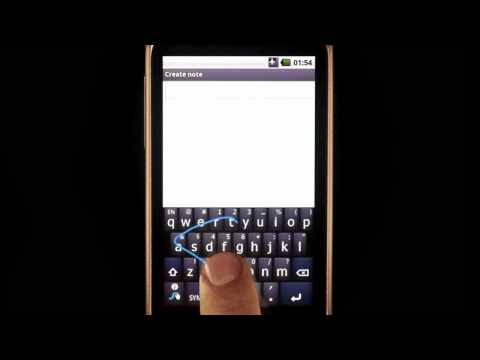





I don’t see any of the keyboards above in the CA App Store yet.
You sure? I just downloaded two of them tho?
Try our links again, they are all live.
Still can’t access through an App Store search on iOS or iTunes, but I can access it through the links on the page here. Weird.
Differences between them all?
God, was waiting for that keyboard for a while. And so disappointed since there is only Français with Azerty keyboard configuration. No french canadian keyboard using Qwerty keyboard….have to revert back to iphone keyboard 🙁
Use SwiftKey
Free
Multilingual
Can write in both French and English at the same time without having to switch between language
Swype is AMAZING. I cannot believe we’ve been missing out on it for so long. I’ve been running the GM since last week and have been using the much-improved dictation the majority of the time (while alone mostly), but typing speed is substantially increased with this keyboard.
It’s been for me
Writing this with SwiftKey, downloaded from Canadian store
SwiftKey is pretty accurate especially the swiping. This was typed using the keyboard
Does Swype need to have “Allow Full Access” to enabled for it to work?
I tried Swiftkey and it needs the “Allow Full Access” to be enabled for it to work properly. The concern I have is it will send back info on all my keystrokes to the developer, including CC info, user id and password combinations.
I was confused at first but figured it out. Swype does not even allow you to choose “Allow Full Access” because it does not allow internet access to the keyboard so your keystrokes are safe. Anytime you enter passwords, iOS forces you to use the Apple Keyboard
Just installed Swype. This is a much better option to Swiftkey, which seemed to be slow in comparison.
Well worth the $1 price for Swype.
none of these options are showing up in the app store for me, anyone else?
Click our links, they work. We’ve verified.
“This item is not currently available in the Canadian iTunes Store” is the message that comes up on my Mac and my iPhone.
showing up for me now in app store, thanks
adding swype completely eliminates the ability to input texts