Lots of Canadian snowbirds head down to the USA for the winter and if you have an iPhone 6 or iPhone 6 Plus, you might want to set it up with Apple Pay, which you can do right here in Canada. Canadians can’t access the Apple Pay setup menu unless your region is changed to the United States in iOS 8.1. Once this is enabled, all you have to do is add your US credit or debit card and in theory if it’s supported, it will be added to Passbook.
Here’s how to do it…
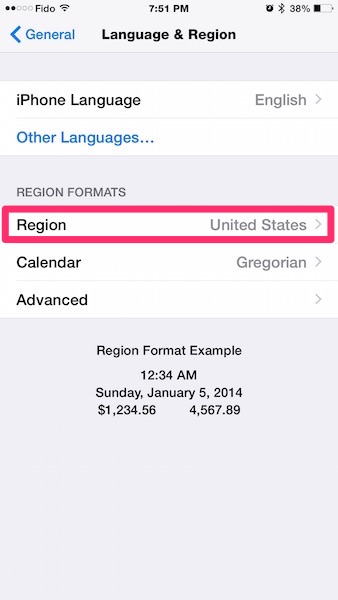
1. On your iPhone, go to Settings > General > Language & Region > Region > United States
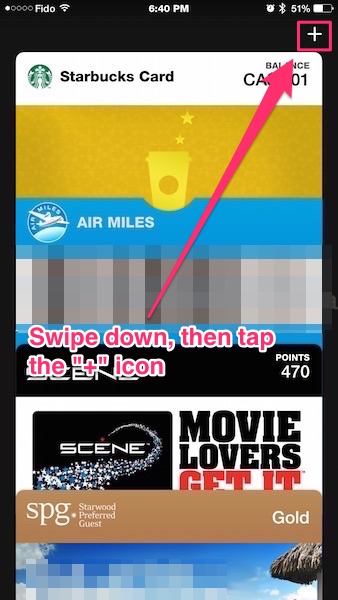
2. Next, launch Passbook and swipe down to reveal the “+” icon in the top right, then tap it.

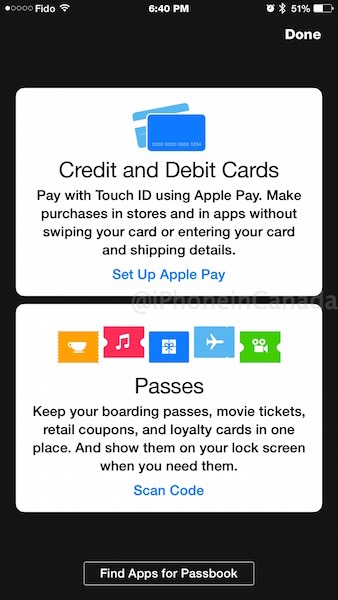
3. This will bring up the Apple Pay setup option—tap ‘Set Up Apple Pay’.
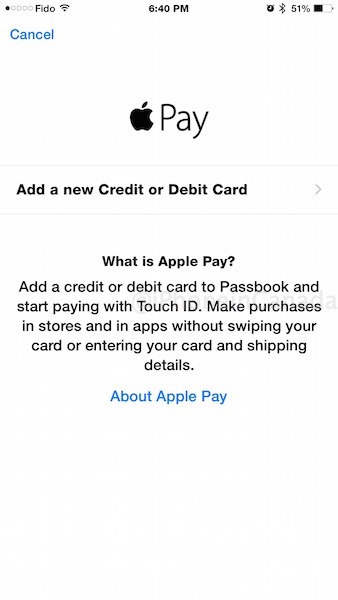
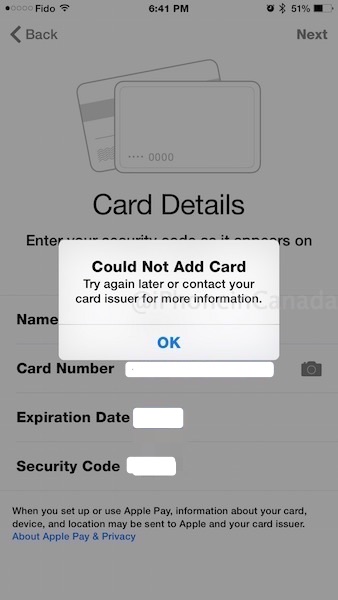
Next, tap ‘Add a new Credit or Debit Card. Enter in your card details (or use the camera) and hit Next (you can even try your Canadian credit card details just for fun).
If your card and issuer is compatible it should tell you so. If not, it’ll say “Could Not Add Card”:
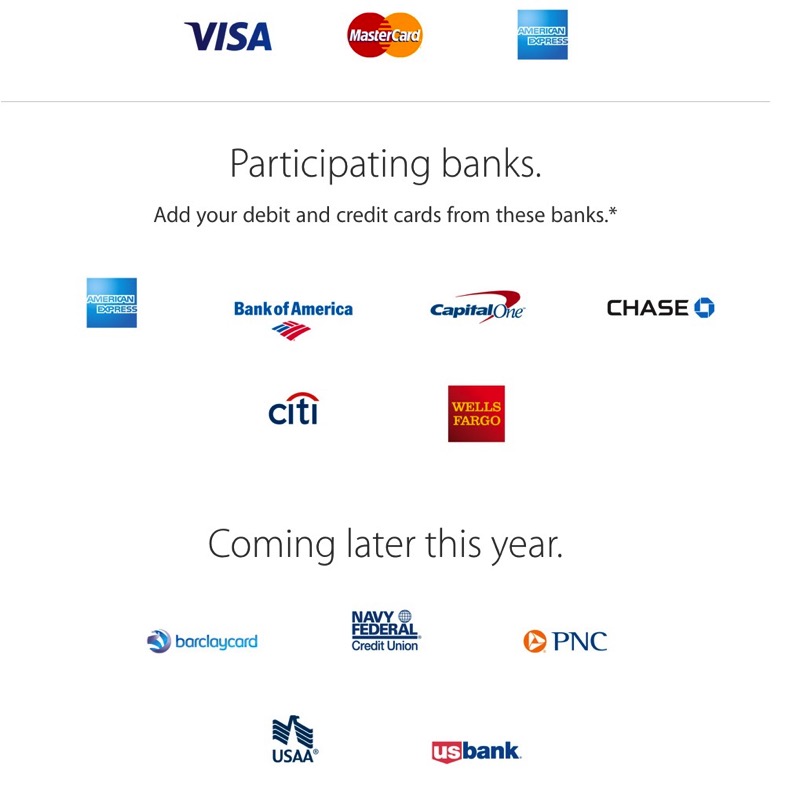
In theory this setup should allow you to use Apple Pay on your iPhone 6 and iPhone 6 Plus once you are in the United States, as long as your card issuer supports the service.

Below is a demo of how Apple Pay works as shown by Walgreens:
As for when Apple Pay will launch in Canada? That’s a good question. TD Bank’s CIO recently predicted Apple Pay would face regulatory hurdles before arriving here, while IDC expects a launch sometime in 2015, which is most likely generous at best.
If you’re a Canadian snowbird or if you travel down to the US often, let us know if you’re able to get Apple Pay up and running with your American credit or debit card.
Thanks wotwot548




I can’t wait until this is available in Canada. I use the Flash/Tap option everywhere.
Just added my american express card to my phone, thanks for this tip!
Awesome. Your US AMEX right?
On Monday, October 20, 2014, Disqus <notifications@disqus.net
Yes I assume, as my Canadian AMEX didn’t work.
Added my Chase Debit and Credit card to Passbook. Used it at Starbucks and McDonalds in Canada, (both have NFC readers) and worked with no problems!
How’d you apply for a Chase credit card without a social security number? What do they require, I tried applying for one this summer and they told me that it was not possible unless I had a SSN.
afaik, you can’t. it’s very difficult to get a US credit card at the best of times.
I’m a dual-citizen.
Oh that must have been fun! Were the workers surprised?
Yeah, they were really surprised and one of them asked about it.
my chase credit card (marriott rewards) couldnt be added
Did you need to leave the region set to the US to access the card, or only to set it up?
I have it set to the US. and I’m pretty sure it needs to be like that to set it up..
Were the NFC Readers anything special, or would the regular ones that allow you to tap your NFC-enabled debit/credit card work?
no, they were just regular terminals where you can tap a physical card/ chip & pin to pay.
Doesn’t work for me. I changed my region to “United States”, but once I went back into Passbook and hit the plus, it was still only featuring the typical Passbook thing, no place to add a credit card. I tried force-quitting both Passbook and System Preferences (just in case), double-checked my region was still set to US, restarted my phone, but still nothing.
One odd thing I did notice, I usually have my clock in 24-hours, but when I changed the region it went back to 12-hours. A bit of a bug it seems maybe, perhaps it may be effecting my region too somehow? I dunno
Are you trying this on an iPhone 6 or 6 Plus? If yes, then it should work. If not, then your device is not compatible!
I am on an iPhone 5, but Apple Pay is still compatible with my device, just not the NFC. Logically, I should still be able to add a credit card, because many apps have Apple Pay build in. Plus, once the Apple Watch is released, the iPhone 5/5s would be NFC compatable via the Apple Watch.
Not exactly, you may wanna have a read http://www.apple.com/apple-pay/
Knowing Apple, they’ve done something like looking for the Apple Watch to be paired with the iPhone before allowing you to set up Apple Pay. I understand the logic of not showing something that can’t be used “right now” but I disagree with it in that it prevents you from knowing whether you have a problem or just a missing component. At least show it greyed out so you know the possibility is there.
Same thing is happening to me. On an iPhone 6
I had the same problem as u. The problem was…I wasn’t updated to iOS 8.1…lol
Apple Pay? In Canada? I’m not expecting it at all up here…there isn’t even iTunes Radio yet and that was supposed to be here by Q1 2014.
Please dont say what u dont know I listen to iTunes Radio all day in Edmonton Alberta
My Chase card works fine – used it at Longos and Starbucks yesterday.
Until then, ExpressPay and PayPass works fine for me.
But I don’t use my phone in the US because of roaming charges. Would doing this result in extra fees?
no NFC is not roaming so dont worry about extra charges
IT worked only for my US American Express account. Not my Canada Amex, Visa or MasterCard.
Since in Canada, we’re much more advance than the US with the NFC technology (with pay pass, flash etc…), any US iPhone users (set with ApplePay) will be able to use come in Canada and use it when they see the NFC symbol. So this is telling me, once ApplePay is live in Canada for Canadian users, it’S going to be big 🙂
@Curtis… U can’t compare iTunes Radio and ApplePay. I’m with you, i can’t wait to see iTunes Radio here but the contents is under the CRTC laws…. For ApplePay, Apple need to sign agreements with Banks… very different!
I agree Steve. I think Apple Pay would be embraced on a much larger (proportionately speaking of course) and faster scale than in the US where even chip & PIN cards are mostly unheard of.
It would be a very easy (and likely welcome) adjustment to many Canadians to tap their phone instead of their card. In the US, they have to get used to the notion of “tapping” at all.
I hope u guys are right. Would love to keep my credit cards at home.
It’s a shame probably the most likely use of tap & pay is tied up in that useless #Compass system that Translink is in the process of setting up…
I tried changing my region to US, but it seems the option to add a credit card in passbook is still not available. Any ideas?
Update ur iOS to 8.1 for it to be added also know that its only on the 6 and 6+ but not the earlier versions
Tried to add a US Prepaid Amex and it was rejected – “not supported”
Non-reloadable prepaid VISA from Wells Fargo is also ‘not supported’ in our tests
It worked perfectly. You have to re-boot the phone for the region code change to take effect. And once I had it all set up and a card added I went back and changed the region code back to Canada.
Anyone have an Amazon.ca VISA card? Can you try adding it to Apple Pay? US cards are accepted, I’m curious if Canadian cards work.
Anyone try a Capital One Card from Canada?
Yes and it does not work.
Doesn’t work ????
RBC Bank (Georgia) now supports apple pay as well. So if you go into your local RBC branch, you can get a US-based chequing account along with a visa that now works on apple pay.
I successfully added my RBC Bank card to Apple Pay… But now I actually don’t know how to use it. Isn’t it supposed to pop-up on the home screen when you are close to a terminal?
Where did you get the RBC bank card from? From Canada? And if so, which one? Thanks.
Yep, signed up at my local RBC Royal Bank branch. I have some income that comes in the form of USD so it was a handy way to transfer money from USD to CAD with out the fees. The monthly bank fee is only $2.95 USD/mo… Along with the account comes a Visa Debit Card for the account which can be added to Apple Pay.
Figured it out. Derp. Worked at McDonalds! Sweet!
I have an RBC (Georgia) Visa card. If I set up apple pay to use it, then use apple pay with my iPhone 6+ at a Canadian store, I presume that the amount will be converted to US $s on the RBC-US Visa which I will have to pay in Canadian $s thus incurring two conversions C$ to US$ on the charge, then C$ to US $s when I pay my US Visa bill, right?
So won’t a $Can $2.50 cup of coffee paid with ?Pay end up costing me something like $Can $3.50 with all the conversions?
I’m really curious. Is this what happens or have I got it all wrong?
Ok, I’ve set this all up and it works.
Also, there are losses involved crossing the border multiple times, not big ones, but they are there.
First, crossing down. Looks like I lost 1.4% transferring to the Georgia account from the Cdn one.
Now, actually paying.
I did a couple of test pays (Shoppers and Safeway) and it it’s ~3%.
So, the $2.50 cup of coffee would come out to ~$2.61.
Worth it in my opinion for the looks on the clerks faces. (the kid at Safeway almost Squee’ed. 🙂
Thanks for your reply.
BTW, did you leave your “Region” set to the States once configured or put it back to Canada. Will ApplePay continue to work after the “Region” setting is returned back to ‘Canada’?
It works either way. (I’d forgotten about it till I was given directions in miles)
Tested with Region set to Canada and works fine.
Just added my RBC Bank VISA to Apple Pay, had to call their call centre to verify it but otherwise went pretty smoothly.
This is RBC US correct?
Yea it was. I actually tried my RBC Avion card on a lark and it said it wasn’t supported.