

Google Photos Fixes Annoying Timeline Details in New iOS and Android Update
Google Photos has introduced two new settings for its iOS and Android apps, allowing users to turn off grid dates and disable the sticker shimmer effect. The updates come directly in response to feedback from users looking for a cleaner media timeline. The first update addresses the timeline layout. Users can now toggle date headers...


Nope but mine seem to be jam on update bar after restarting……Download and install by iTunes.
After 5 minutes, it finally start to install.
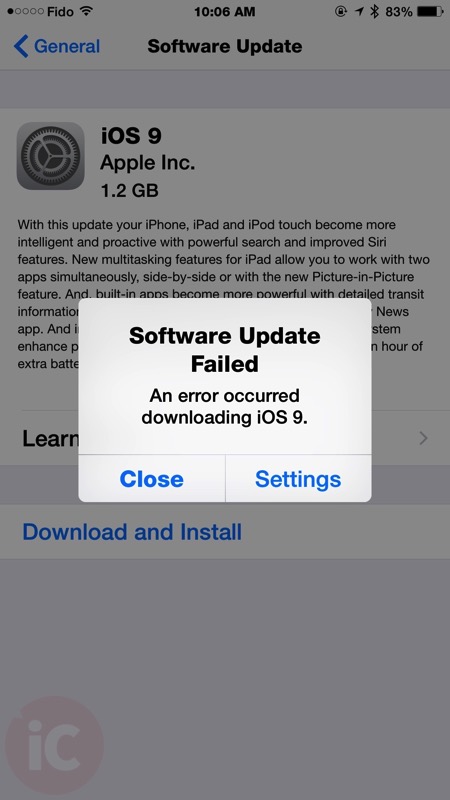
I get the error. However, on my 5S that already has the Public Beta on it, my update shows only 40.4 MB!
Hit the install button at 1:02pm. BINGO! I am done, 1:35pm! iPad too! ; )
Downloading started OTA after several attempts within few minutes
No problem here! Were is the News app????? Is it a CANADA thing?
Yup go to your settings and change your location to United States and it will reboot your phone then the news app will be there…
I change my region to US but I’m getting 860MB IOS 9 file instead 1.2 GB Download in Settings has anyon got this In the Canadian Its bigger than the US file smaller done
Hey Gary
it looks like U.S getting smaller size compare to Canadian user or the rest the world
IOS 9 File
Canada 1.2 GB
U.S 860MB
Could be related to the OS you are updating from. 8.4.1 to 9 and mine was 1.0GB. Canada region setttings
Changed the settings. News apps blows! Unless your America.. Better options out there. Was hopeful it would be much better.
Location doesn’t have anything to do with it. It’s all based on what device you have and the version you are upgrading from. Even the download size between an iPhone 6 and an iPhone 6 Plus is different.
Not sure I understand, user was asking about getting the news app, not the download of ios9. Once you upgrade to ios9 you then change your settings to get access to the news app.
Yes, I just waited a few minutes and tried again. Good to go now.
I have the Gold Master on mine. It’s downloading the update at 2.06Gb….iPhone 6 Plus
Got downloaded no problems.
But…. Dare I say, the system is becoming is bit cumbersome?
Any way to go back to IOS 8?