
M6 Mac mini, M5 Ultra Mac Studio Reviews Are In: What Everyone Is Saying
Reviews are out for Apple's M6 Mac mini and M5 Ultra Mac Studio ahead of tomorrow's launch. The verdict: big performance gains, but prices are up across the board.
Last night Mac OS X users were unable to open their favourite apps (such as 1Password in our case), as a pop up message would read their app “is damaged and can’t be opened”, asking users to delete and reinstall their apps.
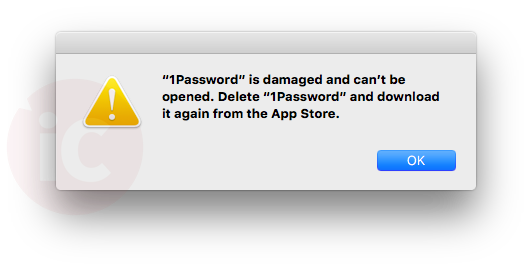
It turns out the cause of the issue was related to security certificates in the Mac App Store, first noted by Tapbots founder Paul Haddad. Certificates for some apps were noted to expire at Nov. 11, 21:58:00 GMT, which caused many apps to no longer open.
https://twitter.com/tapbot_paul/status/664653066679906304
These security certificates are issued by the Mac App Store to ensure apps purchased can run on a user’s computer, plus prevent installation of malware by using Apple’s developer information.
How to fix this error? Some have noted a simple reboot fixed the issue. But if that doesn’t, drag your application in question to the trash, then re-download and install the app from the Mac App Store. Once we did that, 1Password reopened and everything worked exactly like it did before.
Let us know if you ran into this issue and what fix worked for you in the comments below.
Want to see more of our stories on Google?

P.S. Want to keep this site truly independent? Support us by buying us a beer, treating us to a coffee, or shopping through Amazon here. Links in this post are affiliate links, so we earn a tiny commission at no charge to you. Thanks for supporting independent Canadian media!


Newsbar RSS yesterday had displayed this message, deleted it and downloaded again from the Appstore.
I had to re-enter my MAS password when opening 1Password this morning. I thought that was very strange, but this explains it.