If you’re a new iOS developer and you’re not seeing the latest over-the-air updates showing up after going to Settings > General > Software Update on your device, there’s a quick fix for this.
Apple recently required developers to install a Configuration Profile to get over-the-air updates for their iPhone, iPad or iPod touch. If you have forgotten to do this simple step, then you won’t see these updates pop up in Software Update in Settings. This can drive someone crazy, especially when Twitter explodes that a new beta has arrived with new features and you don’t see it (#FOMO).
The easiest way to install the Configuration Profile is to visit the Developer portal from your iOS device and agree to install it (just look for the image below). Once this is done, you will then see over-the-air updates in Software Update via Settings.
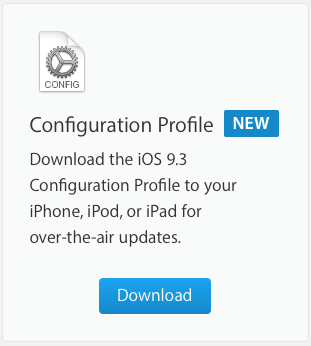
For first-time developers installing betas onto their iOS devices, it can be easy to forget to install the Configuration Profile if you’re in a hurry.
Yesterday, Apple released iOS 9.3 beta 2, watchOS beta 2, and OS X El Capitan 10.11.4 for developers.



Do you know of a way to install (access) betas through iTunes?
You need to download standalone IPSW files, then manually restore (hold down option on keyboard, then select where you downloaded the file to on your Mac) in iTunes.
Where can I download the beta IPSW files?
If you’re a registered developer, they’re in the developer portal. If you’re not, trying joining the public beta. As for downloading betas from unofficial means…that can be risky
Yea, I don’t have a dev account and the open beta requires you to upgrade from the phone, which is why I asked the question originally.