
Apple’s AirPort Utility App is Being Removed From the App Store
Apple warns that "functionality is not guaranteed" when using AirPort Utility on iOS 27 or later.
Gmail appears to have quietly launched a new ‘cards view’ for online purchases, flights, hotel reservations and more within their iOS app. The cards appear similar in nature to those seen within the Google iOS app, summarizing your purchases or reservations in easy-to-view cards.
Below, for some VELCRO brand-sticky back strips we ordered from Amazon.ca, we noticed this card pop up when we opened Amazon’s shipment email:
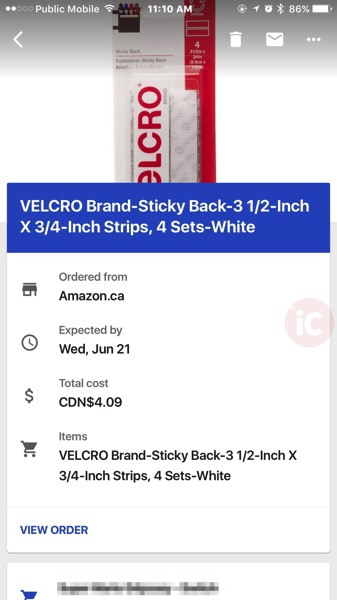
As you can see, it details the item you ordered, where it was ordered from, when you can expect it by and the total cost. When we tapped “View Order” it launched the Amazon iOS app.
These Google Now-style cards appear at the top of the email, but once you scroll down you’ll see the original Amazon email. These styled cards also show for older Amazon.ca orders as well. For other retailers such as Costco, we aren’t seeing these cards.
Older hotel reservations and flights will also show these new cards as well:
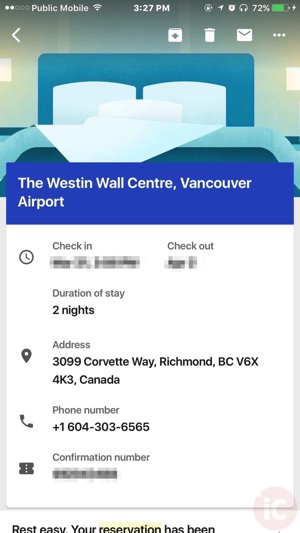
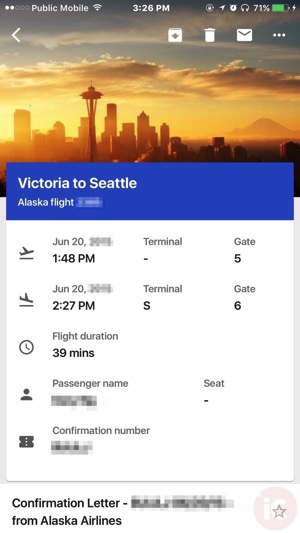
These cards make it really easy to locate confirmation or reference numbers, especially on mobile when sometimes you need to zoom in to see the fine details.
Click here to download Gmail for iOS in the App Store. Let us know if these cards views are appearing for you too.
Want to see more of our stories on Google?

P.S. Want to keep this site truly independent? Support us by buying us a beer, treating us to a coffee, or shopping through Amazon here. Links in this post are affiliate links, so we earn a tiny commission at no charge to you. Thanks for supporting independent Canadian media!


It looks like they are borrowing more and more features from their Inbox by Gmail app, which is my primary email app on my iPhone 7 Plus.
I’m enjoying these new features. I should give Inbox by Gmail another chance.
I’ve enjoyed their desktop version for some time before jumping onto their iOS app bandwagon. I gave both Gmail and Outlook a chance but ultimately keep coming back to Inbox. My only gripe is there are some features that can only be configured from the gmail app or site, such as setting up or modifying filter rules / labels.