Philips is adding HomeKit support for Hue accessories, allowing users to control other HomeKit devices with Philips’ switches.
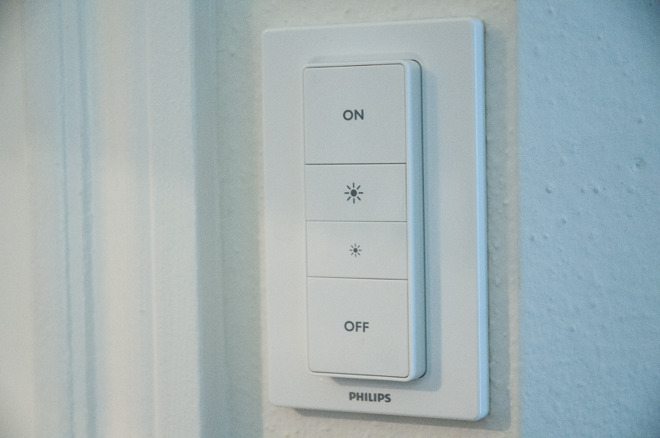
The latest Philips Hue update has added Apple HomeKit compatibility for certain lighting accessories, including the Hue Tap, Hue Dimmer Switch, and Hue Motion Sensor, reads the updated application’s description. The changes are included with the Philips Hue 2.16.0 app update.
Before today’s app update, the Tap, Dimmer Switch, and Motion Sensor could only be controlled and configured through the Hue iPhone and iPad app. The Tap is a unique accessory designed to trigger specific scenes on-demand, or shut off all lights simultaneously, rather than just cycle through them as possible on the Dimmer Switch.
Additionally, the updated app allows people reset accessories to defaults, manage routines created elsewhere, or navigate into the iOS Home app to configure devices. Philips has also added an automatic firmware update option, letting users schedule a specific time for installations to take place.
The app’s “What’s New” section explains everything that’s new:
Apple HomeKit compatibility for Hue accessories Philips Hue is extending its Apple HomeKit compatibility for Hue accessories: Hue tap, Hue dimmer switch and Hue motion sensor. Meaning with a press of a button, or movement of your body, you can activate your favorite Apple Home app scenes. To set up automations, you need an Apple TV (4th generation) with tvOS 10 or an iPad with iOS 10 or later.
– Manage third party routines A new section “From other apps” is added to “Routines”. Here you can enable, disable or delete routines created in other apps.
– Improved software updates A new section “Automatic update” is added to “Software update”. Now you can enable and specify time to automatically install software updates and you can check if your Hue devices are up to date.
– Reset Hue accessories to default. If you configured an accessory in a third party app, or experience unexpected behavior, now you can restore the default Hue behavior. Just scroll down in the accessory details screen.
– App icon and splash screen updated.
– Various bug fixes and stability improvements.
For Apple HomeKit compatibility, Philips Hue users must have the second-generation bridge installed.



I have the latest update and bridge is up to date and I don’t see the accessories in Home app. (Yes I have gen2 bridge)
Me neither: no new Hue available updates
Here goes Logitech Pop Smart Buttons….
This was such a nice update to wake up to. I’ve got a handful of different Homekit device and being able to connect switches and motion sensors to automations is fantastic.