
Apple’s AirPort Utility App is Being Removed From the App Store
Apple warns that "functionality is not guaranteed" when using AirPort Utility on iOS 27 or later.
Google has shared how its Assistant can help users get ready for Halloween, and “get you in the spooky spirit. Here are some queries you can ask:
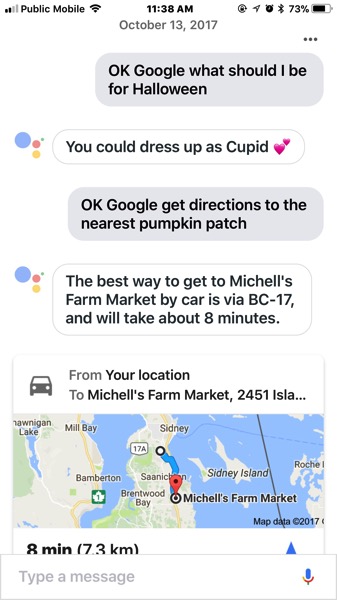
The directions to the nearest pumpkin patch were accurate, the candy list worked, while the query about scaring me and getting spooked brought up some search results to YouTube.
Google Assistant for iOS originally debuted in the U.S. App Store, only, but finally hit the Canadian App Store three weeks ago. Click here to download it.
Want to see more of our stories on Google?

P.S. Want to keep this site truly independent? Support us by buying us a beer, treating us to a coffee, or shopping through Amazon here. Links in this post are affiliate links, so we earn a tiny commission at no charge to you. Thanks for supporting independent Canadian media!


”Ok Google, let’s get spooky” gradually changed the colours of my lights; there was no “flickering”. It also plays a Halloween video on your Chromecasts.