
How to Shoot and Edit with Portrait Lighting on iPhone 8 Plus [VIDEOS]

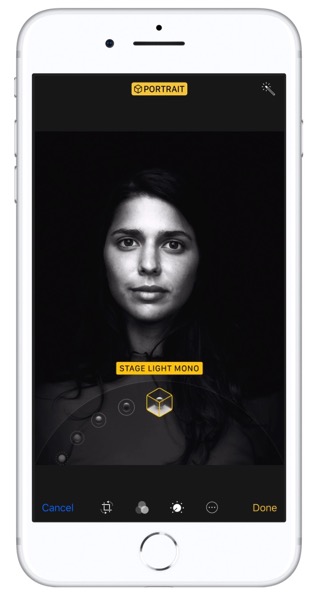
Apple shared a couple videos earlier today highlighting how to shoot and edit with Portrait Lighting (beta) on iPhone 8 Plus.

Portrait lighting

The new feature is only available on iPhone 8 Plus and the upcoming iPhone X, allowing users to capture images with various “artistic studio lighting effects” rendered in real-time for portraits. This feature was one of the highlights of our time spent with an iPhone 8 Plus.

YouTube video

YouTube video

Once you’ve taken an image with Portrait Lighting, you can edit it in Photos and easily switch between different effects. You don’t need to capture portraits with each effect—all you need is one taken by Portrait Lighting and you get all the effects by editing.

Want to see more of our stories on Google?

Add iPhone in Canada as a Preferred Source on Google

P.S. Want to keep this site truly independent? Support us by buying us a beer, treating us to a coffee, or shopping through Amazon here. Links in this post are affiliate links, so we earn a tiny commission at no charge to you. Thanks for supporting independent Canadian media!

Subscribe
Notify of
guest
0 Comments
Oldest
Newest Most Voted
Inline Feedbacks
View all comments
0
Would love your thoughts, please comment.x
()
x