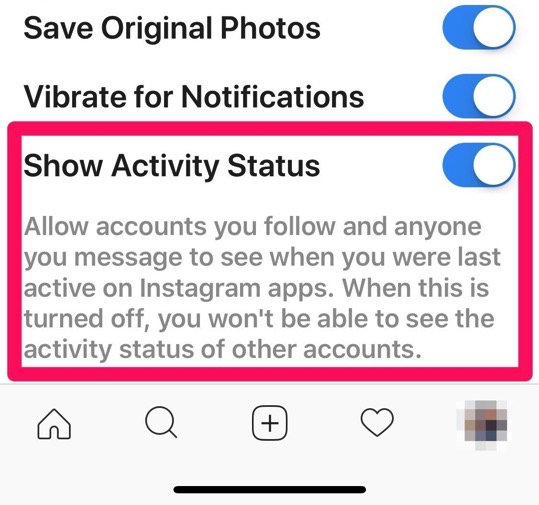
Instagram has recently enabled the activity status in direct messages, a feature that was rolled out as part of the latest updates for its iOS and Android apps. However, most users don’t want their friends to see when the last time they were actively using the app was. Luckily, you can use the built-in option to opt-out from having your activity status visible to everyone (via The Next Web).
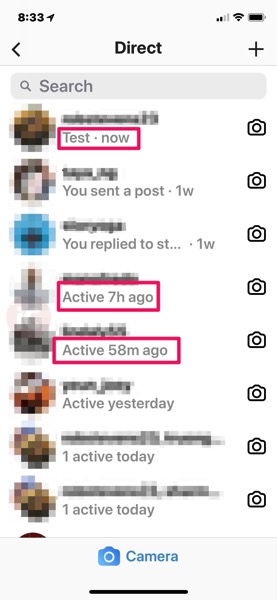
As you can see in the screenshot above, Instagram now displays a line indicating the last time a user was active on its platform directly underneath their username. While the activity status is currently only visible in direct messages, some users might find this change a bit annoying. If you’re one of those users, simply follow these steps to disable sharing your Instagram activity status:
Step 1:
Launch the app and go to Settings.
Step 2:
Now scroll down till you see the new ‘Show Activity Status’ option.
Step 3:
Simply toggle the feature off.

That’s it, your Instagram activity will lo longer be shared with your friends.
Note: By opting out of activity status, you won’t be able to see other people’s last activity either.