Earlier today Apple launched its Fitness+ service which comes with a Fitness app for iPhone, Apple Watch and Apple TV.
For iPad users, Apple oddly required users to download Fitness+ themselves from the App Store, instead of including it with the iPadOS 14.3 update.
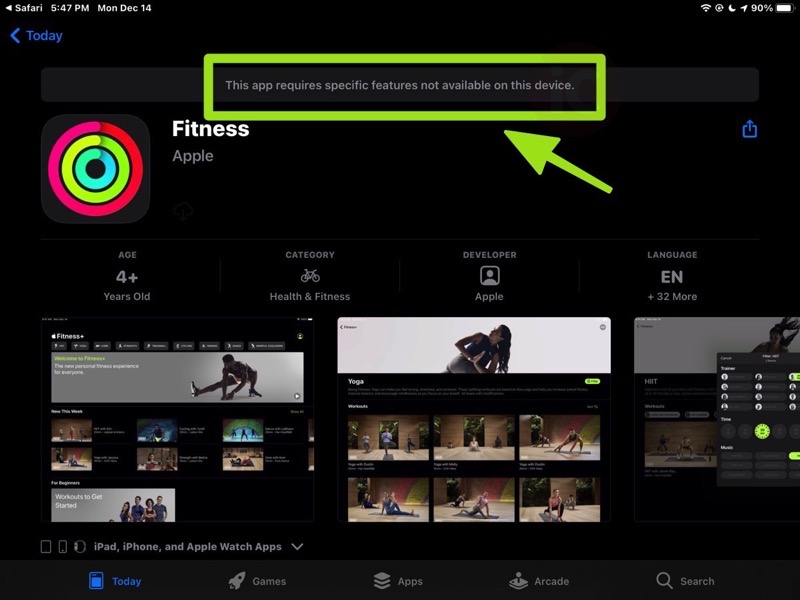
Users trying to download Fitness for iPad were seeing an error message, “This app requires specific features not available on this device”. There’s also no link to tap download for the Fitness app.
https://twitter.com/Excalideus/status/1338660322908000257
It appears this evening Apple has flicked the switch for the Fitness iPad app and it is now available to download from the App Store.
To fix the “This app requires specific features not available on this device” error message, reboot your iPad and try your Fitness app download again. It should work because that just fixed it for us.
What’s Needed for Fitness+
- Fitness+ requires Apple Watch Series 3 or later paired with iPhone 6s or later, or iPhone SE with watchOS 7.2 and iOS 14.3.
- For usage with iPad, Fitness+ requires iPad Pro, iPad (5th generation or later), iPad mini 4 or later, iPad Air 2, or iPad Air (3rd generation or later), running iOS 14.3.
- Fitness+ is supported on Apple TV 4K and Apple TV HD, with tvOS 14.3.
Also, some new Apple Watch users are unable to see their free 3-month Fitness+ trials right now.
Click here to download Fitness+ for iPad in the App Store.



