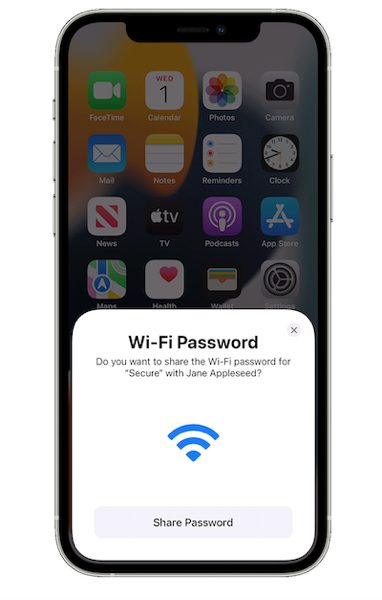

How to Share Wi-Fi Password From Your iPhone [VIDEO]

In a new video published on its YouTube support channel, Apple has explained how you can share your Wi-Fi password with a friend directly from your iPhone without having to remember your password or say it out loud.

Share pass

To share your Wi-Fi password from your iPhone, iPad, or iPod touch, you need to make sure that both devices have Wi-Fi and Bluetooth turned on. If either device has Personal Hotspot on, turn it off.

Keep the other person’s device nearby, and follow these steps:

  • Make sure that your device is unlocked and connected to the Wi-Fi network.
  • Select the Wi-Fi network on the device you want to connect.
  • On your device, tap Share Password, then tap Done.

If you don’t see the setup animation, restart both devices and try again. Check out the video below for a better idea.

Youtube video

Want to see more of our stories on Google?

Add iPhone in Canada as a Preferred Source on Google

P.S. Want to keep this site truly independent? Support us by buying us a beer, treating us to a coffee, or shopping through Amazon here. Links in this post are affiliate links, so we earn a tiny commission at no charge to you. Thanks for supporting independent Canadian media!

Subscribe
Notify of
guest
0 Comments
Oldest
Newest Most Voted
0
Would love your thoughts, please comment.x
()
x