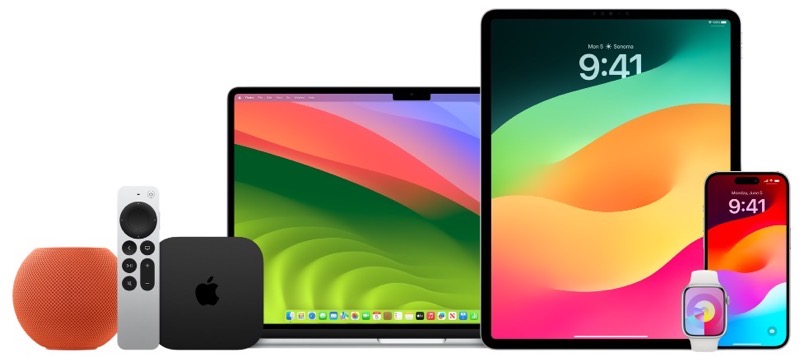
Apple on Wednesday has released numerous software updates for the public as expected, after release candidate versions were made available to developers last week.
iOS 17.1 is now available for iPhone and iPadOS 17.1 for iPad, plus more. Check out what’s available for download right now:
- iOS 17.1
- iPadOS 17.1
- iOS 16.7.2
- iOS 15.8
- iPadOS 16.7.2
- macOS Sonoma 14.1
- macOS Ventura 13.6.1
- macOS Monterey 12.7.1
- watchOS 10.1
- tvOS 17.1
The release of watchOS 10.1 includes the new double tap feature for new Apple Watches.
The iOS 17.1 software update took a while to show up in Canada, but we’re seeing it now. You can find out what’s new below:
New Features
- Internet-based AirDrop functionality.
- Display control options for specific iPhone models (14 Pro, 14 Pro Max, 15 Pro, 15 Pro Max).
- Flashlight indicator introduced in Dynamic Island.
- Dynamic Island devices now feature black wallpaper in Reachability mode.
- Star icon replaces Favorite button on lock screen during Apple Music playback.
- Eight auto-generated cover arts for playlists in Apple Music.
- UK bank account integration in Wallet app starting iOS 17.1 for UK users.
- New “Extend” option for wallpapers that don’t fit the screen.
- Photo Shuffle lock screen now allows specific album selection.
- Double Tap feature on Apple Watch.
Bug Fixes
- Resolved 80% charging limit issue on iPhone 15 series.
- Fixed persistent image issue, including on iPhone 15 series.
- Keyboard lag issue rectified.
Direct downloads can be found below for iOS 17.1 and more:
- iOS 17.1 (Build 21K69) for:
- Apple TV 4 (AppleTV5,3) — Download
- AudioAccessory5,1 (AudioAccessory5,1) — Download
- iOS 15.8 (Build 19H370) for:
- iPad mini 4 (Wi-Fi) (iPad5,1) — Download
- iPad mini 4 (Cellular) (iPad5,2) — Download
- iPad Air 2 (Wi-Fi) (iPad5,3) — Download
- iPad Air 2 (Cellular) (iPad5,4) — Download
- iPhone 6s (iPhone8,1) — Download
- iPhone 6s Plus (iPhone8,2) — Download
- iPhone SE (iPhone8,4) — Download
- iPhone 7 (CDMA/GSM/LTE) (iPhone9,1) — Download
- iPhone 7 Plus (CDMA/GSM/LTE) (iPhone9,2) — Download
- iPhone 7 (GSM/LTE) (iPhone9,3) — Download
- iPhone 7 Plus (GSM/LTE) (iPhone9,4) — Download
- iPod touch 7G (iPod9,1) — Download
- iOS 16.7.2 (Build 20H115) for:
- iPad Pro (9.7”, Wi-Fi) (iPad6,3) — Download
- iPad Pro (9.7”, Cellular) (iPad6,4) — Download
- iPad Pro (Wi-Fi) (iPad6,7) — Download
- iPad Pro (Cellular) (iPad6,8) — Download
- iPad 5 (Wi-Fi) (iPad6,11) — Download
- iPad 5 (Cellular) (iPad6,12) — Download
- iPhone 8 (CDMA/GSM/LTE) (iPhone10,1) — Download
- iPhone 8 Plus (CDMA/GSM/LTE) (iPhone10,2) — Download
- iPhone X (CDMA/GSM/LTE) (iPhone10,3) — Download
- iPhone 8 (GSM/LTE) (iPhone10,4) — Download
- iPhone 8 Plus (GSM/LTE) (iPhone10,5) — Download
- iPhone X (GSM/LTE) (iPhone10,6) — Download
- iOS 17.1 (Build 21B74) for:
- iPad Pro 2 (12.9”, Wi-Fi) (iPad7,1) — Download
- iPad Pro 2 (12.9”, Cellular) (iPad7,2) — Download
- iPad Pro (10.5”, Wi-Fi) (iPad7,3) — Download
- iPad Pro (10.5”, Cellular) (iPad7,4) — Download
- iPad 6 (Wi-Fi) (iPad7,5) — Download
- iPad 6 (Cellular) (iPad7,6) — Download
- iPad 7 (Wi-Fi) (iPad7,11) — Download
- iPad 7 (Cellular) (iPad7,12) — Download
- iPad Pro 3 (11”, Wi-Fi) (iPad8,1) — Download
- iPad Pro 3 (11”, Wi-Fi, 1 TB) (iPad8,2) — Download
- iPad Pro 3 (11”, Cellular) (iPad8,3) — Download
- iPad Pro 3 (11”, Cellular, 1 TB) (iPad8,4) — Download
- iPad Pro 3 (12.9”, Wi-Fi) (iPad8,5) — Download
- iPad Pro 3 (12.9”, Wi-Fi, 1 TB) (iPad8,6) — Download
- iPad Pro 3 (12.9”, Cellular) (iPad8,7) — Download
- iPad Pro 3 (12.9”, Cellular, 1 TB) (iPad8,8) — Download
- iPad8,9 (iPad8,9) — Download
- iPad8,10 (iPad8,10) — Download
- iPad8,11 (iPad8,11) — Download
- iPad8,12 (iPad8,12) — Download
- iPad mini 5 (Wi-Fi) (iPad11,1) — Download
- iPad mini 5 (Cellular) (iPad11,2) — Download
- iPad Air 3 (Wi-Fi) (iPad11,3) — Download
- iPad Air 3 (Cellular) (iPad11,4) — Download
- iPad11,6 (iPad11,6) — Download
- iPad11,7 (iPad11,7) — Download
- iPad12,1 (iPad12,1) — Download
- iPad12,2 (iPad12,2) — Download
- iPad13,1 (iPad13,1) — Download
- iPad13,2 (iPad13,2) — Download
- iPad13,4 (iPad13,4) — Download
- iPad13,5 (iPad13,5) — Download
- iPad13,6 (iPad13,6) — Download
- iPad13,7 (iPad13,7) — Download
- iPad13,8 (iPad13,8) — Download
- iPad13,9 (iPad13,9) — Download
- iPad13,10 (iPad13,10) — Download
- iPad13,11 (iPad13,11) — Download
- iPad13,16 (iPad13,16) — Download
- iPad13,17 (iPad13,17) — Download
- iPad13,18 (iPad13,18) — Download
- iPad13,19 (iPad13,19) — Download
- iPad14,1 (iPad14,1) — Download
- iPad14,2 (iPad14,2) — Download
- iPad14,3 (iPad14,3) — Download
- iPad14,4 (iPad14,4) — Download
- iPad14,5 (iPad14,5) — Download
- iPad14,6 (iPad14,6) — Download
- iPhone XS (iPhone11,2) — Download
- iPhone XS Max (iPhone11,4) — Download
- iPhone XS Max (China) (iPhone11,6) — Download
- iPhone XR (iPhone11,8) — Download
- iPhone 11 (iPhone12,1) — Download
- iPhone 11 Pro (iPhone12,3) — Download
- iPhone 11 Pro Max (iPhone12,5) — Download
- iPhone12,8 (iPhone12,8) — Download
- iPhone13,1 (iPhone13,1) — Download
- iPhone13,2 (iPhone13,2) — Download
- iPhone13,3 (iPhone13,3) — Download
- iPhone13,4 (iPhone13,4) — Download
- iPhone14,2 (iPhone14,2) — Download
- iPhone14,3 (iPhone14,3) — Download
- iPhone14,4 (iPhone14,4) — Download
- iPhone14,5 (iPhone14,5) — Download
- iPhone14,6 (iPhone14,6) — Download
- iPhone14,7 (iPhone14,7) — Download
- iPhone14,8 (iPhone14,8) — Download
- iPhone15,2 (iPhone15,2) — Download
- iPhone15,3 (iPhone15,3) — Download
- iOS 17.1 (Build 21B80) for:




I downloaded iOS 17 but it didn’t catch me the update. Moreover, I feel that iOS 17 has some unfixed bugs. I want to downgrade my iPhone 14 to iOS 16. I didn’t know that iOS could be downgraded until a friend told me. He recommended me to use TunesKit iOS System Recovery. It can also fix many iOS issues.