Microsoft has taken a significant leap in account security with the introduction of passkeys for consumer accounts as we head towards a password-free era.
Over the past decade, the surge in password attacks has highlighted the inadequacy of traditional passwords in safeguarding online identities.
Recognizing this, Microsoft has been actively working towards eliminating passwords, offering alternatives such as FIDO security keys, Windows Hello, and the Microsoft Authenticator app.
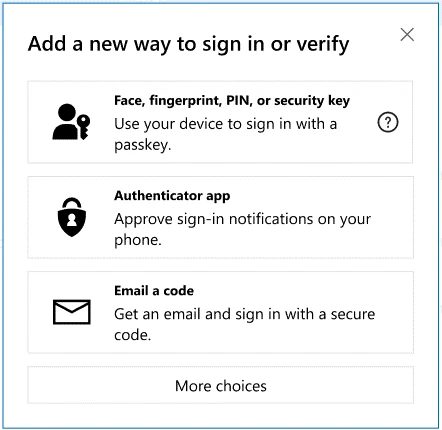
Now, Microsoft has introduced passkeys, a more secure and user-friendly authentication method. Passkeys eliminate the need for remembering and managing numerous passwords, offering quick access to digital accounts through biometrics or device PINs.
Passkeys operate on a cryptographic key pair system, enhancing security by requiring both a device-based key and a corresponding key stored by the app or website. This unique combination ensures protection against phishing attempts.

Notably, passkeys provide seamless authentication across Windows, Google, and Apple platforms, ensuring hassle-free access to Microsoft services. The cryptographic authentication process occurs behind the scenes, safeguarding biometric information and PINs.
Moreover, passkeys offer sync functionality across devices, ensuring accessibility and continuity in case of device loss or upgrades.
To create a passkey for a Microsoft account, users can follow simple instructions provided by Microsoft. Once created, passkeys can be used to sign in to Microsoft apps and websites, with support for mobile versions coming soon.




How can access passkeys when u have two different devices such as a iPhone and android, and u lose your iPhone would u need to replace the iphone with another iOS device to access your passkeys
where the hell is this passkey on apple?? I never get the option for it.