Apple has pushed out a minor update for its Find my iPhone app to add driving directions to device locations, supported on devices running iOS 6 or later. Also, various buttons now appear separately in map view, specifically Play Sound, Lost Mode and Erase iPhone. Full change log below:
What’s New in Version 2.0.1
• Driving directions to device location (iOS 6 or later)?
• Play Sound, Lost Mode, and Erase buttons appear separately from map view
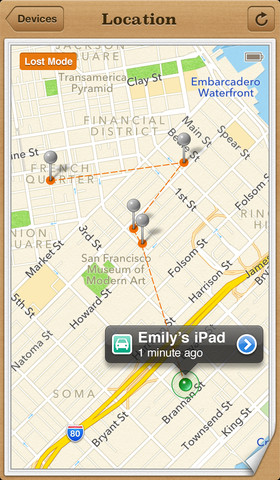
iPhones have become extensions of our bodies and losing one can be a traumatic experience. Getting to your iPhone’s location as soon as possible with driving directions can be handy if you know where you forgot it (i.e. the ditch you woke up from on Saturday morning after a night of partying; or that brown van down by the river).
Click here to download Find my iPhone, it’s free.



But the map might take us in the wrong direction? 😉
I hope you have Crocodile Dundee listed under your Favorites to come save you.