
Apple’s AirPort Utility App is Being Removed From the App Store
Apple warns that "functionality is not guaranteed" when using AirPort Utility on iOS 27 or later.
If there’s anything available out there that comes close to Siri, the brilliant Voice Assistant technology which Apple has included in the new iPhone 4S, its this. Its called Vlingo, a personal assistant, voice-recognition app which can be downloaded for free from the App Store for your iPhone 3GS or iPhone 4.
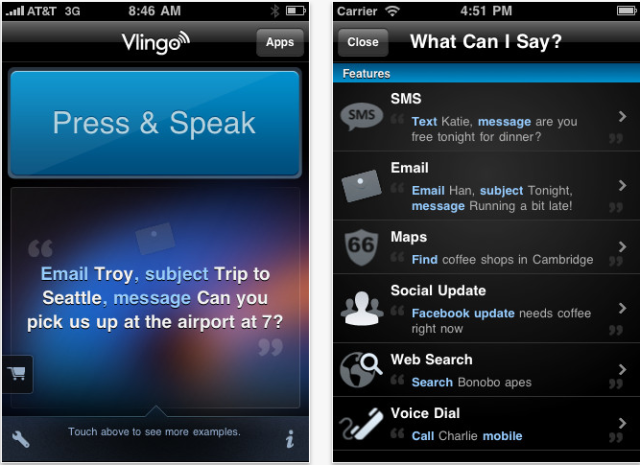
The app supports integration with several apps, including email, Messages (text messaging), Maps, Safari (searching with Google), Twitter, and Facebook. You simply need to speak to Vlingo to get stuff done, such as saying “Text John; What’s up?” or “find italian restaurants” or even “update Facebook; I’m on a boat!”
According to the developers:
Vlingo combines fast and accurate speech recognition technology with the intelligence to listen to what you say, and quickly connect you with people, businesses and activities so that you can get things done while on the go.
Vlingo features direct-SMS functionality (no pasting!), as well as easy integration with mapping, email and search functions. It even connects you to your third parties – like Facebook and Twitter. Turn your words into action today by downloading Vlingo on the Apple App Store!
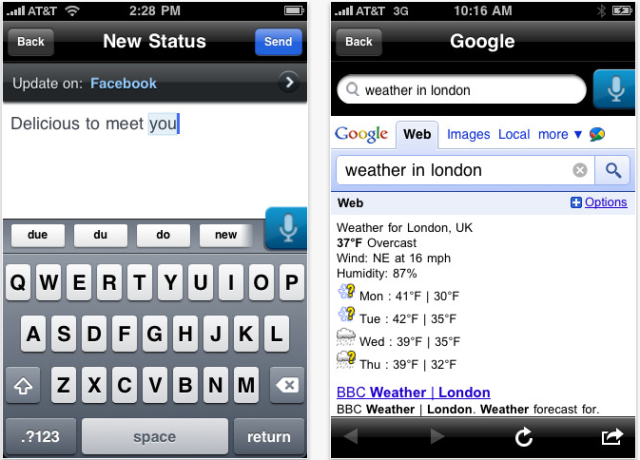
Until a couple of days ago (right when Siri was announced), you had to pay $6.99 for each of the above mentioned functions, but Vlingo now offers unlimited e-mail and texting free of charge. Even though it’s nowhere near as versatile as Siri, it is still the next best thing for all non iPhone 4S users.
Want to see more of our stories on Google?

P.S. Want to keep this site truly independent? Support us by buying us a beer, treating us to a coffee, or shopping through Amazon here. Links in this post are affiliate links, so we earn a tiny commission at no charge to you. Thanks for supporting independent Canadian media!


The only thing that I don’t like about this app is that it can’t auto send your text messages… It can auto call tho..
Having to press to talk and then press to stop is also annoying… Would like to see an option to just press to talk and then let it do its thing…
Yeah, it requires one tap, then it auto sends once the SMS app opens up. Still, works great in my tests.
You can have auto listen turned on when the app starts…
You press, speak, and release when done. You don’t have to tap on and tap off.
just dl’d it and tested with voice call and text….
took a few times to get the voice call down but it worked afterwards…
the text was pretty good actually..first shot got what i wanted to say and 1 tap later it sent..
pretty good.
now can it find someone in canada when i ask it….thats the test!!!
Waiting for Vlingo’s Incar mode for the iPhone
I’ve used Tango a long time and they just made it free … BUT actually guys.. What you’re looking for is:
‘Voice Actions’ by Pannous
The app is the closest thing to Siri we have. It even uses Nuances backend. It’s 2.99 but you can have a conversation with it just like Siri..
Thanks for this post! I finally discovered Vlingo! Though it doesn’t speak like Siri. But still cool. Thanks!
Can someone tell me how to actually *send* the text? I speak the contact name and message syntax, and it appears in the text window, but there’s no way I can find to actually *send* it. It just sits there. What step am I missing? Can anyone help?