Last night Google Maps 2.0 was released for iOS, which introduced a version for the iPad plus a plethora of new features. One feature that has been available for Android versions of the app has made its way to the iOS app–the ability to cache offline maps. This is handy if you need to save a map area while traveling and don’t have access to data.
Here’s how to cache offline maps in Google Maps 2.0 for iOS
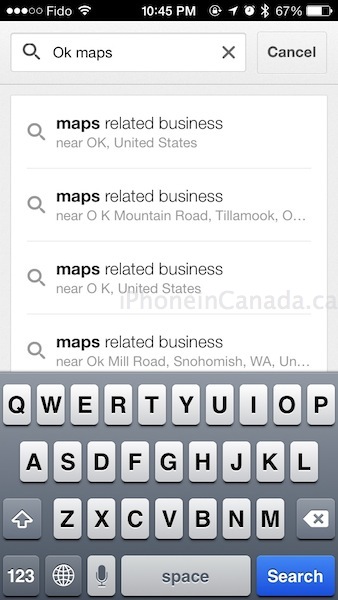
1. Launch Google Maps for iOS and navigate to the map area you want to save. Type “ok maps” into the search field and tap ‘Search’:
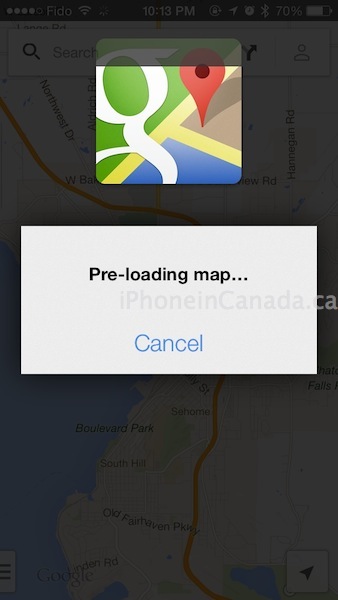
3. The screen will display a message it is pre-loading the map:

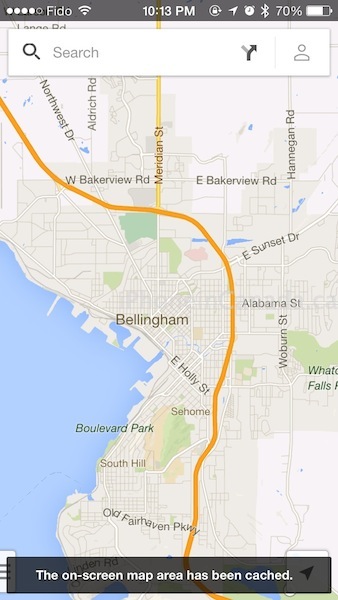
3. Once complete, a confirmation message at the bottom will read “The on-screen map area has been cached.”
This tip to save offline maps also works in the iPad version of Google Maps as well. Let us know if it works for you–happy navigating.
Thanks iFone



Don’t suppose you’ve figured out how to sign out of your account on maps? Option seems to have dissapeared.
Settings–Manage–click the “x”
Is there a way to clear the cache? I can see it taking up a lot of room fast.
Doesn’t seem like there is the option. Also, there is no listing on your saved maps in the app. So far to delete the cached maps, I deleted the app and redownloaded it.
seems like I found a way to delete the cache. On the app go to Settings / About, terms & privacy/Terms & privacy/ Clear application data
Thanks! Not very intuitive, but it does clear the cache.
Thanks, posted! https://www.iphoneincanada.ca/how-to/how-to-clear-cache-google-maps-ios/
This just takes me to maps of Oklahoma.
Did you type exactly as shown? Are you running 2.0?
It happened to my colleague too that it took him to Oklahoma.. you know why? because he launched “Maps” not “Google maps” 🙂 so launch Google Maps and you will be fine.
Lol!
What is the area size of the map cached? In other words, I am in Montreal, Quebec, Canada and when I launch Google Maps and do the OK Maps and it does the cache properly. So what is the area size covered in this cache? Let’s say I am going to New York city from Montreal, a 7 hour drive, so is this area covered.. and how do we know that?
Thanks in advance for your reply.
The OK Maps is new, but the caching isn’t. As an American who visited Vancouver a few months ago without a Canadian data plan, I just zoomed into places like Stanley Park while on wifi in my hotel room, switched to Airplane mode, and enjoyed cached maps from all over downtown. The GPS blue dot even showed me my location. So in my mind, this isn’t new at all, just a more cumbersome way to let us know the maps are cached.