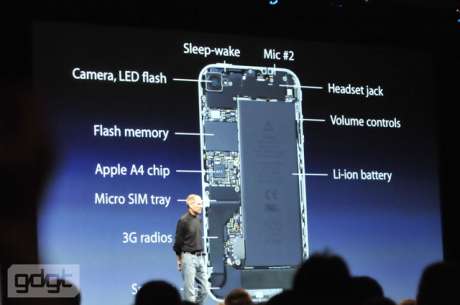
image source: gdgt.com
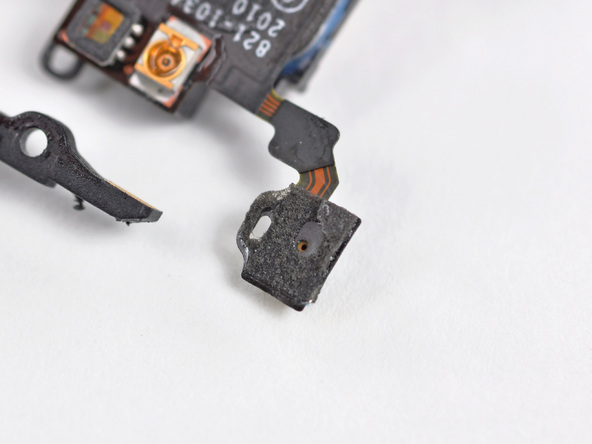
The iPhone 4 debuted with dual microphones, as announced on stage by Steve Jobs in 2010 at WWDC. The second mic on the top is for noise cancellation, and that is handled by Audience, as noted by iFixit. With two mics on the iPhone 4 and iPhone 4S, which one should you speak into?
TidBITS describes their experience of how to use both microphones properly. The top microphone is for noise cancellation, but the moment you turn on speakerphone mode, it becomes the primary mic:
And now for the surprise. When you take the iPhone away from your face during a call and put it into speakerphone mode (tap the Speaker button), the top microphone is the one that is now active. Did you know this? I sure didn’t.

I didn’t know this either. So many times I have used speakerphone mode while talking into the bottom of the phone, only to have my recipient say “I can’t hear you!”; now I know why. Matt Neuburg from TidBITS only learned about this via a technical developer video from WWDC 2011:
In fact, I stumbled upon this little nugget of knowledge by sheer accident, while I was watching, of all things, a technical developer video of a talk from WWDC 2011. If I weren’t a developer, and if I hadn’t happened to watch this particular video, I might never have found out this fact at all…
So there you have it. When using speakerphone on your iPhone 4 or iPhone 4S, talk into the top of the phone, instead of the bottom.
[via TidBITS]



I had no idea!
I had no idea either. But it would make sense that way too. Otherwise the callers would only be hearing their echos with he mic being right beside the speaker
That make sense then. Good point!
Wow. I always talk to the bottom on speaker phone. Wonder why the switch to the top???
because the speaker (for speaker phone) is right there beside it so using the other mic keeps that lower speaker out of the active mic’s immediate range. Less looping to deal with.
What about for Siri?
In my testing, I believe it to be using the bottom mic. I covered the bottom with a thick soft cloth and very quietly spoke into the top and Siri couldn’t understand what I was saying. When I covered the top and very quietly spoke into the bottom of the iPhone 4s, Siri understood every word that I spoke perfectly!
My mics don’t even work anymore for calls, kinda pisses me off : They work for everything else like voice memos or skype, but not phone calls.
that sucks balls bro
Whichever way, I never had any problem in speaker mode.
What about Voice Memos?
Mind Blown! thanks for the tip.
I knew this already ages ago when the iPhone 4 was first released.