
Microsoft 365 Support to End on Older Macs and iPhones Starting in July
Microsoft is ending core support of Microsoft 365, Office 2019, and Office 2021 on older Macs and iPhones, starting July 13th.
Apple has just released iOS 6.0.1 to the public, one day ahead of the official iPad mini and fourth-generation iPad global launch. The update introduces a handful of improvements and bug fixes including keyboard screen glitch and camera flash Issues among others.
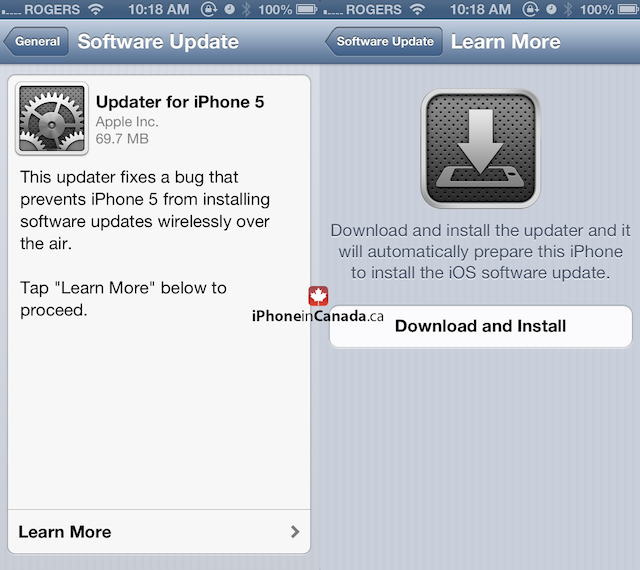
The 6.0.1 update is available both via iTunes as well as OTA. However iPhone 5 users updating from their devices are required to first install an “updater” application (shown above).
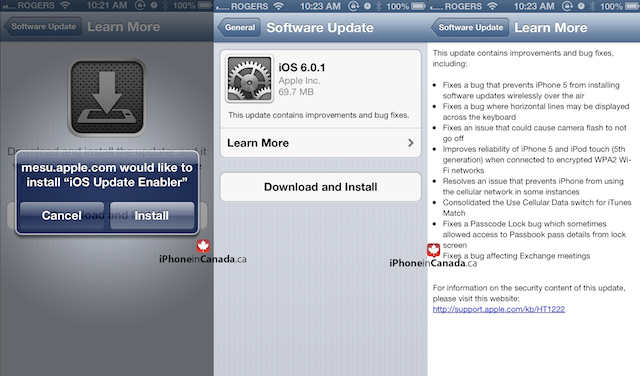
Here’s the official change log:
– Fixes a bug that prevents iPhone 5 from installing software updates wirelessly over the air
– Fixes a bug where horizontal lines may be displayed across the keyboard
– Fixes an issue that could cause camera flash to not go off
– Improves reliability of iPhone 5 and iPod touch (5th generation) when connected to encrypted WPA2 Wi-Fi networks
– Resolves an issue that prevents iPhone from using the cellular network in some instances
– Consolidated the Use Cellular Data switch for iTunes Match
– Fixes a Passcode Lock bug which sometimes allowed access to Passbook pass details from lock screen
– Fixes a bug affecting Exchange meetings
Here are the direct iOS 6.0.1 IPSW download links (official):
Want to see more of our stories on Google?

P.S. Want to keep this site truly independent? Support us by buying us a beer, treating us to a coffee, or shopping through Amazon here. Links in this post are affiliate links, so we earn a tiny commission at no charge to you. Thanks for supporting independent Canadian media!


Cool! That keyboard glitch was getting annoying
It was scary. Gave me nightmares.
Was this only on iPhone 5’s or did it affect ios6 as a whole? Knock on wood but I’ve yet to see any lines on my iphone 5 keyboard. However I will update as soon as possible. Hopefully this doesn’t affect the progress of current jailbreaks. Although I doubt it will as developers usually wait for the first update before releasing anything. Hopefully the jailbreak isn’t far off now 🙂
Awesome. Any word on an iOS 6 untethered jailbreak?
Who would put this down? This is a top issue for me too! I want my jailbreak 😛
only untethered on old 3GS Bootrom with 6.0.1 and i have verified that this works!
not that i mind, but why is updater app iphone 5 only?
About time…
Facebook app crashes constantly with iOS 6.0.1 update
Here too, on both my iphone 4 and ipad 2. Rather irritating. Deleted facebook, reinstalled, restarted phone but nothing helps.
“Resolves an issue that prevents iPhone from using the cellular network in some instances” so are my data woes finally going to be solved?
Thought I was safe from not using phone over cell network past 5 days and got message today telling me I went over my limit. Pissed off and this update has come a little too late.
Was there any updates to the severely unreliable Apple Maps?