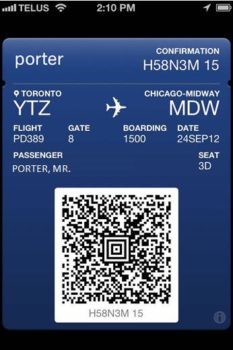
Looks like a Canadian airline has quickly jumped onto integrating Passbook as a check-in feature for its customers. Porter Airlines has posted on its Facebook page to announce Passbook support in iOS 6.
How to use Passbook with Porter Airlines?
1. Web check-in from your Passbook-supported iPhone
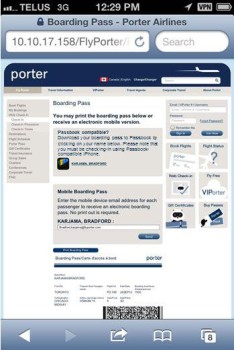
2. Launch Passbook on your iPhone and boom–your boarding pass will now be there.

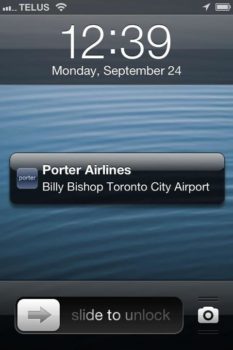
4. You will also be reminded before your flight to help you make your flight on time.
We previously showed you how Passbook works with Cineplex Mobile. Passbook is a repository to store coupons, passes, and tickets right on your iPhone. Currently, developers are quickly updating their apps to integrate the new feature for iPhone users. Starbucks will be adding Passbook support soon.
If you fly with Porter Airlines, let us know if you try this out!
[via @swotam]




yes
porter connects my two homes
this is awesome! another reason why Porter seems to be doing so well.
Now lets get the rest of the Canadian Airlines on board!
And this is one of the many reasons why Porter is Canada’s best airline.
Great airline, but no sign yet of this in the App Store.
Really have my doubts as to the value of Passbook – it looks more like Apple trying to pull users from individual company’s own apps and likely taking a piece of profit for themselves.
This doesn’t appear in the App Store. It’s via the mobile web app, as stated in the post.
Brilliant — once again Porter is ahead of the rest.
I love porter, but this does not work as seamlessly as described above.
This does not work. I’ve tried it on a 4S, 5, and 5S.
I’m never prompted to add boardingpass to passbook on the boarding pass page, been through this process many times on my iphone, simply doesn’t work