
How to Restore iPhone if You Forget Your Passcode [VIDEO]
If you can't use Passcode Reset, you can then reset your iPhone or iPad without a computer to regain access to your Apple device.
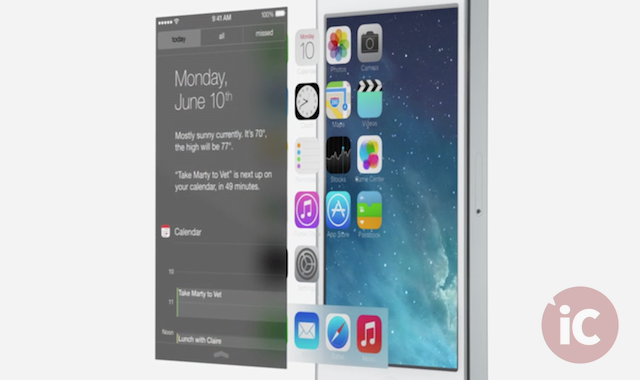
As expected, Apple took the curtains off its brand new, revamped iOS 7 at the WWDC 2013’s opening keynote earlier today, alongside the OS X Mavericks. While rumours of iOS 7 to introduce a rather ‘flat look’ were true after all, nobody actually expected such an amazing and comprehensive end-to-end redesign. Below is a round up of all that Johnny Ive has brought to the latest and most beautiful iteration of iOS.
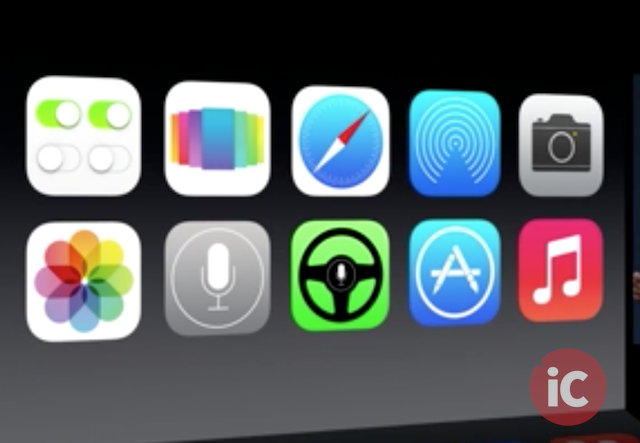
“It’s unbelievable, it’s just gorgeous. From the typography to the homescreen.”
A Complete Redesign
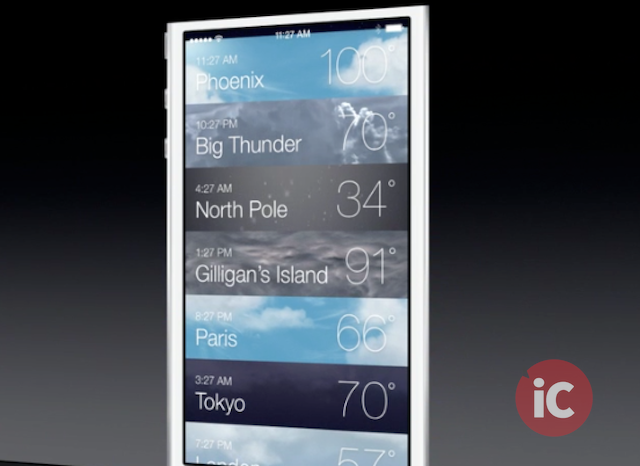
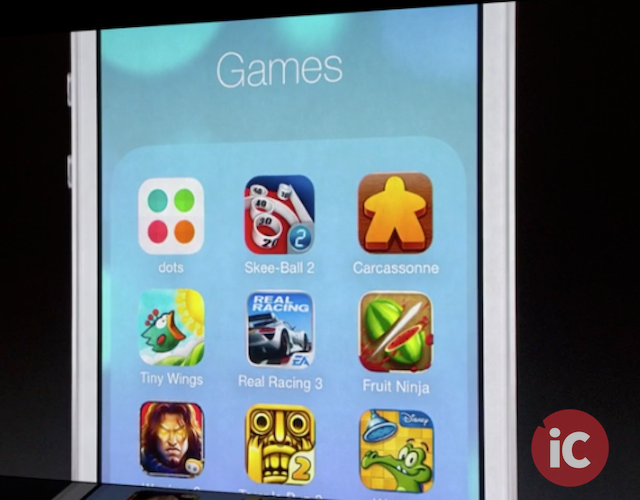
With iOS 7, every single app and icon has been redesigned from ground up. When you move the device in your hand, it actually tracks your motion. You can even see behind the icons. There are animated backgrounds, some cool animations in the weather app and folders with their very own pages. Even the Notification Center has been fully redesigned and is now also available on the lock screen. The antenna signal bars are replaced with small dots and the dock has been replaced by a transparent line.
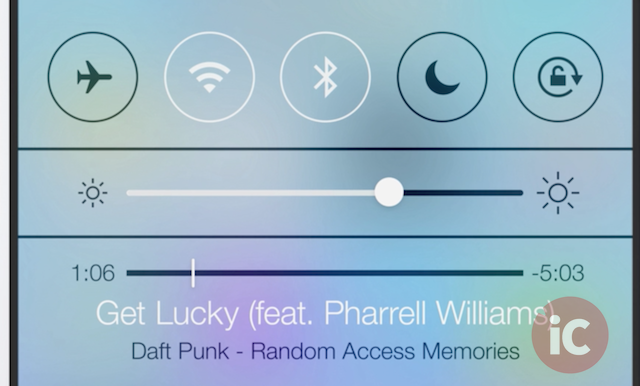
Control Center
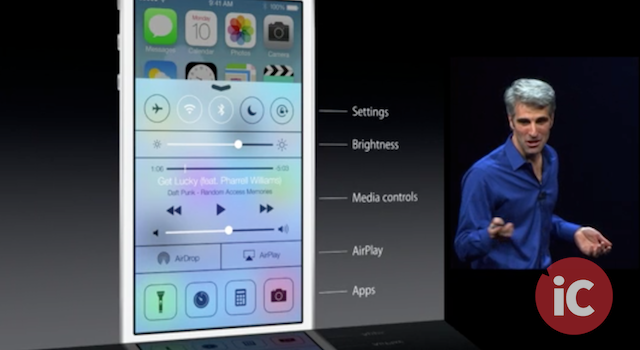
A brand new feature “Control Center” lets you swipe up from bottom of display and reach control toggles for your frequently used settings.
Multitasking For All Apps
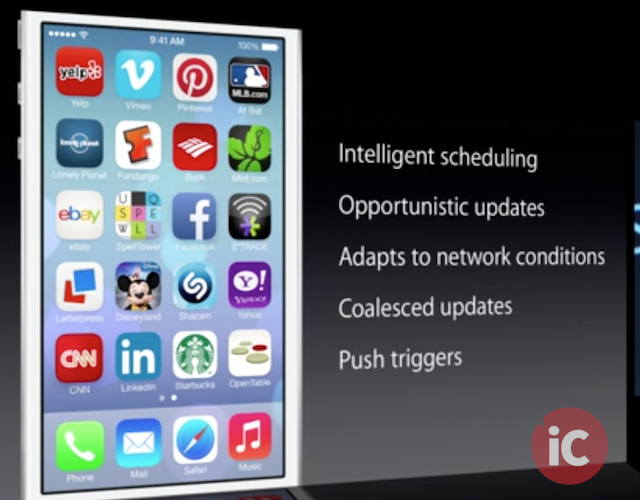
With iOS 7, users get multitasking for all apps, with much improved battery life. The most frequently used apps will get priority on background cycles.
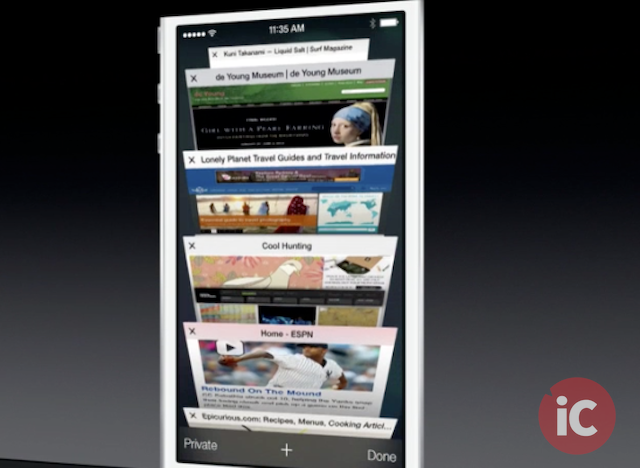
Redesigned And Improved Safari
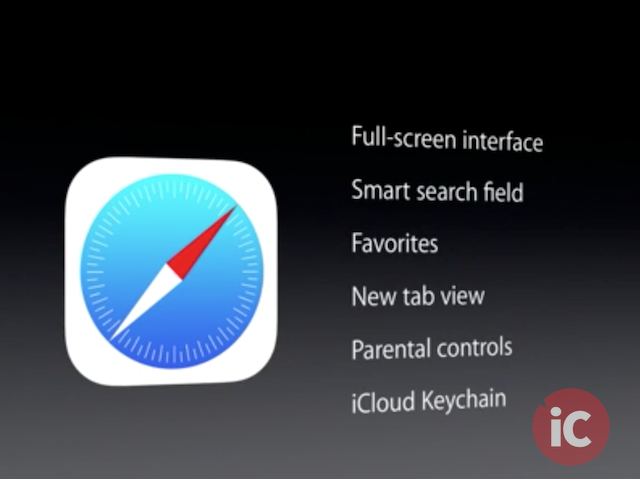
Safari for iOS 7 has a new tab interface and complete redesign, like the other apps. Below is a list of some of the new features in Safari.
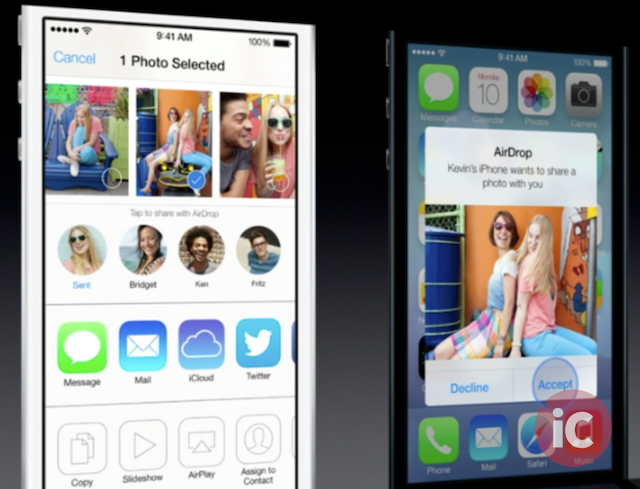
AirDrop For iOS
With AirDrop for iOS, users just tap to share. They don’t need to wander around “bumping their phones”.
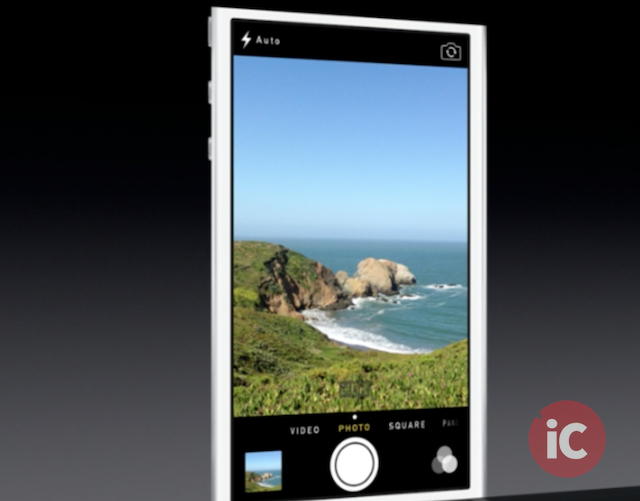
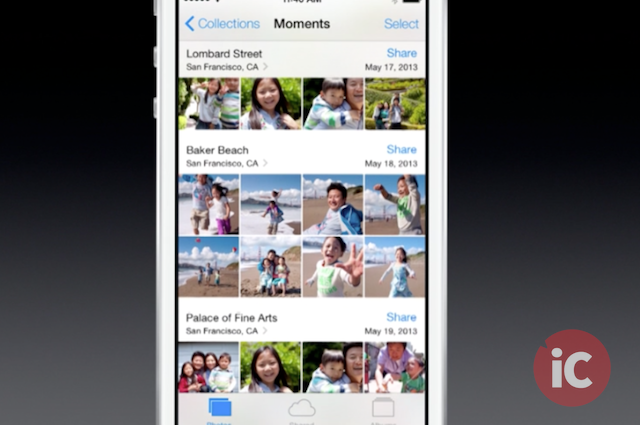
The New Camera & Photos Apps With ‘Moments’
The new camera app has automatic “square” camera for Instagram shots, with access to live, online filters and Flickr integration. The new photos app automagically organizes your pictures, based on where and when, a feature called ‘Moments’.
Updated Siri
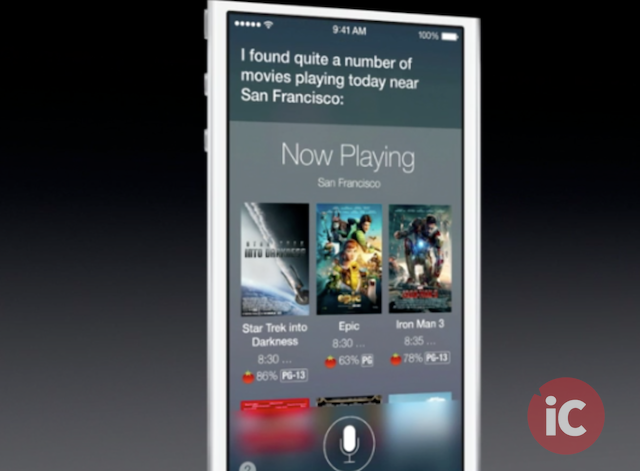
Along with a brand new UI, Siri also has a new female voice and a male voice, both of which sound very real. Users can now search Twitter and Wikipedia with Siri as well as adjust settings like brightness etc.
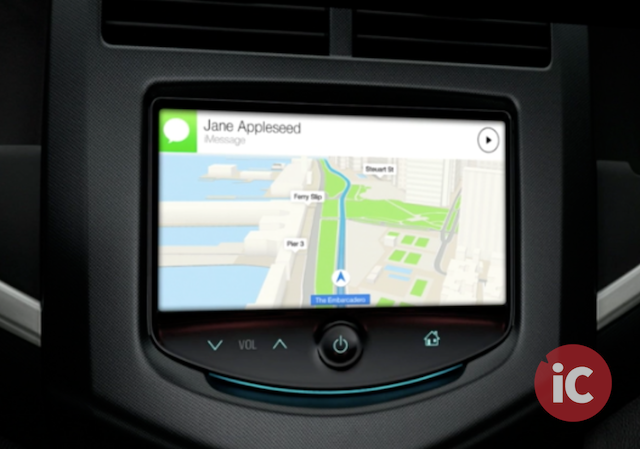
iOS In The Car
iOS in the car is another new feature in iOS 7. Apple said “We want to take car integration to a whole other level. What if you could get iOS on the screen that’s in your car?” It’s more like having iOS running onscreen in your car. Users can call people by voice, get directions, play music, and get messages read to them before dictating a response, all eyes-free.
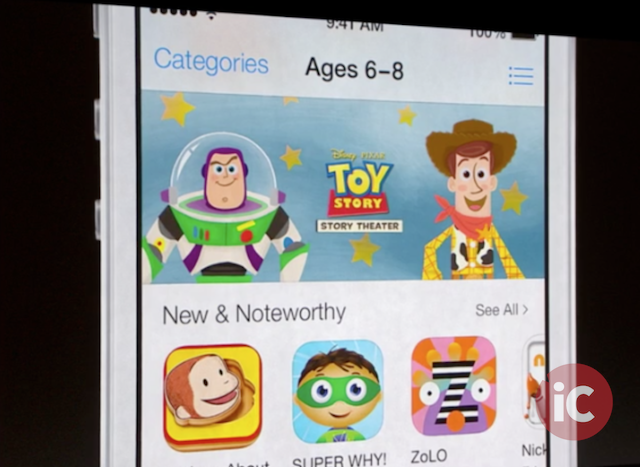
Revamped AppStore With Background Updating
Along with a design overhaul, the new AppStore allows automatic updating of installed apps in the background.
All New Music App
Apple says, “This is the best music player we have ever done.” Users can see all of their purchased music from iCloud right in their library while the video app shows all of their TV shows and movies.
iTunes Radio
Built right into the iTunes is the all new ‘iTunes Radio’. Similar to Pandora, it features music stations and is free but ad-supported. Users with iTunes Match subscription get to enjoy it ad-free. Users can listen to radio stations, and then buy if they like a song.
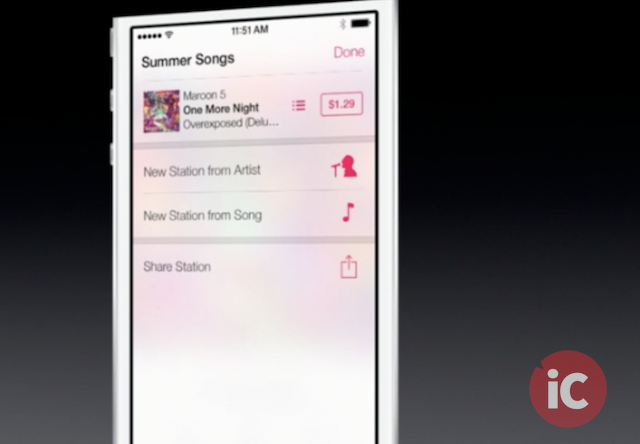
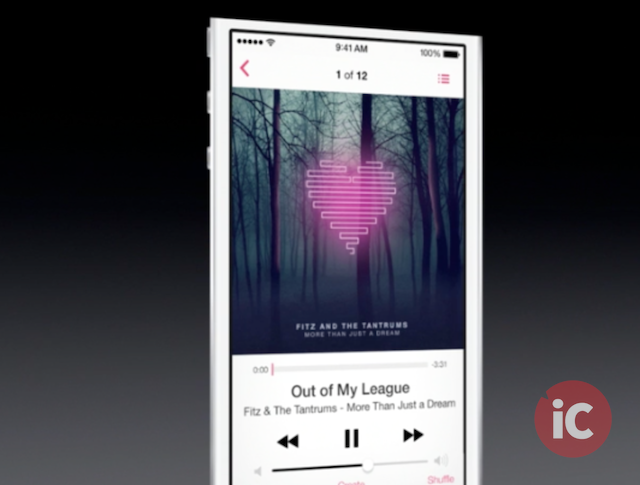
“There’s more to iOS 7 than we had time to talk to you about today.”
Other highlights include:
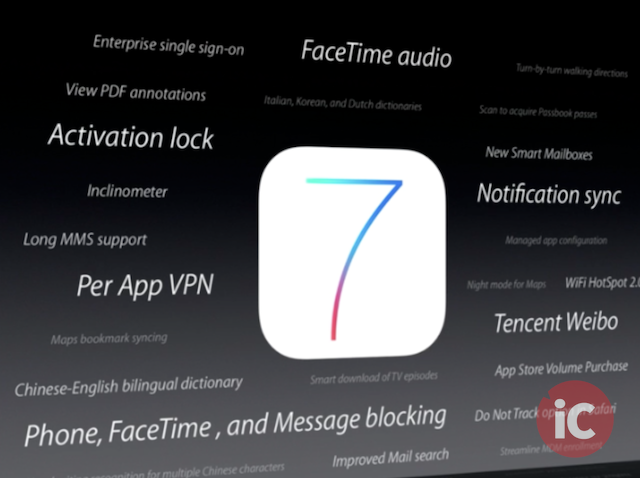
An iOS 7 beta for iPhones will be available for developers today, while the public release is scheduled for release later this year for the following devices:
Want to see more of our stories on Google?

P.S. Want to keep this site truly independent? Support us by buying us a beer, treating us to a coffee, or shopping through Amazon here. Links in this post are affiliate links, so we earn a tiny commission at no charge to you. Thanks for supporting independent Canadian media!


The thing I’m more excited about is the location lock feature thing where no one else will ever be able to use my iphone in case it’s lost or stolen and it will show where it was last “seen” on find my iphone. It will certainly decrease iPhone thefts.
very nice…
I like that they redesigned this, and added the new features, just wish it was a bit darker, this light stuff is going to reek havoc on battery life. Now if you could choose your colours that would be cool. Unfortunately you can barely do that on OSx let alone on iOS without JB.
One of the banes of apple is handcuffing the user’s experience and limiting freedom of choice.
Too true. There’s still time for us to request a toggle to switch between a light and dark interface. The iOS is still in beta, after all. I’m gonna send in a request.
OO good call. Hell for all we know there is a JB in the works for it. Although with each update to iOS, I am finding less and less to JB for.
I totally agree about the bright black-text-on-white-background interface. I’d personally prefer a white-text-on-black-background interface, I find it much easier on the eyes.
Battery life, however, wouldn’t be affected much either way as the backlight is still on whether you’re looking at a black screen or a white screen. Actually, the white might turn out to be better for battery life with many people as they’d probably end up turning their overall screen brightness down to compensate for the abundance of bright white light.
I like what I saw but I’m not crazy about some of the icon designs …
Same here. I like the way they use transparencies as well.
Totally agree. The GameCenter icon is especially ugly. Also not a fan of the Safari or Camera icons. Blech.
I think the safari one is the worst …
Whens the update coming so we can really test things out and voice our opinions on it?
Beta is coming today for developers. Public release, this Fall.
Game Center, Safari and Photos icons are simply ugly. The rest of the OS is okay, i’m getting already used to it ust by looking through Apple’s website. Just wish they’ll change some icons
ya it kinda reminds me of NBC’s logo lol
Besides a visual change it feels like they are playing catch up still.
Exactly
Excited for the redesign, but it may look worse than what we have now. And still no native widgets or native siri support in the ios sdk? What a depressing day for ios. Doomed for another year they are!
I’m sure if apple designed a phone that could wipe ur ass the hater would still hate
Well sir, it’s been well documented that haters are likely to maintain that trend in the future. I.e, “Haters gonna hate”.
I’ll stick to my JB iOS 6 tyvm. Not willing to lose my JB for iOS 7 (yet). Here’s hoping the JB community is hard at work finding exlpoits.