Your Apple Watch can help you find your iPhone if it’s nearby. Simply Touch and hold the bottom of the screen, swipe up to open Control Center, then tap the Ping iPhone button.
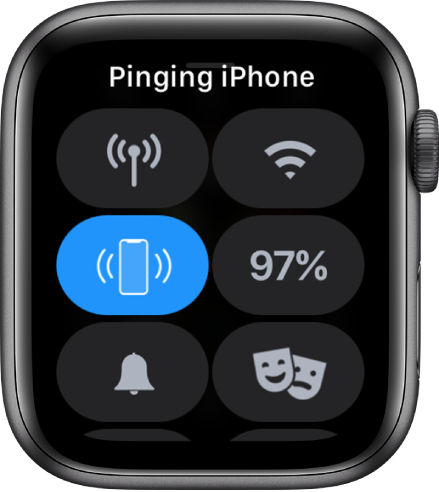
As a result, your iPhone makes a tone so you can track it down.
In the latest beta release of iOS 16, Apple has introduced a new pinging sound that plays when you ping your iPhone from your Apple Watch as spotted by Steve Moser.
If you aren’t familiar with how the ping iPhone feature works, simply follow these steps on your Apple Watch:
- Swipe up on your Apple Watch’s home screen to open the control center.
- Look for the ping iPhone button. It’s an icon of an iPhone with curved lines on both sides.
- Press and hold the ping iPhone button to ring your iPhone’s alarm and trigger your iPhone’s flashlight. If you just press the button without holding, it’ll ping your iPhone without the flashlight.
With the video below to see the feature in action.




