
Google Arts & Culture Overhaul Lets You Chat With Dead Artists
Google Arts & Culture turns 15 with a major mobile app redesign featuring AI-powered conversational search and interactive historical tools.
Back in March, Dropbox acquired the popular Gmail email app Mailbox and last month the latter updated its iOS app to allow sending attachments from the former.
Dropbox now offers users 1GB of free extra storage space by linking your account to Mailbox. It’s the easiest and fastest way to earn extra storage, in seconds. Here’s how to do it.
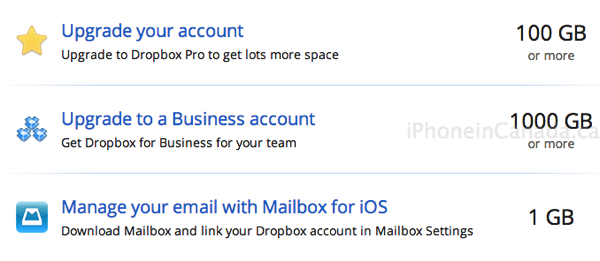
1. Launch Mailbox. Go to Settings > Dropbox > Add Dropbox Account then link your account. If you already have Dropbox for iOS installed it’s dead easy.
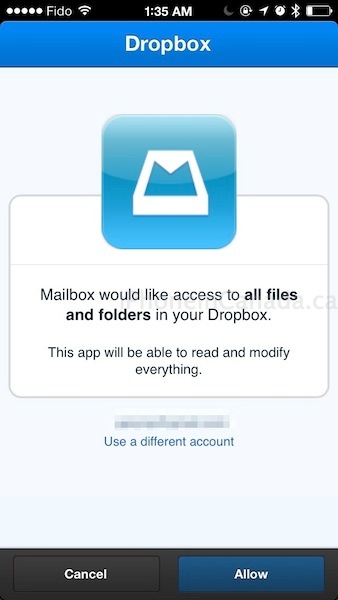
Once your account is successfully connected, Dropbox will inform you of your free space earned:

Normally, referring friends to Dropbox will earn you 500MB for each successful sign up. Linking your Mailbox to Dropbox is by far the fastest and easiest way to earn free storage. Even if you delete Mailbox, the free storage will stay in your account.
Let us know if you’re going to jump on this.
Update: If you previously linked your Dropbox account before this offer, you won’t get the extra space. Unlink then re-link your account to get your 1GB (via @ssklassen19).
Want to see more of our stories on Google?

P.S. Want to keep this site truly independent? Support us by buying us a beer, treating us to a coffee, or shopping through Amazon here. Links in this post are affiliate links, so we earn a tiny commission at no charge to you. Thanks for supporting independent Canadian media!


Thanks!
That’s a nice carrot, you only have to give Google access to all your Dropbox files. Pass thanks.
How so?
Let’s put this in perspective. A mail application specifically advertised as “gmail only” has access to all your dropbox files. You can read the privacy terms on the Dropbox website for yourself. I was actually referring to something specific I read and I will try and find it again.
You can unlink but who knows if copies of ur files stay on googles server.
My guess is yes. They want to know everything about everybody…
‘For a better user experience.’