Update: DO NOT UPDATE YET–this breaks your cellular connection and Touch ID on the iPhone 6, and iPhone 6 Plus.
Apple has released iOS 8.0.1 for download, after rumours of the release were noted yesterday. The update is now available in an over-the-air update, available on your device by going from Settings > General > Software Update (direct download links coming).
It comes in as a 72.2MB download for the iPhone 6 Plus, as seen below:
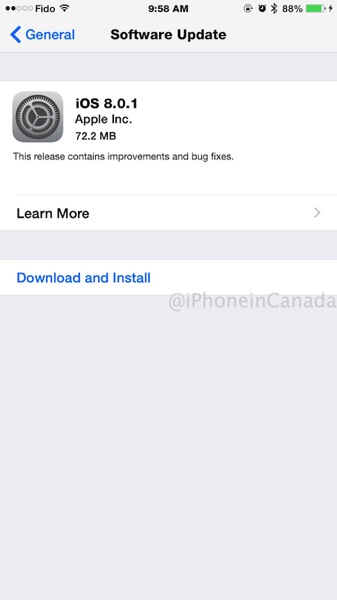
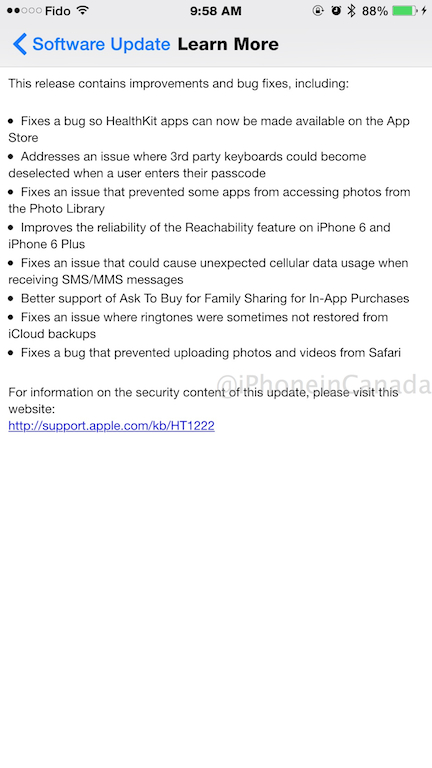
iOS 8.0.1 addresses the following bugs related to HealthKit, 3rd party keyboards, unexpected cellular data usage with SMS/MMS, photo library access by some apps and more:

Here are the direct download links for iOS 8.0.1:
- iPad 2 (Wi-Fi) (iPad2,1) version 8.0.1 (Build 12A402), Download
- iPad 2 (GSM) (iPad2,2) version 8.0.1 (Build 12A402), Download
- iPad 2 (CDMA) (iPad2,3) version 8.0.1 (Build 12A402), Download
- iPad 2 (Mid 2012) (iPad2,4) version 8.0.1 (Build 12A402), Download
- iPad mini (Wi-Fi) (iPad2,5) version 8.0.1 (Build 12A402), Download
- iPad mini (GSM) (iPad2,6) version 8.0.1 (Build 12A402), Download
- iPad mini (CDMA) (iPad2,7) version 8.0.1 (Build 12A402), Download
- iPad 3 (Wi-Fi) (iPad3,1) version 8.0.1 (Build 12A402), Download
- iPad 3 (GSM) (iPad3,2) version 8.0.1 (Build 12A402), Download
- iPad 3 (CDMA) (iPad3,3) version 8.0.1 (Build 12A402), Download
- iPad 4 (Wi-Fi) (iPad3,4) version 8.0.1 (Build 12A402), Download
- iPad 4 (GSM) (iPad3,5) version 8.0.1 (Build 12A402), Download
- iPad 4 (CDMA) (iPad3,6) version 8.0.1 (Build 12A402), Download
- iPad Air (Wi-Fi) (iPad4,1) version 8.0.1 (Build 12A402), Download
- iPad Air (GSM) (iPad4,2) version 8.0.1 (Build 12A402), Download
- iPad Air (CDMA) (iPad4,3) version 8.0.1 (Build 12A402), Download
- iPad mini Retina (Wi-Fi) (iPad4,4) version 8.0.1 (Build 12A402), Download
- iPad mini Retina (GSM) (iPad4,5) version 8.0.1 (Build 12A402), Download
- iPad mini Retina (CDMA) (iPad4,6) version 8.0.1 (Build 12A402), Download
- iPhone 4s (iPhone4,1) version 8.0.1 (Build 12A402), Download
- iPhone 5 (GSM) (iPhone5,1) version 8.0.1 (Build 12A402), Download
- iPhone 5 (CDMA) (iPhone5,2) version 8.0.1 (Build 12A402), Download
- iPhone 5c (GSM) (iPhone5,3) version 8.0.1 (Build 12A402), Download
- iPhone 5c (CDMA) (iPhone5,4) version 8.0.1 (Build 12A402), Download
- iPhone 5s (GSM) (iPhone6,1) version 8.0.1 (Build 12A402), Download
- iPhone 5s (CDMA) (iPhone6,2) version 8.0.1 (Build 12A402), Download
- iPhone7,1 (iPhone7,1) version 8.0.1 (Build 12A402), Download
- iPhone7,2 (iPhone7,2) version 8.0.1 (Build 12A402), Download
- iPod touch 5G (iPod5,1) version 8.0.1 (Build 12A402), Download
…more to follow
Update: We are unable to get a carrier signal from Fido after installing iOS 8.0.1. Also, Touch ID doesn’t work anymore (iPhone 6 Plus), but works for the iPhone 5s. Also, the same goes for Rogers, Koodo and more. US-users are also affected.



64.7MB for iPhone 5 on iOS 8.0
If I am running the GM of 8.0, will I get a notification for 8.0.1 OTA update or do I need to put the public version of 8.0 on my i5s to get 8.0.1? Thanks in advance.
I was running the iOS 8 GM on my 5S, and the 8.0.1 downloaded and installed OTA for me without issue.
Great to hear. I’ve been checking the Software Update area and it keeps saying it is up to date. Though given the issues that are now arising, maybe I’ll wait.
Nothing for the battery life issues? O.o
Not that I agree with the way it generally works, but battery life fixes don’t normally come until later on in the update cycle. These are nothing new and happen with EVERY iOS release.
After upgrading to 8.0.1 on iPhone 6 plus, I no longer have a cell connection. Watch out guys. I have to restore to 8.0……
Wow… just wow….
I have a same problem. how to restore back to 8.0?
So the only fix seems to be to restore using iTunes. I got the signal and touch ID back. Do an iCloud backup before restoring and then restore using iTunes. Once done, set up the phone as new and then go to Settings/General/Reset and erase and reset all. Once the phone boots up again, do your set up and restore from iCloud backup and voilà
I lost Wifi on my iPad Air after upgrade. I need to restart it 2 times to get my wifi back…
Broke my iPhone 6. No cellular connection and no TouchID
same for me. No Touch ID and no connection to Fido network
Same for me, no touchID and no cell connection, just says “searching” WTF?
Due to comments below, I think I will wait before upgrading…
Yup, I just lost cellular connection too on my iPhone 6, I just got the darn thing 2 hours ago too.. back to my iphone 5 for now I guess.. 🙁
Yup. According to all the comments on every other site, do not update to 8.0.1.
My friend just broke his brand new iPhone 6 with 8.0.1 …. lol!
Huge fail from Apple, breaking their brand new device with a software update ! Steve Jobs would be pissed off if he was still alive…!
My Touch ID and cell connections still work after 8.0.1.
I’m assuming you are on an iPhone 5S or lower as it appears to only be breaking 6’s and 6+..
Yes. I have a 5S.
I started the update and was at the stage preparing update when I saw these warnings here and I did not know how to stop it, so I did hardware reboot and I am still on 8.0 on my iPhone 6. When I went to Software update in Settings, it looked like it started the update again, so I did shut down and reboot. Does anyone know how to stop it from resuming the update over the air? Thanks
turn off your wifi
OK, thanks, done
so far it is just sitting there,
hopefully it will time out, but the download was finished, it said it was preparing update,
well this sucks
yeah mine is gone too iphone 6plus on bell. i wonder if we can re-install and downgrade to ios 8.0. by downloading the .ipsw.
Apple doesn’t stop signing firmware the second they release an update, you can still downgrade
So I am on 8.0.1 on iPhone 6Plus and everything is working fine. If you want to upgrade to 8.0.1, you need to do it using iTunes. Do not do the OTA update. If you’ve upgraded to 8.0.1, go into iCloud settings and do a backup. Plug the phone in iTunes and restore. Once restored, go to settings/general/reset and erase all. Then restore from iCloud backup and everything will work.
WOW! Bad day for Apple. Makes me want to return this 6+ and never said i did. unliveable. Steve would be rolling in his grave.
you might want to put that update at the top of the article next time. Saw article, and immediately updated, and then read update after upload was done. BLAGH lol
Follow our tutorial for the fix here: https://www.iphoneincanada.ca/how-to/fix-ios-8-0-1-errors-no-service-broken-touch-id/