If you rely on ultrasn0w 1.2.8 to unlock your iPhone 3G/3GS or iPhone 4, it was updated to support iOS 6.1 on Monday, the same day evasi0n was released, according to @musclenerd.
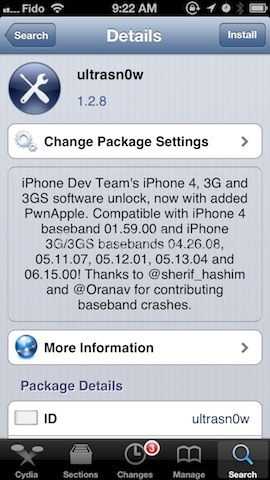
Ultrasn0w 1.2.8 will only unlock the following basebands:
- iPhone 3G/3GS: 04.26.08, 05.11.07, 05.12.01, 05.13.04, and 06.15.00
- iPhone 4: 01.59.00
How to unlock your existing iPhone 3G/3GS and iPhone 4 on iOS 6.1? First you need to have a baseband listed above on your iPhone. Go to Settings > General > About > Modem Firmware to check.
If your baseband is listed, you will need to use redsn0w to safely preserve it as you update to iOS 6.1. Within redsn0w, go to:
Extras > Even More > Restore
This ensures you will be able to update to iOS 6.1 safely but retain a baseband that ultrasn0w can unlock. Once you’re on iOS 6.1 and jailbroken, just download ultrasn0w 1.2.8 within Cydia to unlock your iPhone.



Umm Ultrasnow doesnot work on the iPhone 4 , even before jailbreaking your stuck with a “No Service/1Bar” loop running 6.1 w/1.59.00 after jailbreak and installing ultrasn0w same problem. 1.2.8 is for the 3GS’s
same here