You Can Now Jailbreak iOS 16.4.1 with Palera1n 2.0.0 Beta 6
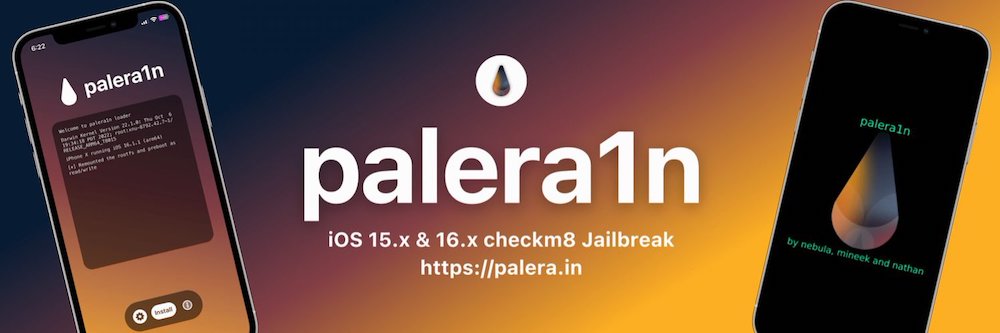
Codenamed Bakepale, the latest v2.0.0 beta 6 update to jailbreak tool Palera1n has just been released, which fully supports iOS 16.4 - iOS 16.4.1 jailbreak.
Whoa, folks. Just one day after iPhone firmware 2.1 was released, the Dev Team has released a jailbreak already! Do these guys ever…sleep? LOL! Anyways, today they announced the released of QuickPwn 2.1 and Pwnage Tool 2.1 for Mac! Let’s find out some more details, shall we?
By the way we figured out a way to combat iTunes 8 without patches…and we’re waiting to see what Apple tries next. But we think they might want to rethink their priorities. They probably won’t though, and so we get back to the “cat and mouse” game between Apple and the Dev Team and third-party communities.Here are the new versions of PwnageTool and QuickPwn that support the 2.1 firmware. And as we just mentioned, iTunes was not harmed in the process 😉 no patching was required.
This does not address the new iPod Touch 2G device released this week. Partly because none of us even have one yet 🙂
- PwnageTool 2.1 for Mac OS X via Bittorent – download here
- QuickPwn 1.1 for Mac OS X via Bittorrent – download here

The above download links are via BitTorrent, and I would suggest downloading it that way to ensure you get the official packages.
The Dev Team also stated that there are spammer sites out there trying to make money of their hard work. It’s best to avoid these fakers and stick only to the news you find at the Dev Team Blog.
For an excellent guide, check out the recently released guide by iClarified. Let me know how your jailbreak goes folks! Remember, right now the QuickPwn and Pwnage Tool is for Mac users only! Let the cat and mouse game continue–yet again!!
**Looking for an iPhone 3G case? Go get an invisibleSHIELD, the strongest protection for your iPhone backed by a 30 day moneyback guarantee, lifetime replacement warranty, and FREE shipping! Use coupon code iphoneinca for 20% off your purchase! Order today!**
If you enjoyed this post, please subscribe to my RSS feed, so you won’t miss any updates! You can also subscribe via email and have daily updates sent to your Inbox! Want more? Find out what I’m doing right now! Follow me on Twitter!
Want to see more of our stories on Google?

P.S. Want to keep this site truly independent? Support us by buying us a beer, treating us to a coffee, or shopping through Amazon here. Links in this post are affiliate links, so we earn a tiny commission at no charge to you. Thanks for supporting independent Canadian media!

wow indeed! amazing how fast this got pwned.
Yeah, pretty amazing! I had a hunch they would release it soon since the iPod Touch firmware was jailbroken so fast!
They do awesome work!
wow that was quick!
Aww so I have to wait a bit since I’m a winblows users huh 😉
haha…yes, me too unfortunately. I’m enjoying 2.1 a lot though, no more lag when typing. OH, btw, I mailed out your GelaSkin…let me know if you got it or not!
Too bad that ‘update’ button doesn’t work.
Which “update” button?
Pwnage Tool 2.0.1, there’s a “check for updates” button. Doesn’t work. You have to download the torrent. So I did. I’m using my macbook and my sound was on mute! When I plugged in my iPhone after making the custom restore file, and turned it off, iTunes popped up unexpectedly, and I totally missed the DFU mode because I couldn’t hear the beeping sound Pwange tool makes! There was an error and my iPhone wouldn’t turn back on!!! OMG. After 5 minutes, my iPhone turned back on and I did the whole process again (with the sound on this time!). Everything works great! I love jailbreaking, it’s good going back to the dark side.
Word of advice: Make sure your sound is on.
I always get confused with different versions of quickpwn. This one here http://www.quickpwn.com/ seems to be the Windows version, which is alot more hands on I think.
This site is the unofficial site and I would suggest not having anything to do with it. Stay tuned to the official Dev Team blog only!
Just wondering if it unlocks the phone? I have a first gen and read in the forums that if you use the new tools to pwn your phone, the “unlock” remains. I just don’t want to do this and have to downgrade after discovering that I no longer can make calls. It works great as it is, but…
Just wondering: my 2G iPhone is already PWNd with 2.0; do I let iTunes 8.0 install 2.1 and then run QuickPwn? Has anyone tested that it works well with Fido?
so far i haven’t gotten this quickpwn to work, i need a sms fix or patch to get it working. it seems like the PIN from this iPhone1,2_2.1_5F136_Restore.ipsw file doesn’t contain the right networks. if you can somehow get the pack itunes installs than integrate that with the quickpwn installer than it should work just fine in your area
Hey does anyone else have a problem putting custom ringtones on their iphone after the update? Hope the windows version comes out soon so I can find an unofficial way to fix this. Cheers!
Well I took the plunge and upgraded my pwned 2G 2.0.2 to 2.1 and it worked great.
I did the full pwnage and not the quickpwn and let me tell you, 2.1 feels A LOT better then 2.0.2. I would recommend all 2G 2.0.x users to upgrade
Did you follow the method prescribed by the Dev team and only download the 2.1 and THEN pwn? I have heard that you can do it both ways. Not sure yet if I want to tackle it…
I followed the tutorial on iClarified (basically the way prescribed by the dev team, and the same way I did it for 2.0.1 and 2.0.2)
That was indeed fast, just need one for Windows based users. I don’t have a mac so must wait till it’s available.
Is there a Mac Bittorrent client someone can recommend?
Can the Mac OS X version be ported over to Linux?
Well… I know it “can”… is the dev team willing to do so?
Hi every one
I am a windows user and I have a 3G with new firmware 2.1 I want jalbreak my iphone
if some one tell me how step by step and which Quickpwn and winpwn and firmware I
can use.
I am good on useing the computers but my English is no good.
Thanks .
Just qwkpwned iphone 3g with 2.1 firmware , seems to work great but installer app cannot decode anything while cydia works fine. Please Help.
Thank you very much .
from Where I can download Firmware 2.1 ?
And for windows always use the same version of qwkpwned .
Thank you very much .
anyone know of a version of the 2.1 jailbreak for windows?
this is the most satisfying software ive used to unlock my iphone,without this i would still be banging my head to the wall…. lots of them have an unlocking software or know abouts of doing it ….but this thing rocks man!!!!!!!!!!!!!!!!!!!!!
I downloaded quickpwn and when it told me to go into DUI mode, my ipod flashed the turned off. and it will not turn on now!!!!!what do i do!?!?! PLEASE HELP?!?!?!?!?!??!!??!?!?!?!?!?!?!??!?!?!?!??!?!?!?!?!?!?!?!??!?!?!?!?!??!?!?!
This is almost too good to be true. Thanks for this. http://www.Y3.com
can that unlock the 3g to be used with some other carriers
this is amazing tool, thanks for this site. 🙂
ok i want to upgrade from 1.1.1. its currently unlocked and jailbroken but i want to update to 2.1, do i update to 2.1 from itunes first and then pwn it? or what do i do? im completely lost
wow indeed! amazing how fast this got pwned.
wow indeed! amazing how fast this got pwned.
wow indeed! amazing how fast this got pwned.
wow indeed! amazing how fast this got pwned.
wow that was quick!
wow that was quick!
wow that was quick!
Aww so I have to wait a bit since I’m a winblows users huh 😉
Aww so I have to wait a bit since I’m a winblows users huh 😉
Aww so I have to wait a bit since I’m a winblows users huh 😉
Aww so I have to wait a bit since I’m a winblows users huh 😉
Too bad that ‘update’ button doesn’t work.
Too bad that ‘update’ button doesn’t work.
Too bad that ‘update’ button doesn’t work.
Too bad that ‘update’ button doesn’t work.
Yeah, pretty amazing! I had a hunch they would release it soon since the iPod Touch firmware was jailbroken so fast!
Yeah, pretty amazing! I had a hunch they would release it soon since the iPod Touch firmware was jailbroken so fast!
Yeah, pretty amazing! I had a hunch they would release it soon since the iPod Touch firmware was jailbroken so fast!
haha…yes, me too unfortunately. I’m enjoying 2.1 a lot though, no more lag when typing. OH, btw, I mailed out your GelaSkin…let me know if you got it or not!
haha…yes, me too unfortunately. I’m enjoying 2.1 a lot though, no more lag when typing. OH, btw, I mailed out your GelaSkin…let me know if you got it or not!
haha…yes, me too unfortunately. I’m enjoying 2.1 a lot though, no more lag when typing. OH, btw, I mailed out your GelaSkin…let me know if you got it or not!
haha…yes, me too unfortunately. I’m enjoying 2.1 a lot though, no more lag when typing. OH, btw, I mailed out your GelaSkin…let me know if you got it or not!
Which “update” button?
Which “update” button?
Which “update” button?
Pwnage Tool 2.0.1, there’s a “check for updates” button. Doesn’t work. You have to download the torrent. So I did. I’m using my macbook and my sound was on mute! When I plugged in my iPhone after making the custom restore file, and turned it off, iTunes popped up unexpectedly, and I totally missed the DFU mode because I couldn’t hear the beeping sound Pwange tool makes! There was an error and my iPhone wouldn’t turn back on!!! OMG. After 5 minutes, my iPhone turned back on and I did the whole process again (with the sound on this time!). Everything works great! I love jailbreaking, it’s good going back to the dark side.
Word of advice: Make sure your sound is on.
Pwnage Tool 2.0.1, there’s a “check for updates” button. Doesn’t work. You have to download the torrent. So I did. I’m using my macbook and my sound was on mute! When I plugged in my iPhone after making the custom restore file, and turned it off, iTunes popped up unexpectedly, and I totally missed the DFU mode because I couldn’t hear the beeping sound Pwange tool makes! There was an error and my iPhone wouldn’t turn back on!!! OMG. After 5 minutes, my iPhone turned back on and I did the whole process again (with the sound on this time!). Everything works great! I love jailbreaking, it’s good going back to the dark side.
Word of advice: Make sure your sound is on.
Pwnage Tool 2.0.1, there’s a “check for updates” button. Doesn’t work. You have to download the torrent. So I did. I’m using my macbook and my sound was on mute! When I plugged in my iPhone after making the custom restore file, and turned it off, iTunes popped up unexpectedly, and I totally missed the DFU mode because I couldn’t hear the beeping sound Pwange tool makes! There was an error and my iPhone wouldn’t turn back on!!! OMG. After 5 minutes, my iPhone turned back on and I did the whole process again (with the sound on this time!). Everything works great! I love jailbreaking, it’s good going back to the dark side.
Word of advice: Make sure your sound is on.