
Apple’s AirPort Utility App is Being Removed From the App Store
Apple warns that "functionality is not guaranteed" when using AirPort Utility on iOS 27 or later.
Ever found it a problem that your iPhone had 8GB or 16GB of storage? Ever needed more? Well today we have a storage iPhone application called “Supersize Me” which increases your iPhone storage capacity.
Supersize Me is cloud storage which means it stores your chosen content on the Internet and is always ready for your use. In other words, you can access your content anytime. Supersize Me works in conjunction with a PC/Mac program called ZumoDrive which is your program to upload your chosen content to the “cloud” (AKA: Internet) and then you use Supersize Me on your iPhone to securely access that content. Essentially what this application does is allow you access to literally all of your content that you want to store without ever having to sync any of that content with your iPhone and iTunes.
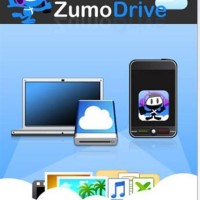
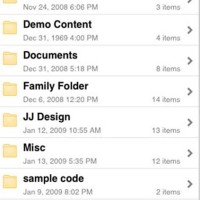
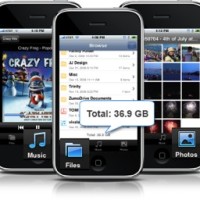
For example, lets say you have an 8GB iPhone. With Supersize Me and Zumodrive, you can store your entire picture library, all your music, all your movies, all your everything in the “cloud” and have full access to it via WiFi, 3G, or EDGE without ever using your local storage on your iPhone. The nice feature here is that your content seems local because you are accessing it via your iPhone but it really is not local because it is being stored on the web.
In other words, you do not have to worry about how much storage space you have on your iPhone.
Some of the compatible content that works with this app includes:
Documents: MS Office (doc, docx, xls, xlsx, ppt, pptx), PDF, RTF, TXT, and more
Music: Streams MP3 and AAC
Photos/Images: JPEG, PNG, TIFF, and more
Supersize Me for iPhone is usually $4.99 in the AppStore but it is free for a limited time, so jump on it. After you get the app, go download ZumoDrive here. Once you register, as an introductory bonus, you will receive 1GB of free storage to use and there are additional storage plans starting at $2.99. Also note that the use of this application requires iPhone firmware 2.0 or later.
Enjoy!
Want to see more of our stories on Google?

P.S. Want to keep this site truly independent? Support us by buying us a beer, treating us to a coffee, or shopping through Amazon here. Links in this post are affiliate links, so we earn a tiny commission at no charge to you. Thanks for supporting independent Canadian media!


Thanks for informing us of the free opportunity. Sounds like a cool app. Will probably come in handy one day 😉
Sounds interesting…
Thanks bud for the heads up of FREE download LOL
Well who doesn’t love free!
Better I inform you now than finding out that the “free” is now $1.99 for example!!
Go git ‘er!
1GB! it’s like a free 1GB USB flashdrive! Ftw!
sounds like a grt app to use, I have 3G 8gb iphone, out of which 6.8gb has been used already… but if this app works out then probably wont have to worry abt it… thnx!
So in other words send all your data to some anonymous data center, dont forget to include your personal files with your SIN # too! and incase you forget your credit card number make sure to add that to a Excel file and upload that to the so called “Cloud” …
Well, obviously, one would use DISCRETION to choose the files one is uploading?
Absolutely, just pointing out the obvious in a sarcastic way!
Thanks for informing us of the free opportunity. Sounds like a cool app. Will probably come in handy one day 😉
Sounds interesting…
Thanks bud for the heads up of FREE download LOL
Well who doesn’t love free!
Better I inform you now than finding out that the “free” is now $1.99 for example!!
Go git ‘er!
1GB! it’s like a free 1GB USB flashdrive! Ftw!
sounds like a grt app to use, I have 3G 8gb iphone, out of which 6.8gb has been used already… but if this app works out then probably wont have to worry abt it… thnx!
So in other words send all your data to some anonymous data center, dont forget to include your personal files with your SIN # too! and incase you forget your credit card number make sure to add that to a Excel file and upload that to the so called “Cloud” …
Well, obviously, one would use DISCRETION to choose the files one is uploading?
Absolutely, just pointing out the obvious in a sarcastic way!
B OO! How can I get more storage on the iphone that is local? I need to install more apps and I don’t trust 3rd parties with my information.