You Can Now Jailbreak iOS 16.4.1 with Palera1n 2.0.0 Beta 6
Codenamed Bakepale, the latest v2.0.0 beta 6 update to jailbreak tool Palera1n has just been released, which fully supports iOS 16.4 - iOS 16.4.1 jailbreak.
If you recently jailbroke your iDevice following our guide, you may have noticed that your boot logo has turned from the standard Apple logo into an animated Greenpois0n logo.
If you are looking to remove or change that logo, read on!
Read Me Before Continuing:
——
How To Change Or Remove The Animated Greenpois0n Jailbreak Boot Logo
To change or remove the animated Greenpois0n jailbreak boot logo on your jailbroken 4.2.1 firmware, ensure you have access to WiFi and follow the steps below:
1. Tap on “Cydia” on your iDevice Home Screen.
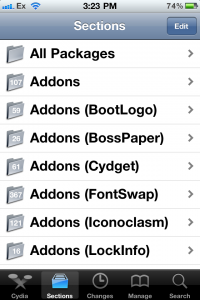
2. In Cydia, tap on “Sections“. Then tap on “Addons (BootLogo)“.
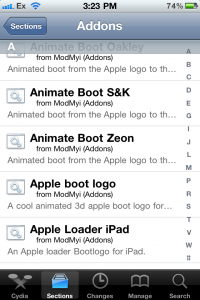
3. From the list, tap on “Apple boot logo“. If there are duplicates, it is the package from ModMyi (Addons).
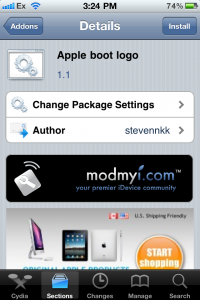
4. In the top right corner, tap “Install” and then tap “Confirm“. Once the install is complete, tap “Restart Springboard“.
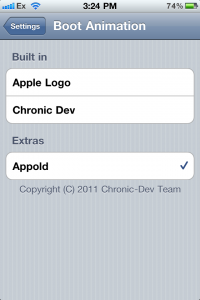
5. When you are back at the Home Screen, tap on your “Settings” app. Flick to the “BootLogo” settings selection and select “Apple Logo” to display the regular boot logo.
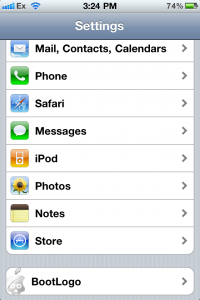
5a. If you download additional bootlogos from Cydia, they will appear under “Extras” in this selection in your Settings app.
Want to see more of our stories on Google?

P.S. Want to keep this site truly independent? Support us by buying us a beer, treating us to a coffee, or shopping through Amazon here. Links in this post are affiliate links, so we earn a tiny commission at no charge to you. Thanks for supporting independent Canadian media!

Why change it? I love it. It’s so symbolic to show my phone is jailbroken. No, I will not change it even I can.
I changed it on the first day using this link:
http://thetechjournal.com/electronics/iphone/enable-disable-animated-boot-logo-in-greenpois0n-rc5how-to.xhtml
how can i change Or remove The Animated Greenpois0n Jailbreak Boot Logo older phone like 3gs?